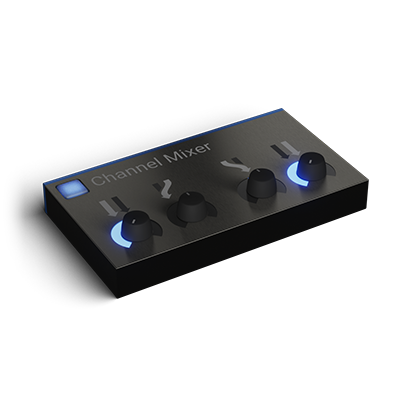
Kilohearts Channel Mixer is a stereo utility for controlling how left and right input signals reach the outputs. Its four adjustable paths let you change the level of a channel or route it to the opposite output. Kilohearts lists phase inversion, left-right swapping, and mid-side operations among its uses.
Channel paths and phase
Each control adjusts a separate input-to-output path:
Left to Leftscales the incoming left channel to the left output. Its range runs from -1 for phase inversion, through 0 for silence, to 1 for passthrough.Right to Rightscales the incoming right channel to the right output.Right to Leftscales the incoming right channel and routes it to the left output.Left to Rightscales the incoming left channel and routes it to the right output.
The controls make Channel Mixer useful when a mix or sound-design patch needs a particular channel level or routing change. See the Channel Mixer section of the manual for parameter details.
Formats and access
You can load Channel Mixer as a regular DAW plugin or use it as a Snapin inside Phase Plant, Multipass, or Snap Heap. Kilohearts lists VST2, VST3, AAX, and Audio Unit as supported plugin standards. Its system requirements list the minimum recommended CPU as an x86-64 processor with SSE3; Kilohearts also supports Apple M processors on macOS. The operating system must still be supported by its manufacturer. Meeting the minimum does not guarantee flawless operation in every use case, especially with many plugin instances or Snapins. The requirements list no licensing hardware for Kilohearts plugins; versions installed through Slate Digital installers use iLok licensing and require a USB dongle or iLok Cloud with a valid Slate Digital license.
Channel Mixer is included in Kilohearts Essentials, which Kilohearts lists as free with an account. The Snapin hosts are separate products, so using Channel Mixer as a Snapin requires access to a compatible host.