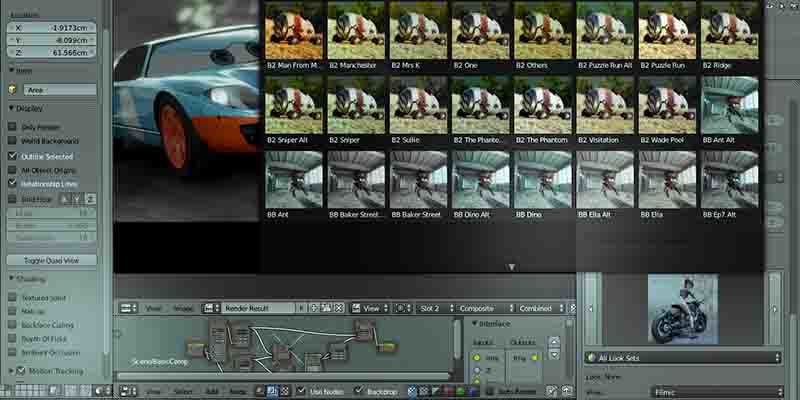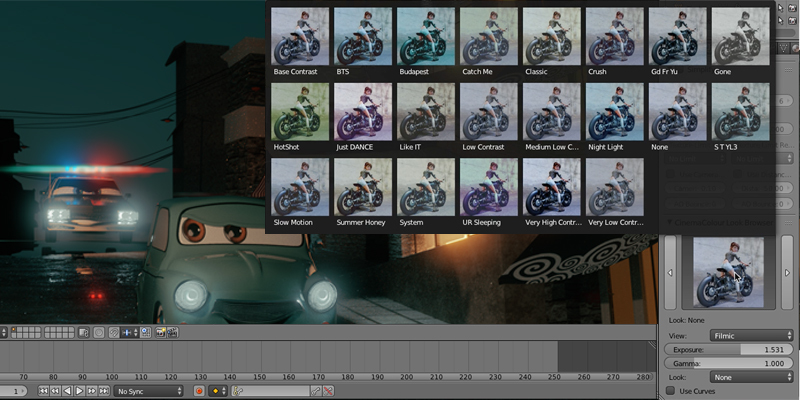
Cinemacolour by FishCakes is a collection of LUTs made specifically for Filmic Blender. Version 2.0 contains 100 premium looks, with a free test scene and a UI look browser for selecting among the available looks. The product listing specifies Blender 2.79 and a GPL license, but does not establish compatibility with later Blender releases.
What the collection includes
- 100 premium looks in version 2.0.
- LUTs made for use with Filmic Blender.
- A UI look browser for selecting among the available looks.
- A free test scene.
Install and browse the looks
The product documentation describes this setup sequence:
- Copy the downloaded add-on folder into Blender's add-ons directory.
- Enable the add-on in User Preferences, then choose “Add the Looks” in the interface that appears.
- Wait a few seconds and restart Blender. Cinemacolour should then appear in the Scene panel, where you can select a look.
The documentation says the looks work in the rendered viewport while rendering and with a completed render. It also lists add-ons directory locations for macOS, Windows, and Linux; consult it for the path that matches your Blender setup.
Version and license
The marketplace listing names Blender 2.79 as the supported version and lists the license as GPL. It does not establish compatibility with later Blender releases. If you use a newer version, confirm compatibility with the current product documentation before adding Cinemacolour to a project workflow.