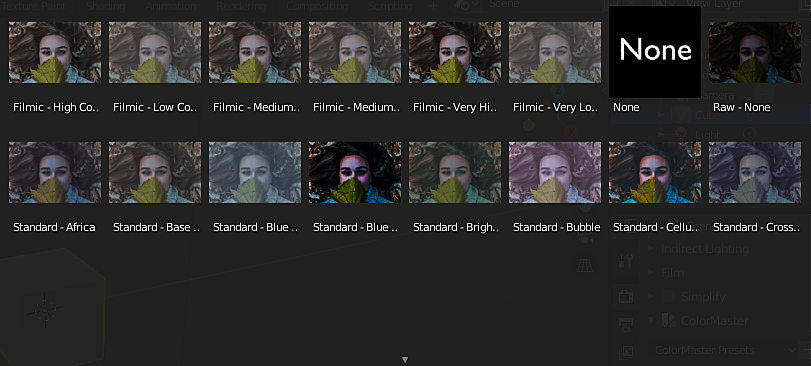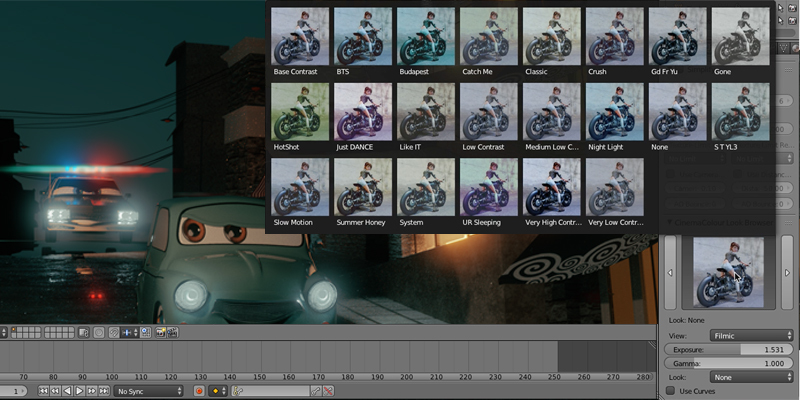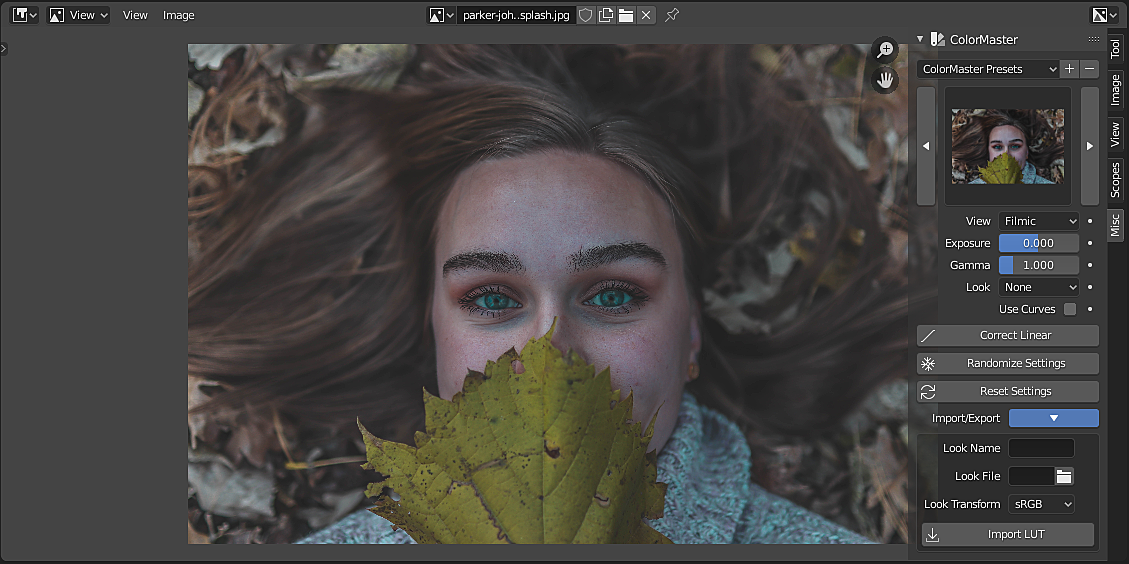
Colormaster is John Roper’s color-management workflow for Blender. It adds an image-based interface to Blender’s color-management tools, where you can import your own looks, edit existing ones and save a setup as a preset.
Work with imported and existing looks
The workflow covers two starting points: bring in a look of your own or adjust one that already exists. Colormaster puts those tasks in the same interface, so you can work on a look and its color-management settings within Blender.
Adjust color-management settings
The listed controls include view transform, exposure, gamma and curves. Colormaster’s supported import formats are not specified. If you need a particular LUT or look format, check the product documentation before relying on it.
Save a setup as a preset
After configuring a look, you can save the entire setup as a preset for later use. This can help when you want to return to a color setup without rebuilding its settings each time.
Check Blender compatibility before installing
The publisher lists Blender 2.7x, including versions 2.77, 2.78 and 2.79. That listing does not establish compatibility with newer Blender releases, so confirm support if your project uses a later version. The product details name John Roper as the creator and GPL as the license. The AnyPlugins catalog lists Colormaster as free; check the publisher page for current product and license details.