City Road Builder is a Blender add-on for creating straight or curved roads in a scene. Choose a road type and click Setup Road to create it, then change the repeat value to extend its length. The add-on also provides curve, roadside, overpass and road material controls.
Set up a road and shape its route
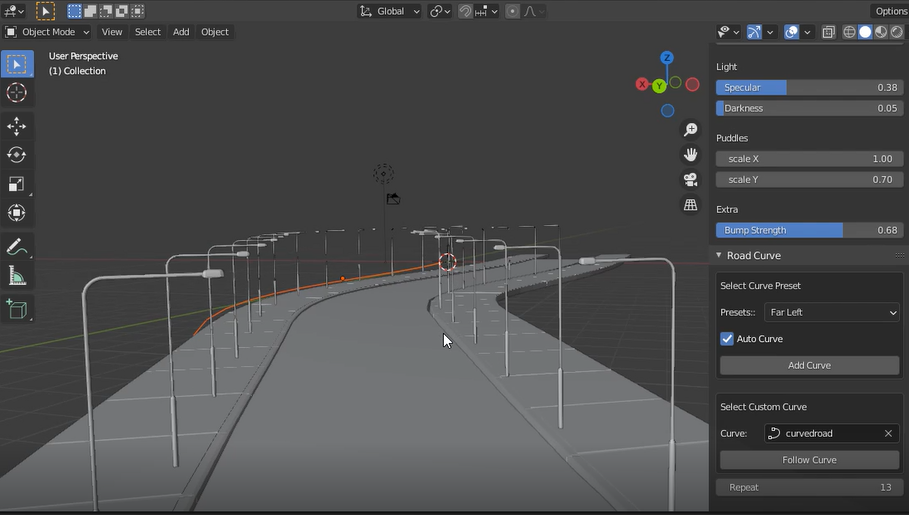
To bend a road, select it and use the Road Curve panel to add a curve. You can start with one of the included presets or draw a custom curve. For a custom path, select the road and use Follow Curve with your curve selected. The developer says the curve should face the Y axis, or the direction the road points.
Add roadside details
The Walk option adds a sidewalk and barrier, Lights adds roadside lights, and Over Pass converts the road into an overpass. The product listing places roadside grass, trees and fences in the Pro version. Check the developer documentation for the setup steps.
Adjust the road surface
The built-in material editor lets you change settings such as roughness, darkness, specular, bump strength, puddle size and wetness. The changes appear on the road as you adjust the values, so you can tune its surface in the add-on.
What Pro adds
The Pro version includes a junction system with an X junction and rotation controls. It also allows multiple roads in one scene and includes a more detailed road texture intended for games or movies. Check current Pro edition terms on the Superhive product page.
Compatibility and product details
The Superhive listing names Blender versions from 2.8 through 4.0, including 3.6. It does not establish support for later releases, so check the current listing before using City Road Builder with a newer Blender version. The listing labels the add-on license as GPL. Its product FAQ covers download size and exporting roads for games.