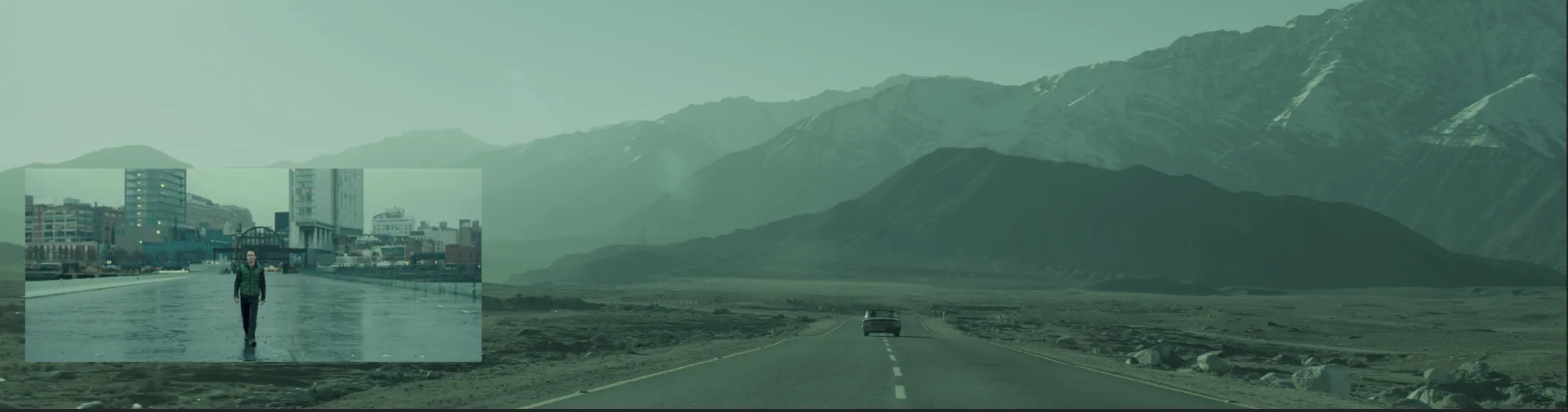
Correct haze and difficult lighting
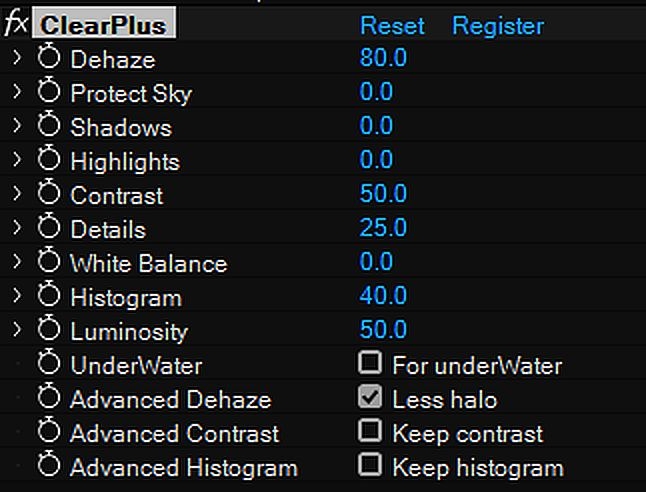
ClearPlus is a GPU-accelerated color correction plugin for Adobe After Effects and Premiere Pro. It is designed for hazy, underwater and low-light footage, and can also be used to enhance skies. Adjust shadows and highlights separately, then use the shadows and dehaze sliders to bring back dark areas while keeping the image clear. The histogram slider uses histogram equalization to increase contrast while preserving overall balance.
Uses by footage type
- On hazy or foggy footage, use dehaze; adjust shadows to recover dark areas.
- For underwater color correction, combine dehaze with white balance.
- In low-light shots, use the shadows and highlights controls, then raise contrast with the histogram slider if needed.
- ClearPlus is also listed for sky enhancement.
Compatibility and licensing
The listing names After Effects 2021 through 2026 and Premiere Pro 2020 through 2026. Its EULA grants one copy and requires an appropriate license for additional copies or users. aescripts' Single User License guidance allows installation on up to two computers if they are not used at the same time. Floating licenses require the Floating License Server on the same network, allow one user per license at a time and require remote users to connect by VPN. See aescripts' license type guidance for these license options.