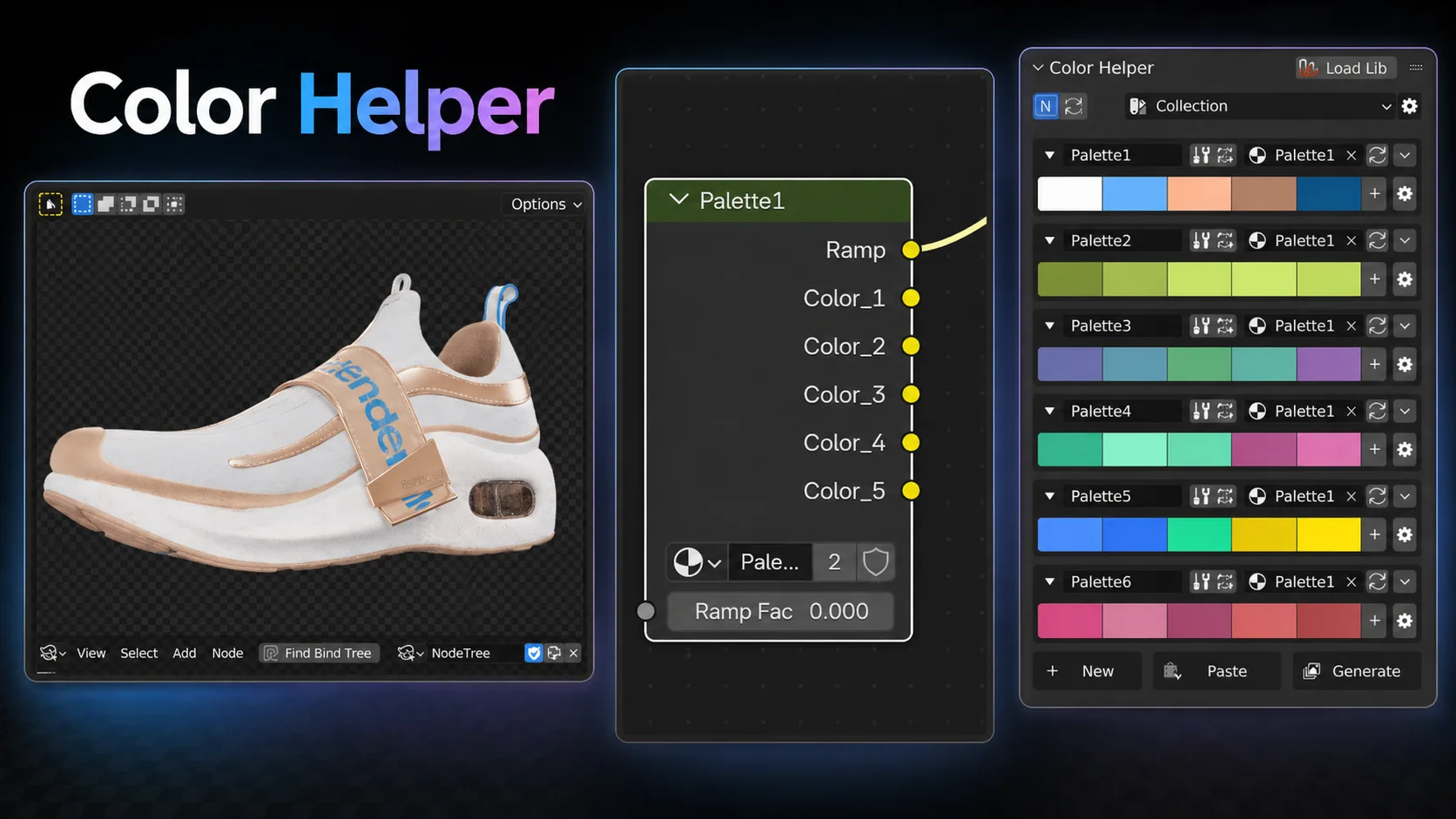
Color Helper is a Blender extension by atticuslv for creating color palettes and using them in material and paint workflows. Its tools live in side panels in the 3D View and Shader Node Editor, so colors can move from a reference image into a palette and then into shader nodes. The developer's repository describes its features; the Blender Extensions version history records release and compatibility details.
Create and organize palettes
Build a palette from a clipboard image, import colors from a palette PNG, or paste Hex or RGB text. Pasted values become Blender colors with gamma correction. You can create, copy, remove, and reorder palettes, then move them between collections to keep multiple sets organized.
Generate and shape color schemes
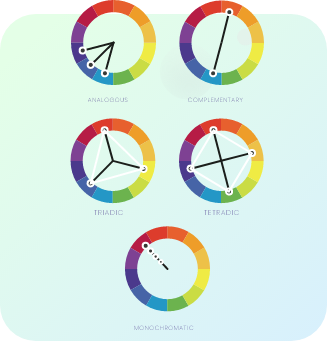
For new options, generate random palettes in batches or use harmony schemes such as analogous, complementary, split complementary, monochromatic, and triadic. Adjust Hue, Saturation, and Value offsets, then sort colors by one of those properties or shuffle their order. These controls let you refine a set of swatches for a material or paint task while keeping the palette available for reuse.
Move palettes into materials and paint
Color Helper can create or update Shader Node Groups from a palette. Each group provides individual color sockets and a generated ColorRamp, and you can insert the group directly in the Shader Node Editor. An optional setting updates linked node groups when palette colors change. For painting workflows, palettes can also be converted into Blender paint palettes.
Match and export colors
Color Helper can find the nearest Pantone colors for palette entries and copy Pantone names to the clipboard. Export a PNG preview for one palette or batch-export the palettes in a collection. The previews provide image files of the color sets for reference outside the palette panel.
Version, compatibility, and permissions
The Blender Extensions catalog lists version 0.8.0 for Blender 4.5 LTS and newer, under the GNU General Public License v3.0 or later. It lists Files permission for importing and exporting palette images and assets, and Clipboard permission for reading image and color values. Check the official listing for the release and compatibility details that apply when you install.