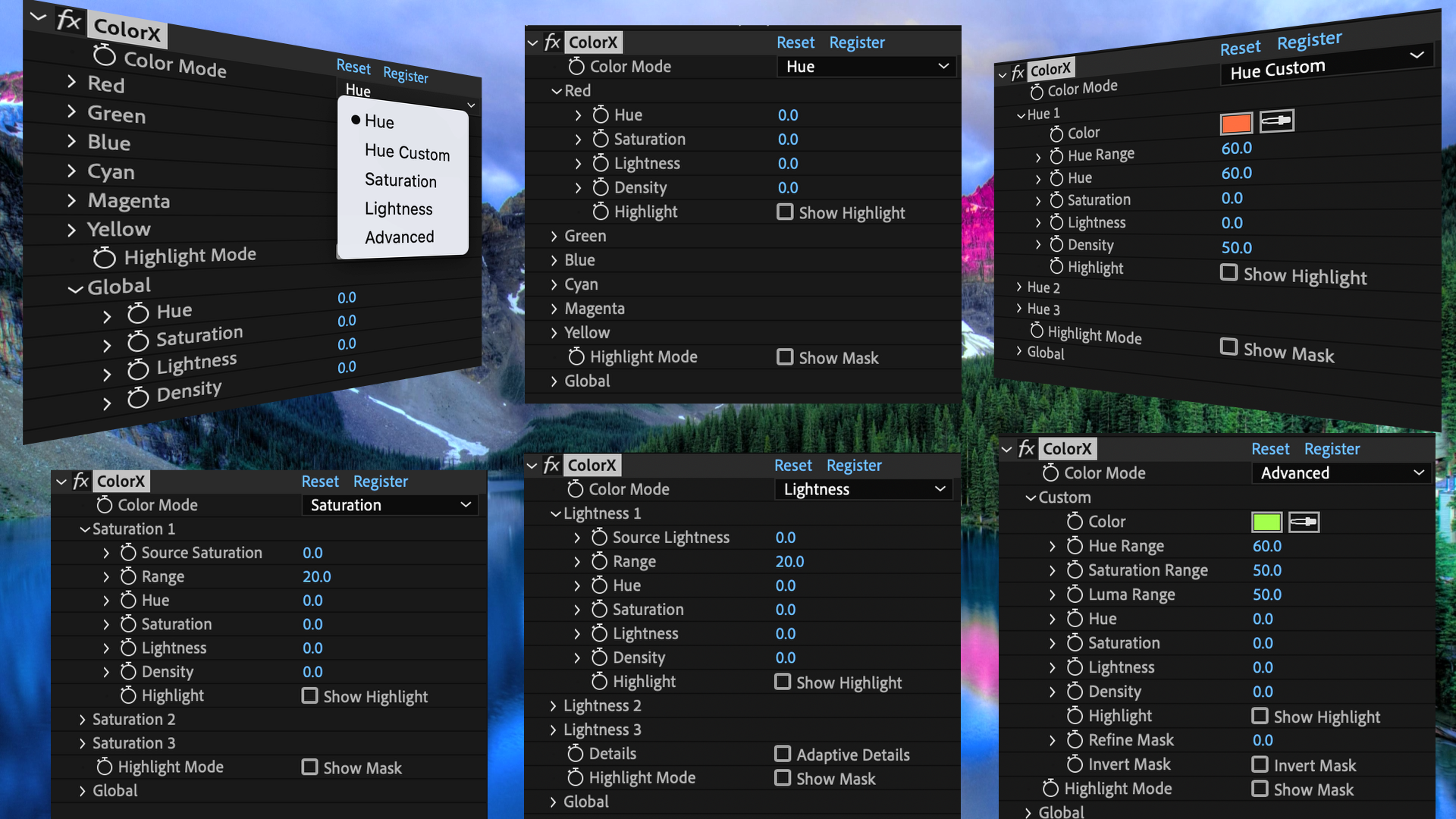
ColorX is a GPU-accelerated color-grading plugin for Adobe After Effects and Premiere Pro. Its five modes target colors or image ranges, making it suited to shot corrections where you want to adjust a specific hue, saturation range or tonal area.
Choose how to target the image
- Hue mode works with red, green, blue, cyan, magenta and yellow. Adjust hue, saturation, lightness and density for each color group.
- Hue Custom mode lets you pick three colors and adjust each selected hue range independently.
- Saturation mode targets regions based on the image's original saturation, then lets you adjust hue, saturation, lightness and density. Its subtractive saturation control can raise saturation without also brightening the pixels.
- Lightness mode targets pixels within selected lightness ranges. It can brighten dark areas and lower highlights in the same image while retaining detail.
- Advanced mode lets you set hue, saturation and luminance ranges for a color, then refine or invert the masks.
Shape the grade
Density can be applied across the image or to a specific color range.
Compatibility and licensing
The product listing reports compatibility with After Effects and Premiere Pro versions 2021 through 2026, and availability for Mac and Windows. It also offers a free trial. The posted EULA grants one copy; additional copies or users require appropriate licensing. A notice on the ColorX listing says a Floating License Server is required but does not identify which license selection it covers. The license-type guide says the server is required for Floating and Render Only licenses; Single User Licenses do not require it.