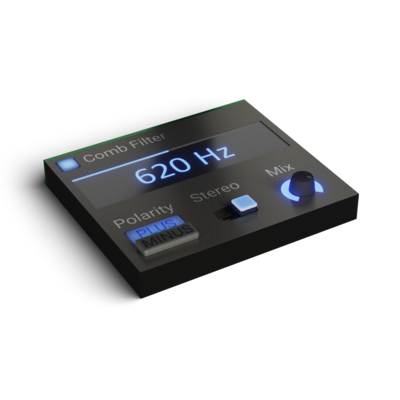
How Comb Filter shapes a sound
Kilohearts Comb Filter mixes a signal with a delayed version of itself, creating repeated peaks and troughs across the spectrum. Its Cutoff control sets the distance between peaks. Polarity swaps peaks and troughs: the plus setting has a peak at 0 Hz, while the minus setting has a trough there. Use Mix to blend the processed effect with the unmodified signal.
Stereo widening
Enable Stereo to flip the polarity setting for the right channel. Kilohearts describes this mode as a way to create a wide stereo effect that collapses back to the original signal when mixed to mono. It suits sound-design work where you want that comb-filter character with a mono-compatible widening option.
Plugin formats and Snapin use
You can load Comb Filter as a regular plugin in a DAW or use it as a Snapin in Phase Plant, Multipass or Snap Heap. It is included in Kilohearts Essentials, which is listed as free with an account. Kilohearts' Snapin Hosts and premium plugins are available separately, so using Comb Filter inside one of those hosts may require a separate purchase.
Compatibility
Kilohearts' general plugin requirements list DAWs that support VST2, VST3, AAX or Audio Unit. The minimum recommended processor is x86 64-bit with SSE3; Kilohearts also supports Apple M processors on macOS. Check the full system requirements against your setup. Kilohearts cannot support OS versions their manufacturers no longer support; for an outdated OS, it recommends trying its free trials to check compatibility before purchase.