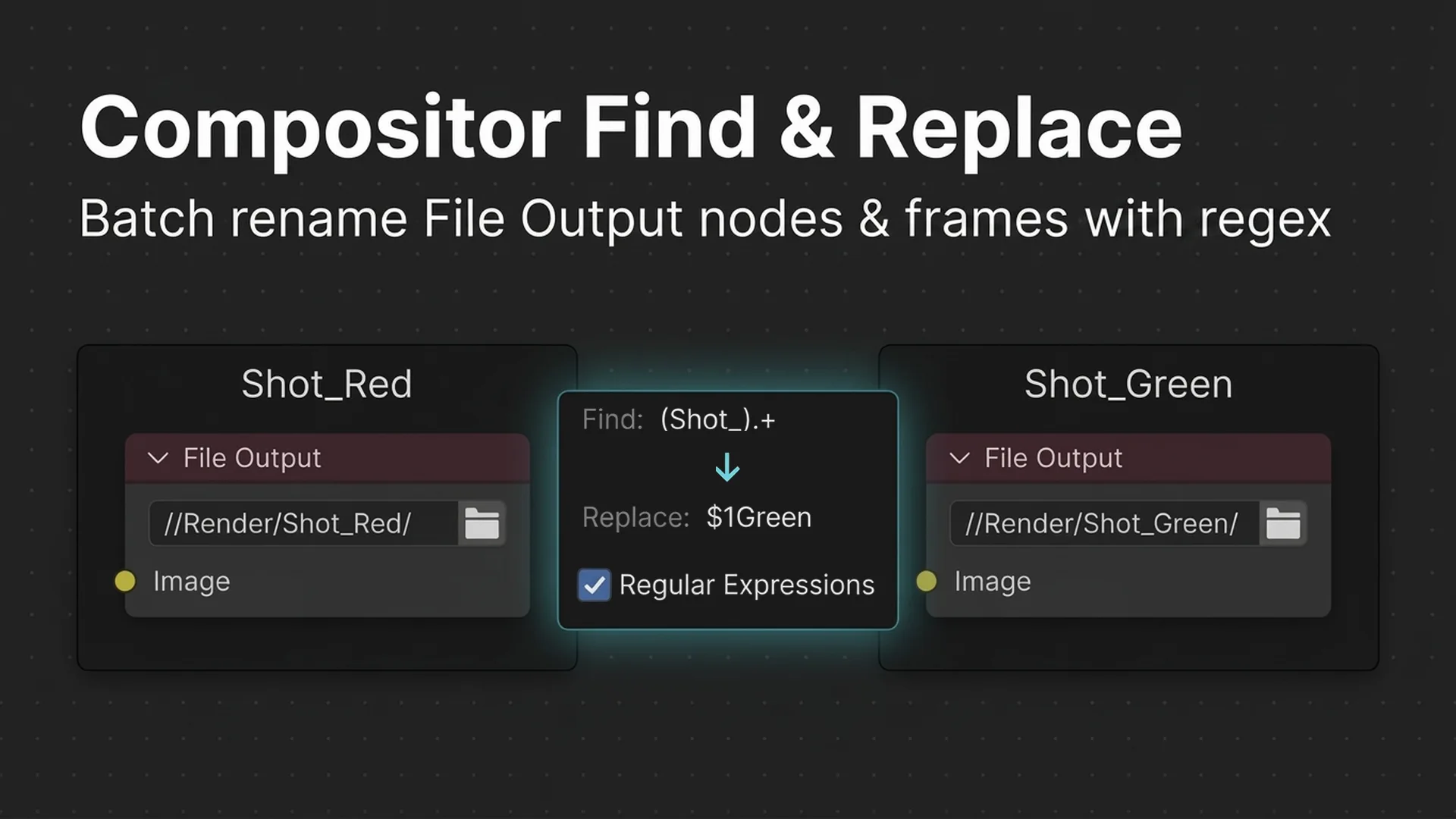
Compositor Find and Replace is a Blender add-on for batch-renaming text in selected File Output nodes and frames. The Blender Extensions listing identifies version 1.0.1 for Blender 5.2 and newer. It uses the 5.x compositor API and does not work with Blender 4.x.
Use it when output names need a consistent change across a compositor tree. Each run is a single undo step.
What it edits
For each selected File Output node, the add-on can replace text in the directory, file name, label, and every input name. For selected frames, it changes the frame labels. Unselected nodes remain untouched, and the internal node names used by drivers and scripts are not changed.
Preview changes before replacing
The live Preview panel lists affected nodes and shows the old and new value for each field as you type. It reflects the values Blender will store: input names become part of file and layer names, so Blender rewrites characters those names cannot use and keeps names unique within a node. If replacements create a collision, the preview can show names such as pass and pass_001 before you commit the change.
Use literal text or regular expressions
With Regular Expressions off, the search is literal. Periods, plus signs, brackets, backslashes, and dollar signs match themselves. Turn the option on to use patterns and backreferences, including $1, \1, ${1}0, $0, $$, and named groups such as \g<name>. Case Sensitive applies in either mode and is off by default. An invalid pattern or a reference to a missing group is reported in the panel, and the operation cancels without changing anything.
Open the add-on
In the Compositor, open the sidebar with N and choose the Find & Replace tab. The tool is also available from the Node menu and F3 search, where it opens as a popup. The Blender manual's Install from Disk instructions explain the installation option linked from the extension listing. The listing gives the license as GNU GPL version 3.0 or later and says the extension requires no special permissions.