Crack! - Splitting & Filling Mesh is a Blender add-on by Inlet for splitting an object along a selected vertex loop. It creates a new face on each side of the cut, helping avoid the internal void that can otherwise require manual rebuilding.
How it splits a mesh
Select one complete loop and run Crack! to cut the model along that line. In Split mode, the two mesh pieces remain in the same Blender object. In Separate mode, they become two objects. Both modes create a face along the cut on each resulting piece. The product documentation describes the two modes and their results.
Loop requirements
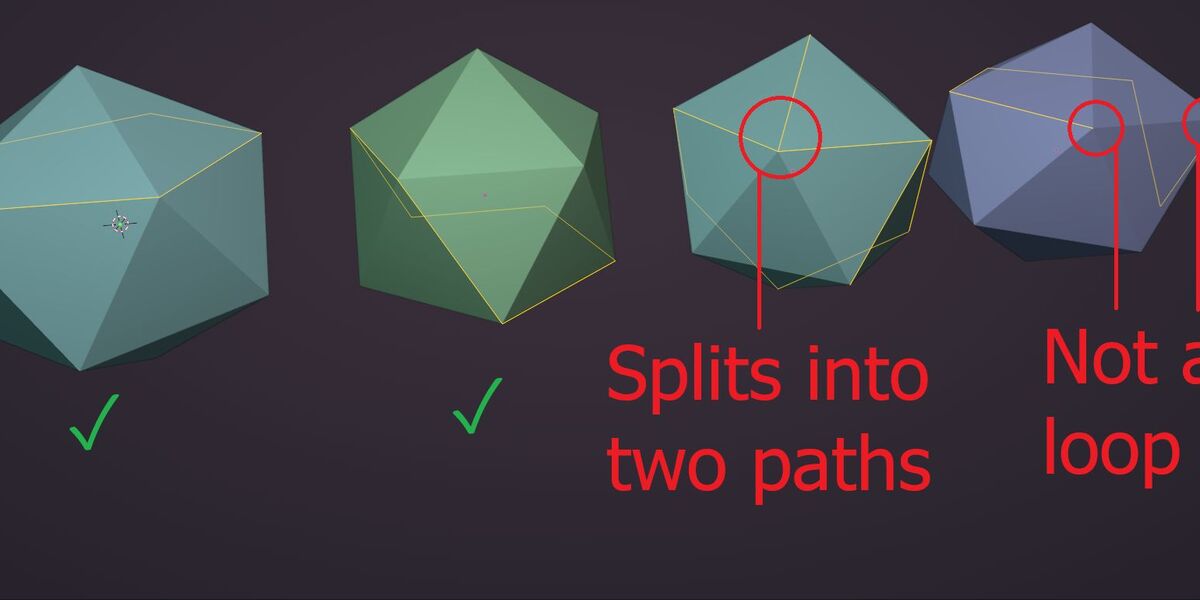
The selected loop must be a single complete line of vertices with no branches or breaks. This makes Crack! suited to loop-based cuts where you want to split a mesh and fill the cut surfaces. The product listing categorizes it for modeling, hard-surface, and soft-surface work.
Compatibility, license, and setup
The Superhive listing gives Blender compatibility as 3.6 to 5.0 and lists the license as GPL. Its documented location is Panel > Properties > Sidepanel.
If the downloaded ZIP does not install in Blender, the product FAQ says to unzip the archive and install the .py script. Enable file extensions if you cannot see the script extension. For activation steps, the FAQ links to a 20-second guide.