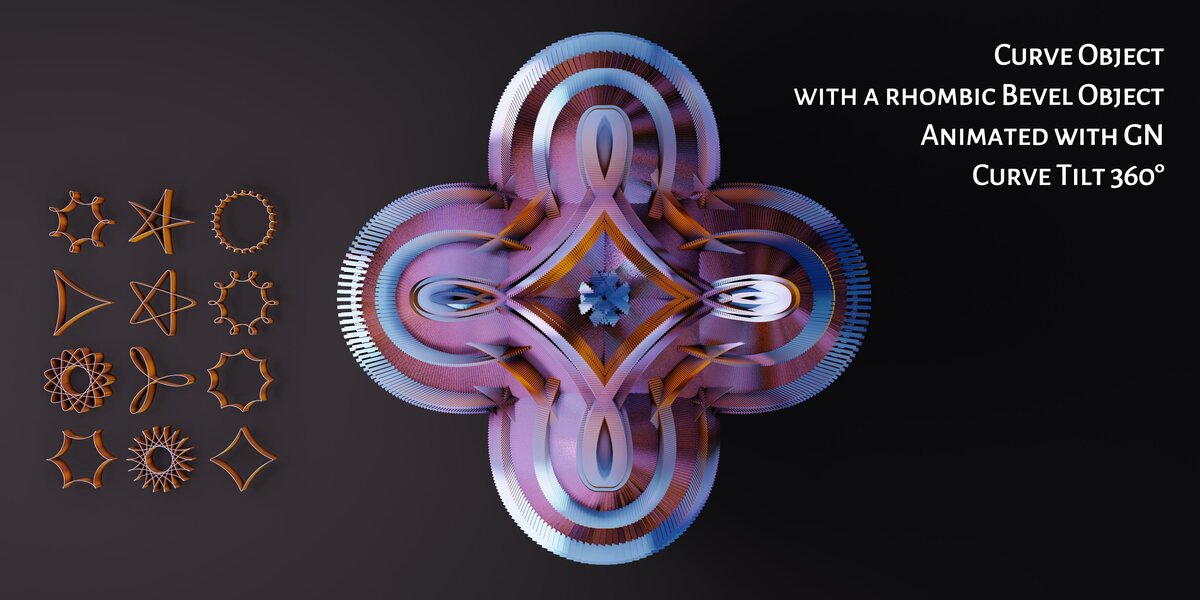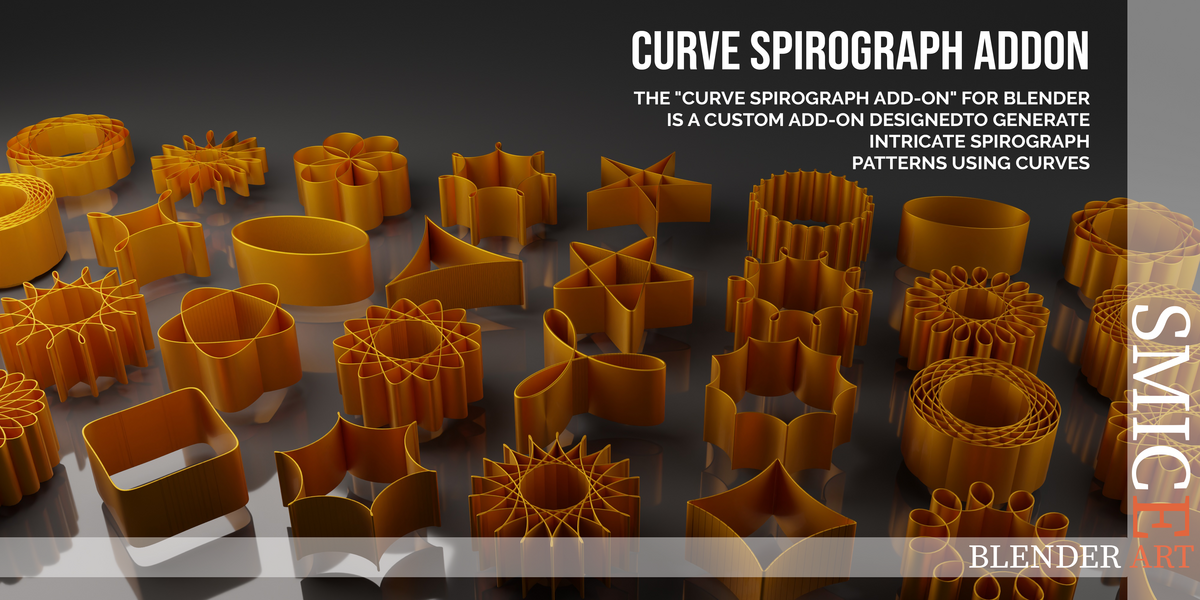
Curve Spirograph Addon + Extend File is a Python-built Blender add-on for generating geometric Spirograph patterns as curves. Start with image previews of preset patterns, then adjust the curve for decorative designs, abstract visuals, or generative art. The resulting curves can be edited, animated, or converted into meshes for use in a scene.
Choose a preset, then tune the curve
In the 3D Viewport, open the right sidebar with N if it is hidden, then find the Curve Generator panel. The image thumbnails represent preset values: use the arrow buttons to browse them and select Use to apply a pattern. From there, adjust the curve parameters. The product overview describes controls such as radius, frequency, and curve style; the setup guide names fields including k, l, and t range.
Scale changes the overall size. Bevel Depth adjusts the curve’s thickness, Extrude adds depth along the Z axis, and Resolution controls smoothness by changing the number of points. You can choose a material from those already in the Blender scene, make a copy of the current curve with its settings, or reset its parameters to their defaults.
Use the curve in a Blender scene
The product listing names Cycles and Eevee as the render engines used for these curves.
Match the download to Blender
The Superhive listing gives an overall Blender compatibility range of 3.6 to 5.1. Its documentation assigns animated.zip or curve.zip to releases below 4.3, spirocurve-new.zip to Blender releases from 4.3 to below 5.0, and the V5 add-on to Blender 5 and later. The listing does not establish compatibility beyond Blender 5.1. Check the product documentation for the file that matches your installation.
The documentation’s installation steps are to open Blender’s Edit > Preferences, choose Add-ons, click Install, select the add-on ZIP, and enable the add-on. Afterward, open the Curve Generator panel in the 3D Viewport sidebar.
What the Extend File adds
The documentation describes an additional developer .blend file saved in Blender 4.3. It includes some materials and a Geometry Nodes setup for adjusting animation. You can run the included script with its PLAY button without installing the add-on, which is useful if you want to experiment with the developer file separately. AnyPlugins lists the add-on as free, and the Superhive listing shows an MIT license; check the listing and included documentation for current download and license details.