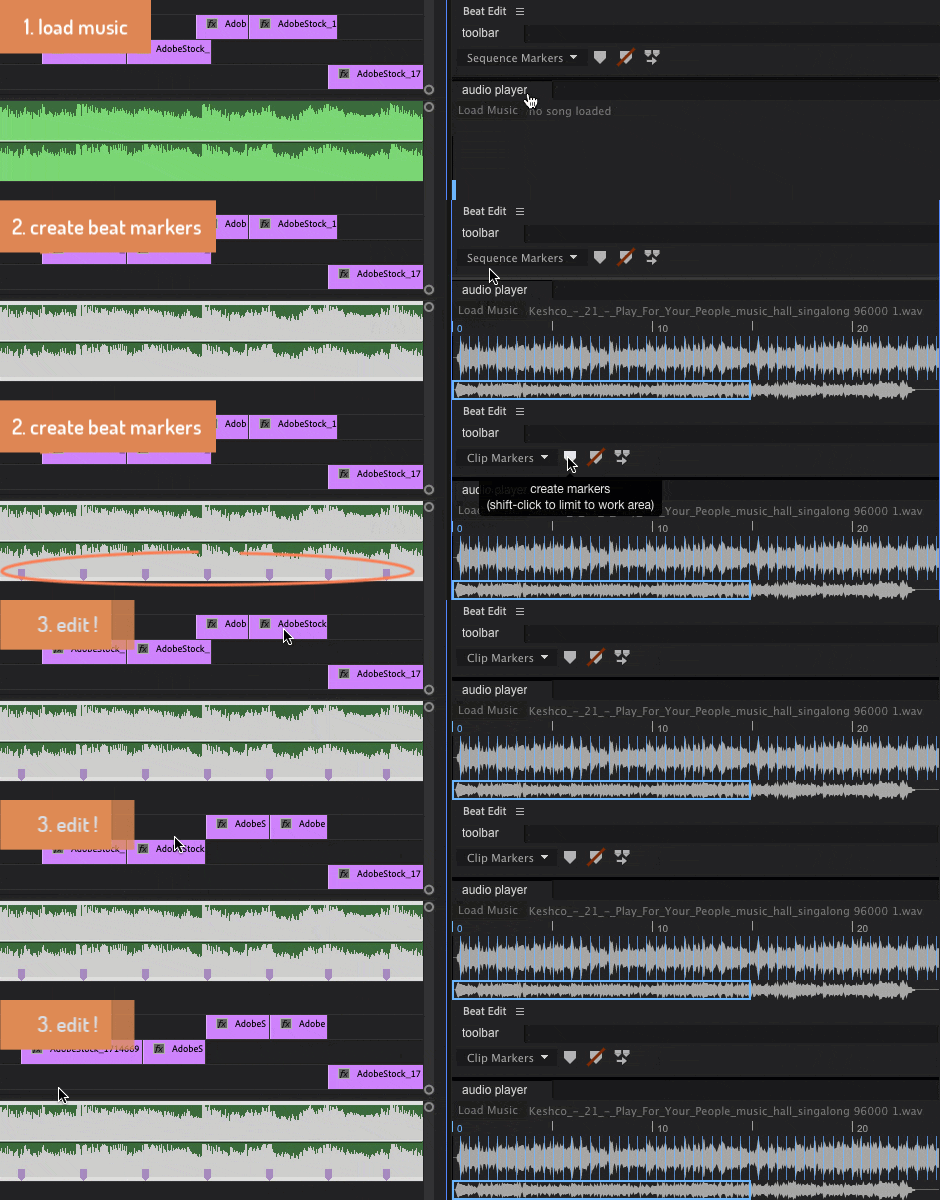
Cut to Beat is a Premiere Pro plugin from Key-Farmer for music-based edits. It creates numbered beat markers from selected audio and can build a visual guide layer from those markers. Key-Farmer's current Quick Start directs editors to analyze WAV audio and convert compressed audio to WAV before analysis. The markers support timing decisions in the active sequence; Cut to Beat does not cut video automatically or claim perfect BPM, bar, or music-structure detection. Check the Adobe Exchange listing for current pricing and compatibility.
Mark beats and create a guide layer
- Use a WAV clip from the timeline or project. Key-Farmer's current workflow directs editors to convert compressed audio to WAV first; if Premiere Pro's Remix tool changed the audio's duration, export it as a new WAV and import that file before analysis.
- Choose Low, Balanced, or High sensitivity.
- Run Mark Beats to add numbered markers to the active sequence.
- Generate a guide layer and choose a 30-second or 1-minute range if you want a visual reference.
Audio format support
Key-Farmer's current product page and Quick Start say Cut to Beat analyzes WAV audio and direct users to convert MP3, M4A, and other compressed audio to WAV before analysis. The Adobe Exchange version 1.0.2 description separately says MP3, MP4, and M4A analysis may be attempted through Premiere Pro host decoding or a temporary WAV proxy when the available Premiere Pro and Adobe Media Encoder setup supports it. For the current documented workflow, use Key-Farmer's WAV-conversion instructions. Key-Farmer also says audio whose duration was changed with Premiere Pro's Remix tool cannot currently be analyzed as-is; export it as a new WAV, import it into Premiere Pro, and run Mark Beats again.
Clean up markers and guide clips
Cut to Beat's removal option deletes only markers it created, leaving markers you added yourself in place. Premiere Pro may block automatic removal of generated guide clips; when that happens, you can hide those clips instead.
Who it suits
Cut to Beat fits Premiere Pro editors who work to music and want visible rhythm points while deciding where to cut. Its markers and optional guide layer help locate candidate cut points, while the editor reviews the footage and makes the final choices.
Version and availability
Key-Farmer currently lists Premiere Pro 25.6.4 or later as the minimum and Cut to Beat as a one-time $4.99 purchase through Adobe Exchange. Adobe Exchange's June 9, 2026 version 1.0.2 note describes a minor maintenance update with no change to core processing logic and says compatibility was confirmed with Premiere Pro 25.6 and later; its Compatible apps field lists Premiere Pro 25.6.4 or higher.