Deep Clean 2.0 is a Blender add-on for removing selected unused data from a .blend file. It lets you choose which data type or name pattern to purge, so a cleanup can target orphaned images without purging other data types. The Superhive product listing also describes tools for duplicate data and packing or unpacking images by name.
What orphaned data means in Blender
Orphaned data is data in a Blender project that has no users. The developer's documentation notes that Blender keeps such data after objects or nodes are deleted, so it can be reused or assigned elsewhere. It may include images, textures, brushes, node groups, or mesh data, and can appear with a user count of 0.
These unused blocks can accumulate during work such as testing materials or importing images. Since data blocks can refer to other data, an orphaned mesh may also leave materials, images, or node trees unused. Deep Clean is designed to remove selected orphaned data from the file; the product listing presents lighter files and improved speed as intended benefits, without providing benchmark results.
Choose what to purge
Purge by data type
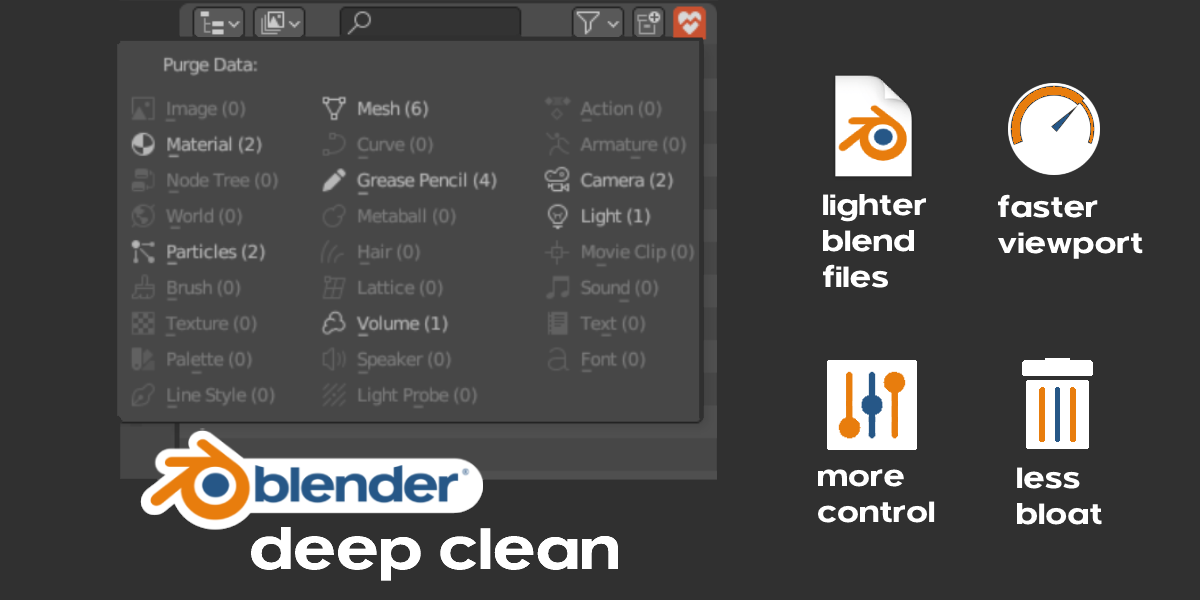
A button in the Outliner header opens a purge choice for a specific data type. For example, choosing the image data type lets you purge orphaned images while leaving other data types alone. Shift-clicking a data type invokes the recursive option, which also purges first-level orphaned data that has no other parent and would otherwise become orphaned.
Purge by name
In File > Clean Up, Purge by Name targets data whose names contain text you specify, such as Cube, .00, or _Roughness. You can also choose a data type and enable recursive purging with a checkbox.
Purge duplicates
The File > Clean Up menu also includes Purge Duplicates. The product description says it removes unused duplicate data with .0 in the name.
Pack or unpack images by name
Deep Clean includes separate batch operators in File > External Data for packing or unpacking images based on their names. For example, you can target images whose names begin with BrickWall or end with Height. These operators handle image packing; they are separate from the purge tools.
Compatibility and safe use
The listing identifies version 2.0 and lists Blender 3.4, 3.5, 3.6, and 4.0. Its 2.0 changelog specifically says the add-on was tested and updated for Blender 3.6. Check the developer's page for current compatibility information before installing.
Purge means permanently deleting data from the .blend file. Review the selected data type, name pattern, and recursive option before running a purge, especially when the project contains blocks you may want to reuse.