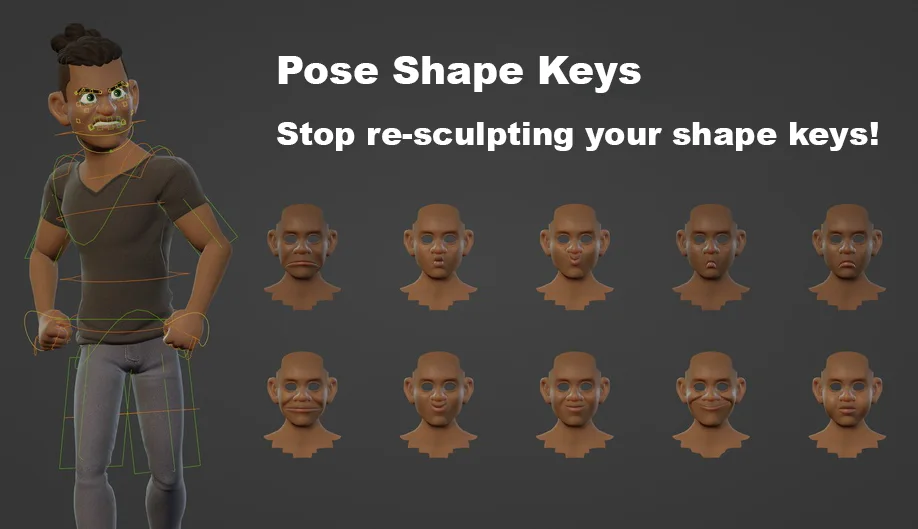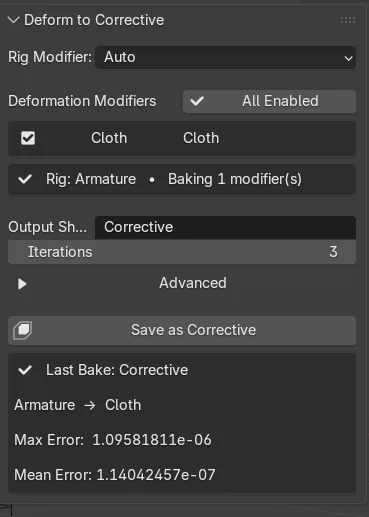
Deform to Corrective is a Blender add-on that turns evaluated deformation into an editable corrective Shape Key. Use it when modifiers such as Cloth, Lattice, or Simple Deform produce a shape you want to keep while the rig remains live.
The add-on numerically inverts the active pre-deformation stack to create the key. It retains a posed or simulated result as a shape-key correction without applying or destroying the Armature.
How the corrective bake works
- Pose the character and set the deformation modifiers to the result you want.
- Choose Save as Corrective. You can use automatic rig detection or choose a rig manually, and select the deformation modifiers to bake.
- The add-on creates an editable Shape Key that reproduces the visible deformation through the live rig.
After the bake, the baked deformation modifiers are disabled and the new Shape Key is set to 1.0 for comparison. You can then inspect the result and refine the key in your existing Shape Key workflow.
What stays live
Deform to Corrective can combine multiple enabled deformation modifiers into one corrective key. The Armature, Hook, and other preceding deformation modifiers remain live, so you can keep working with the rig after creating the correction.
Accuracy and tested setups
The add-on previews the result automatically and reports maximum and mean error. Refinement iterations are available when you want to improve the match. The extension listing says it has been tested with Cloth, Lattice, Wave, Simple Deform, combined modifier stacks, existing Shape Keys, and non-unit object scale. These are listed test cases, not a guarantee for every possible modifier stack.
Blender version and license
Version 0.3.0 by a.a.andrusenko requires Blender 5.0 or later and is licensed under GNU GPL version 3.0 or later. See the official Deform to Corrective listing for the release details, and Blender's Install from Disk instructions for installation.