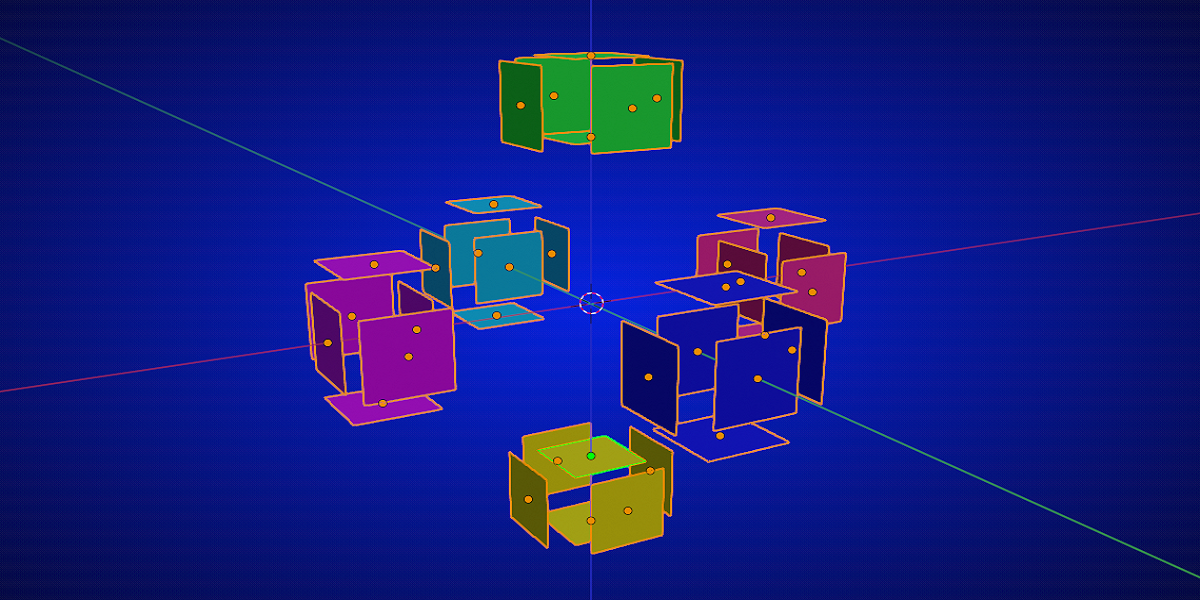
Disperse Addon is a Blender add-on by KVD for moving selected objects away from and back toward the 3D cursor. It stores their starting positions, so one reset returns the objects to that arrangement after you make an exploded view. The cursor's location affects the result because movement is calculated in relation to it and the objects' positions on the X, Y, and Z axes.
Move objects in steps
Choose a distance step, then use the move controls to spread selected objects. You can change the step before or during movement. The random function moves objects by random distances within the range you enter. To return to the saved arrangement, select the objects and use Reset object; the add-on restores them to their stored starting positions at once.
Select objects or collections
Select objects in Blender's Outliner. If the scene uses collections, select a collection in Disperse Addon's panel to move all its objects with the chosen distance. You can still move an individual object separately with another distance value or Blender's G command. This lets you adjust one component without applying the same movement to the whole collection.
Split and rejoin an object
Split turns the faces of a selected object into separate objects, each with its own origin, and puts them in a new collection. You can move those objects and reset them to their starting positions. Join Object combines the selected faces back into one object.
Compatibility and license
Superhive's listing identifies KVD as the developer, lists the license as GPL, and names Blender versions 3.0 through 3.6 and 4.0 through 4.4. Check the Disperse Addon listing on Superhive for current compatibility and license details.