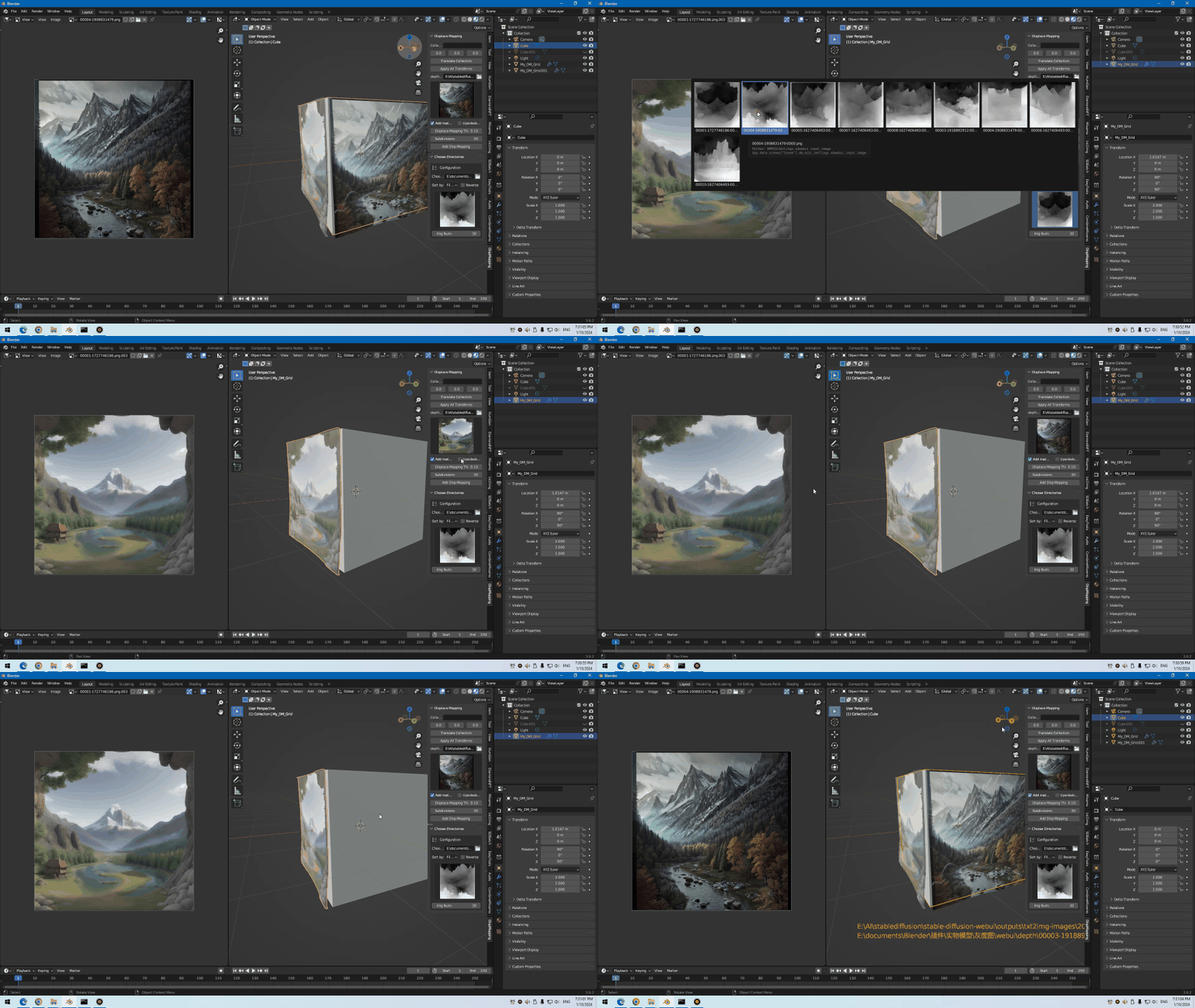
Dispmapping is a Windows-only Blender add-on by Derek Wang. It combines Stable Diffusion WebUI depth images with Blender displacement mapping to create 3D scenes in one click. Version 1.5.4 adds a real-time image overview and Blender 4.2 support. The Superhive product page has the product details and download.
How the workflow uses depth and material images
Dispmapping works with depth images for its scene workflow and also adds a shading material function. The creator describes AI-generated images as an optional input for adding materials to the grid. If you have no AI images, you can ignore that part.
For Stable Diffusion WebUI files, the add-on uses separate depth and rawimgs folders inside grayscale/sdwebui. Depth images go in depth; AI-generated images for materials go in rawimgs.
Organize grayscale images
Keep the directory name grayscale unchanged. The first and second subdirectories specify category names. The creator gives grayscale-animal-dragon as an example, with grayscale images placed in the second-level directory, dragon. Supported grayscale image formats are PNG, JPG and BMP.
Installation and use
The 1.5.4 download has a nested zip structure. Unzip mydispmapping1.5.4.zip to find the installation archive, mydispmapping.zip. The creator says this arrangement keeps the edition consistent.
Apply all object transforms before adding displacement mapping. Press Y to open the floating panel for changing category names.
Compatibility and license
The product listing says Dispmapping supports Blender 4.2, 4.1, 3.6, 3.5, 3.4, 3.3, 3.2, 3.1 and 3.0, and lists the license as GPL. The operating system requirement is Windows only. Check the product page for the release you plan to install.