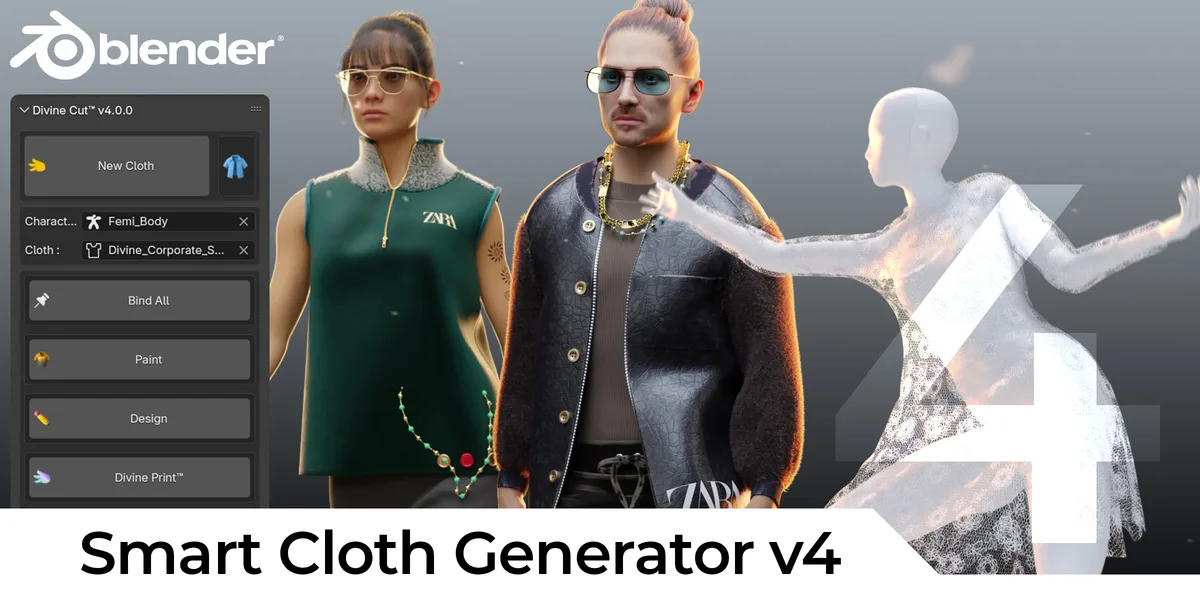
Divine Cut 4.0 is a Blender tool for creating clothes for characters. Its cloth generator builds a garment from sections shaped with DivineCircles. The product listing states compatibility with Blender 3.0 through 5.3; check the current product listing for details before installing.
Shape garments and choose a preset
After mapping parts of a character, adjust a top's neck size, sleeve length, and drop length, which can range from a crop top to a gown. For trousers, Divine Cut provides controls for thigh and ankle width. The product listing names a puffer jacket, varsity jacket, and shirt among its presets, with options for collars, hoodies, materials, and open or closed cuts. The online documentation also lists a blazer and labels Divine Presets "Deprecated Soon."
Generated garments have simple topology. Subdivision modifiers let you control mesh detail before and after the cloth modifier. Shirts are UV-unwrapped on generation. The product listing recommends applying the mirror modifier and unwrapping again after the garment is finished for the best result.
Paint fit and cloth behavior
Painting tools let you adjust how parts of a garment sit on and move with the character. Shrinkwrap paints areas that should follow the character's surface. Pinning binds selected areas, such as cuffs or a waist, so they stay out of the simulation. Bloat changes local expansion or shrinkage, while Smooth helps refine rough areas. Pressure can help a section retain its structure during simulation.
Add collars, hoodies, and accessories
Collars and hoodies can be added to a generated top with a single click. The Design tools also include seam visibility and puff controls. Divine Accessories give objects such as buttons, zips, lapels, pockets, and thread their own behaviors on the garment.
The product listing notes that zips were still classed as experimental in v1.0.4 and says lace can collide with garments but works fine when dangling off clothes. The Divine Cut documentation is an online Design Tools page with no stated version; it marks Add Zip as deprecated, says the old function has been removed, and describes adding zip objects through Divine Accessory.
Game engine exports and learning resources
The product FAQ describes GameMode for garments intended for game engines and simulation exports to Unreal or Unity. Alembic exports are heavier; FBX exports are lighter but take longer to produce. The product FAQ links to a GameMode tutorial, and the Divine Cut Basics playlist has more tutorials.