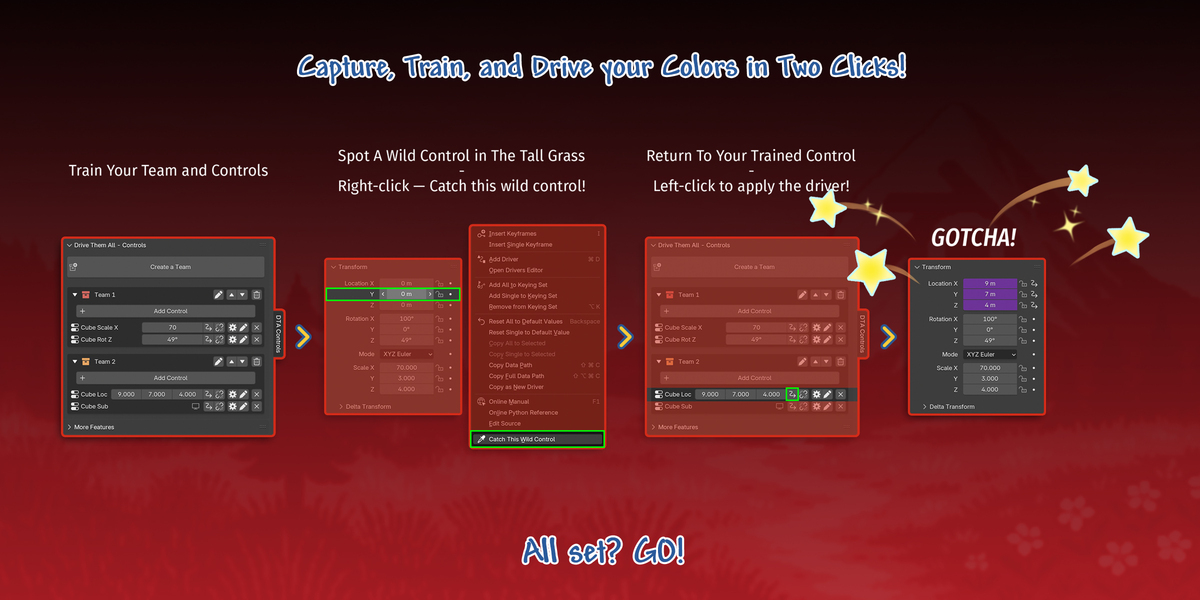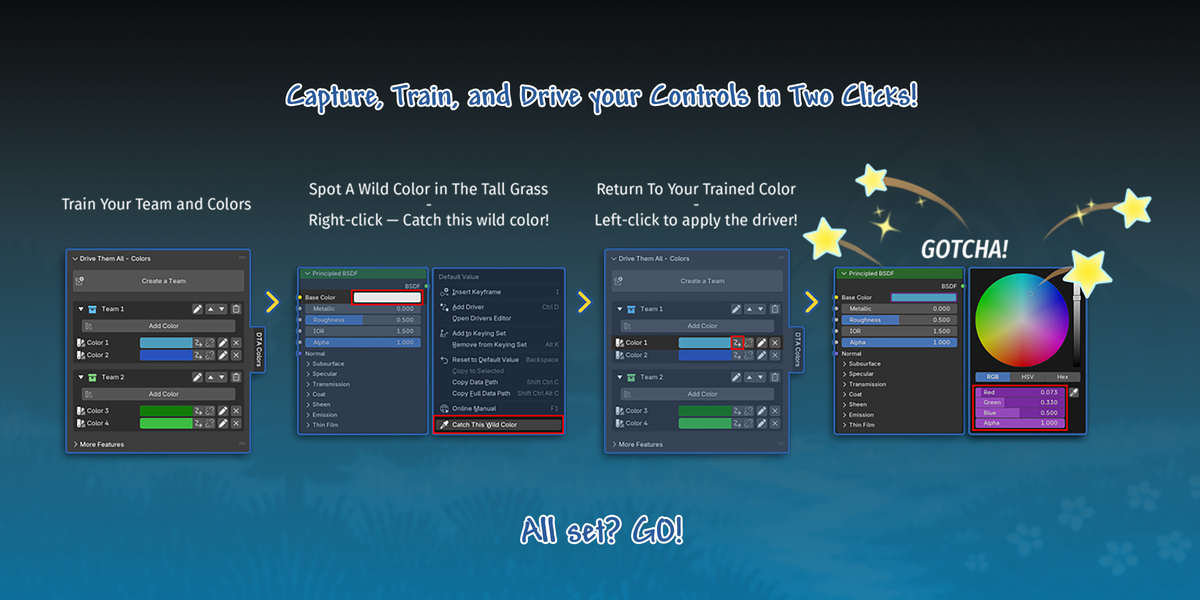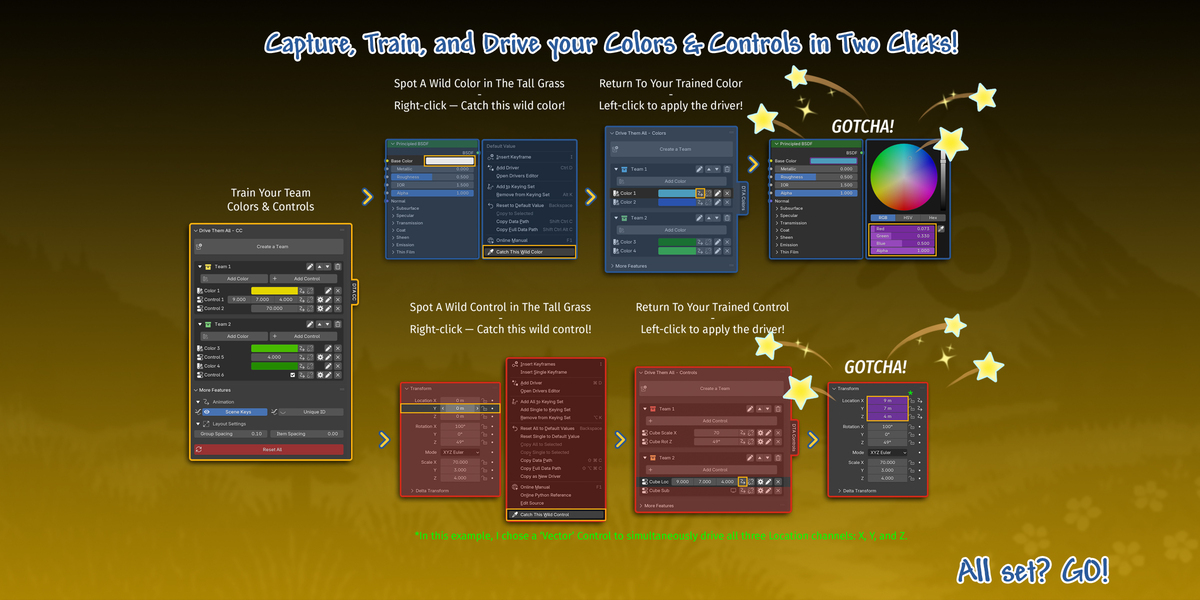
Drive Them All - Colors & Controls is a Blender add-on for organizing and linking custom properties, colors, and controls through Blender's driver system. Create a Team, add Colors and Controls inside it, then connect a Control to a drivable property from that property's context menu. The product listing identifies this edition as the Yellow Version, release 1.0.0.
Organize controls into Teams
Teams group related Colors and Controls for a rig or scene. You can rename Teams, Colors, and Controls, and edit a Control's settings after creating it. A single Control or Color can drive multiple properties; each target follows the same source value. This setup suits Blender work where several scene properties need to follow a shared control.
Link colors, vectors, and Boolean properties
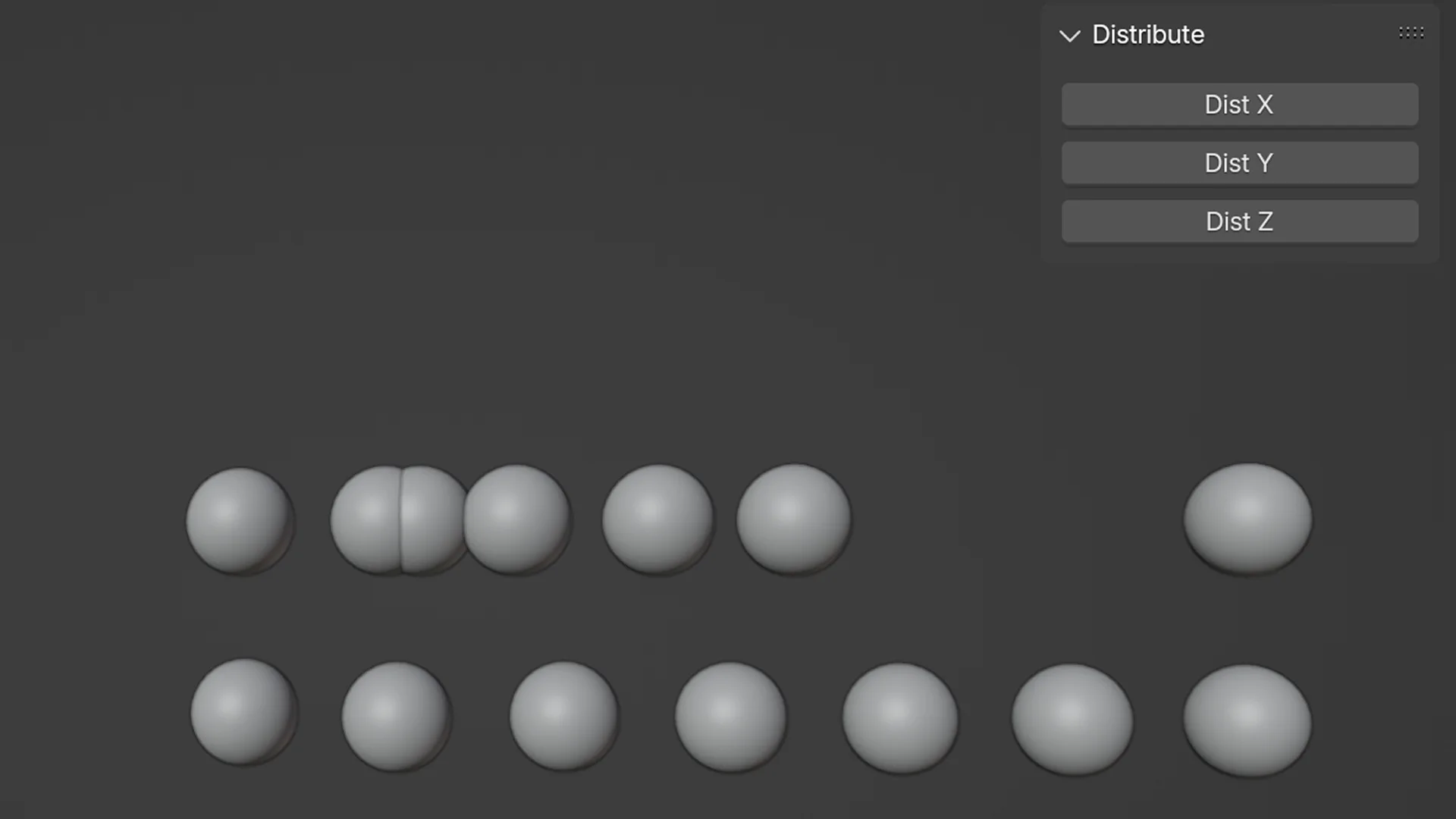
For a drivable property, right-click it and choose “Catch this Wild Control,” then select “Apply Driver.” The add-on describes color linking as a two-click operation, replacing separate links for the red, green, blue, and alpha channels. Control Vector drives the X, Y, and Z components of a Vector3 value together. Control Boolean can drive True/False properties. The context menu responds to the property type; if the catch option is absent, the property is not drivable.
Know where values appear
The product FAQ says values are stored at the scene level (bpy.context.scene) once they are driven or keyframed, so they can appear in Blender's Graph Editor even when no object is selected. A value that is not driven remains visible and editable in the DriveDex N-panel. The FAQ also lists a Control's type, subtype, default value, and minimum and maximum range as editable settings.
Check removal actions before using them
Remove Driver removes all drivers linked to a Control or Color, including their keyframe links, while leaving the source in place. In v1.0, it cannot remove one driver from a group; use Undo (Ctrl+Z) if you need to remove only the last one. Removing a Control or Color deletes that item and its linked drivers and keyframes. Removing a Team clears the whole group. Reset All clears Teams, Controls, Colors, drivers, and keyframes; the FAQ says Undo (Ctrl+Z) can restore the reset if used immediately.
Compatibility and documentation
The product listing specifies Blender 3.6 through 4.4 and a GPL license. The product FAQ covers installation, editing Controls, and driver removal. The Drive Them All manual provides further instructions, and the product listing has the edition and release details.