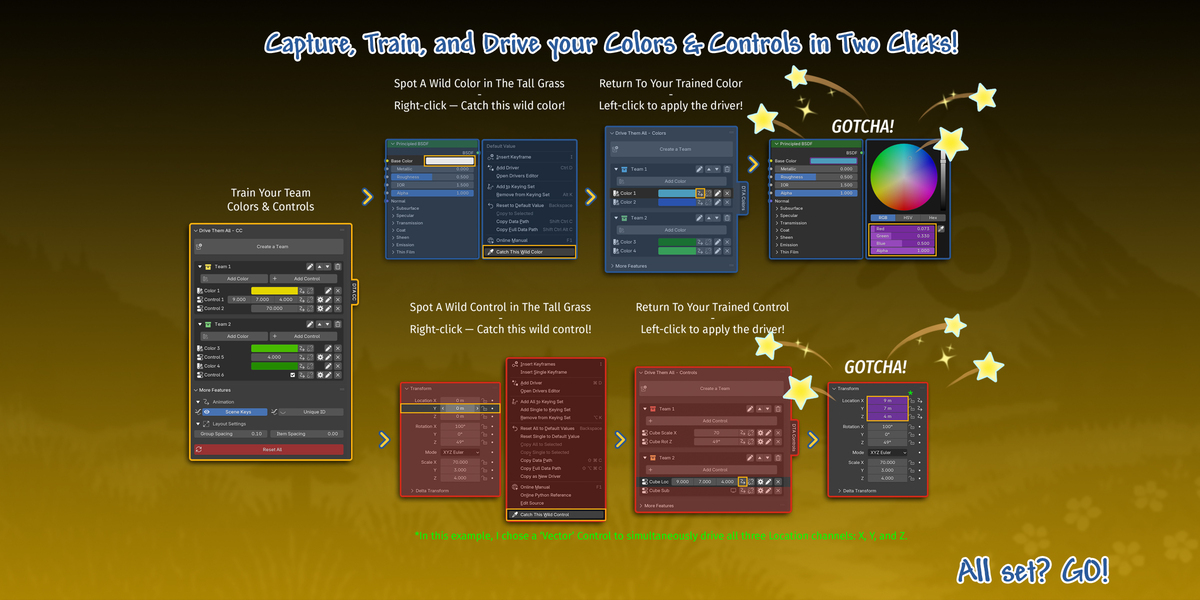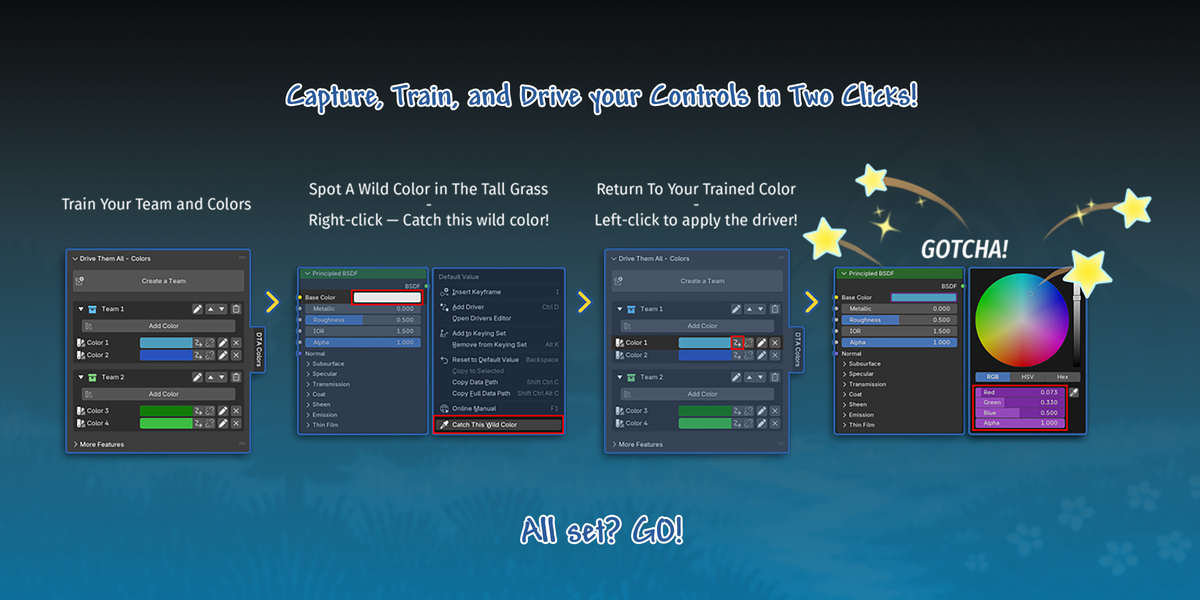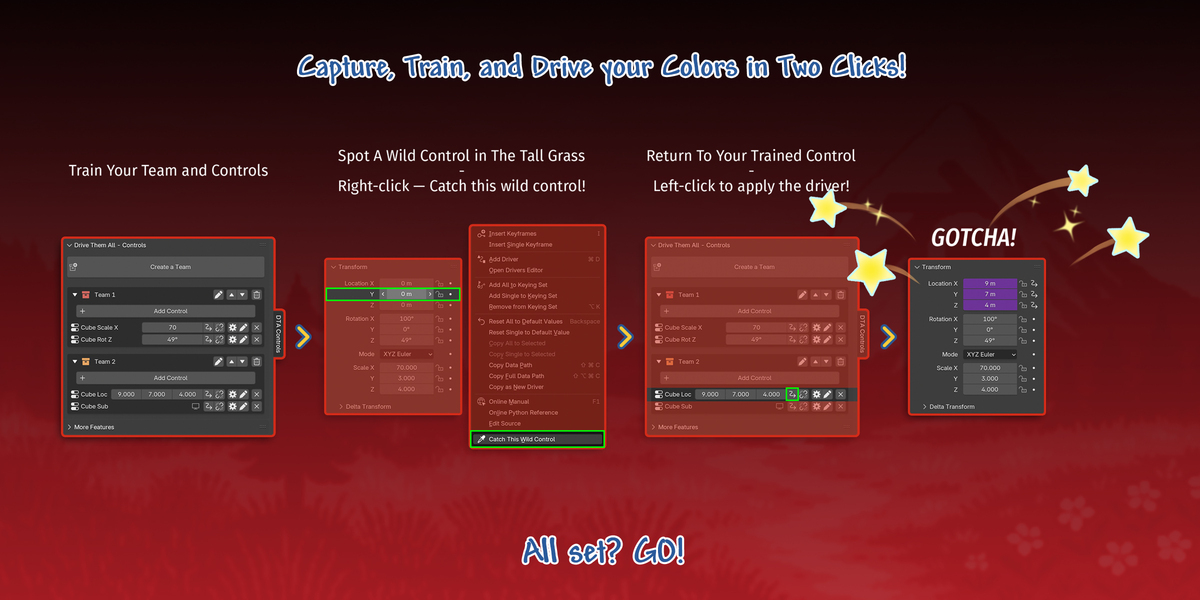
Drive Them All - Controls (Red Version) is a Blender add-on by phaze974 for organizing custom property drivers with Teams and Controls. It is aimed at Blender users who want to manage these drivers without searching through panels, modifiers, and menus. The Superhive listing identifies version 1.0.0 as the Red Version's initial and final release, with Blender 3.6 to 4.4 compatibility and a GPL license.
How the driver workflow works
Create a Team, add a Control, and choose its abilities. Select the Control you want to use, right-click a target property, choose Catch this Wild Control, then select Apply Driver. This links the property to the Control. You can rename Teams and Controls and edit a Control's settings after creating it.
Vector and Boolean Controls
Control Vector drives a Vector3 value's X, Y, and Z components together. Control Boolean drives a True/False property. One Control can drive multiple properties, with each target following the same source value. The settings include type, subtype, default value, and minimum and maximum range.
Where properties are available
The product FAQ lists the 3D Viewport, Shader Editor, Compositor, Geometry Nodes, and the wider Blender interface as supported contexts, provided the property can be driven. Once driven or keyframed, values are stored at the scene level and appear in the Graph Editor even when no object is selected. An undriven value is only visible and editable in the DriveDex N-panel.
Check cleanup actions before using them
Removing a driver, removing a Control, deleting a Team, and resetting DriveDex have different scopes. Deleting a Team removes its Controls, drivers, and keyframes; Reset All clears all Teams, Controls, drivers, and keyframes. Review the product FAQ for the exact effects and recovery steps. The DriveDex Manual provides setup and usage details.