Drop and Slide creates dropdown-menu controls for choosing layers, time-remap frames, or source text in After Effects. Its Dropdown Offset slider can animate a selection through available options. Drop and Slide can also help with motion graphics templates.
Choose and animate layers
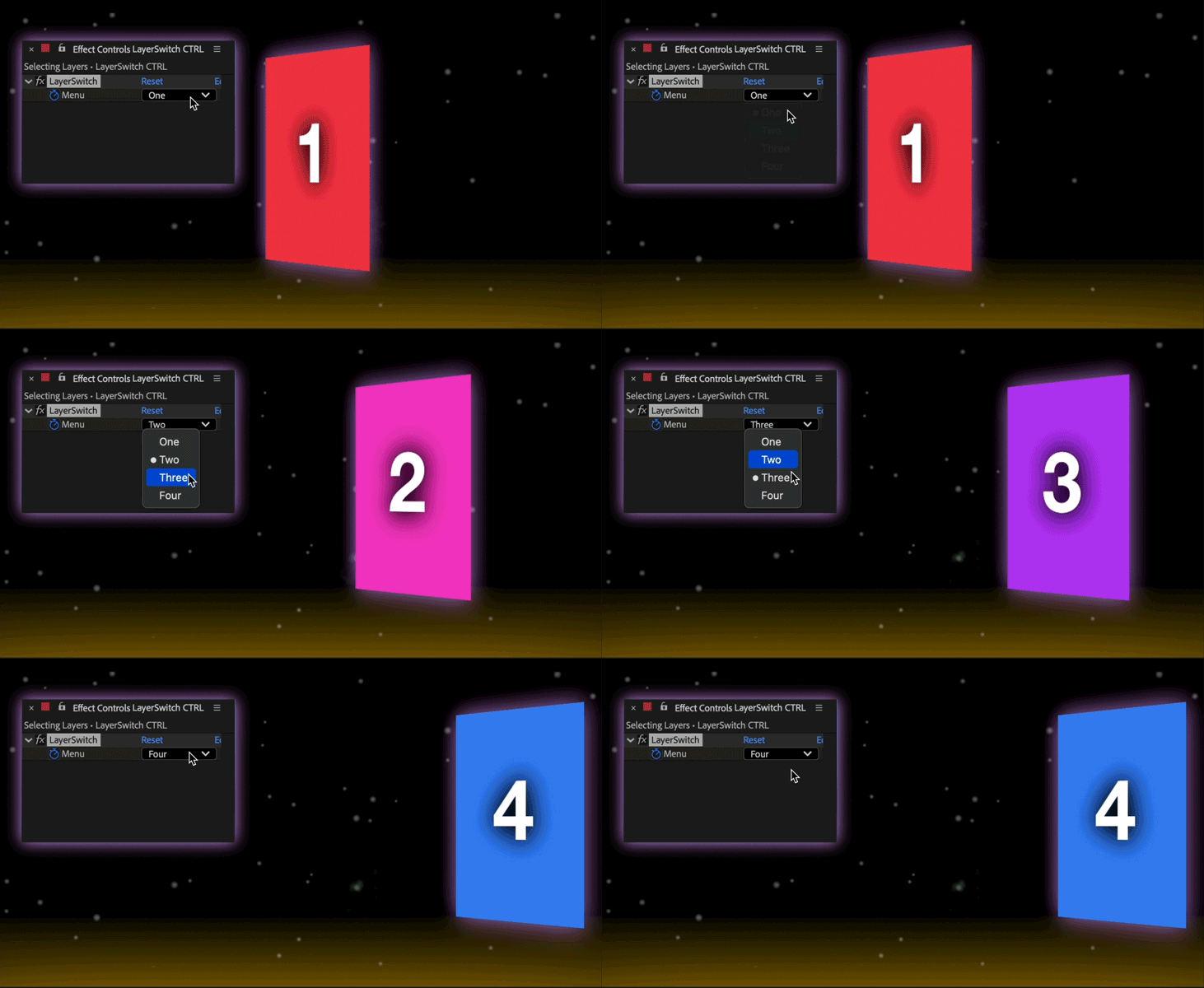
Select layers in a composition and Drop and Slide creates a dropdown menu on a null control layer, using the layer names as its options. You can also supply a custom list. The menu can control opacity, position, scale, or rotation, separately or together. Advanced options add a Dropdown Offset slider for moving through the choices, with controls for selection spread, curve, bias, and looping. This setup suits compositions that need quick transitions between several layers or a reusable layer selector.
Select time-remap frames
For a time-remapped layer, a custom list supplies the frame choices for a dropdown menu. In advanced mode, the Dropdown Offset slider can move through those frames and loop the selection. An optional opacity expression fades the layer as the selected frame changes.
Switch source text
Drop and Slide can create a text layer from the selected layers or from a custom list, then use a dropdown menu to choose which entry appears. Advanced options let the offset slider move through the text choices or animate them in a loop. An optional opacity expression fades between changes. In After Effects 2026 and later, basic mode can also create a dropdown menu that changes text direction.
Compatibility and license scope
The product listing specifies After Effects 2020 through 2026. Its EULA grants installation and use of one copy on one computer at a time; it permits one archival copy on storage other than a hard drive, only for reinstallation. Shared application systems and multi-user networks require suitable licensing for each user and copy. The EULA also restricts redistribution, sublicensing, and modification of the software files.