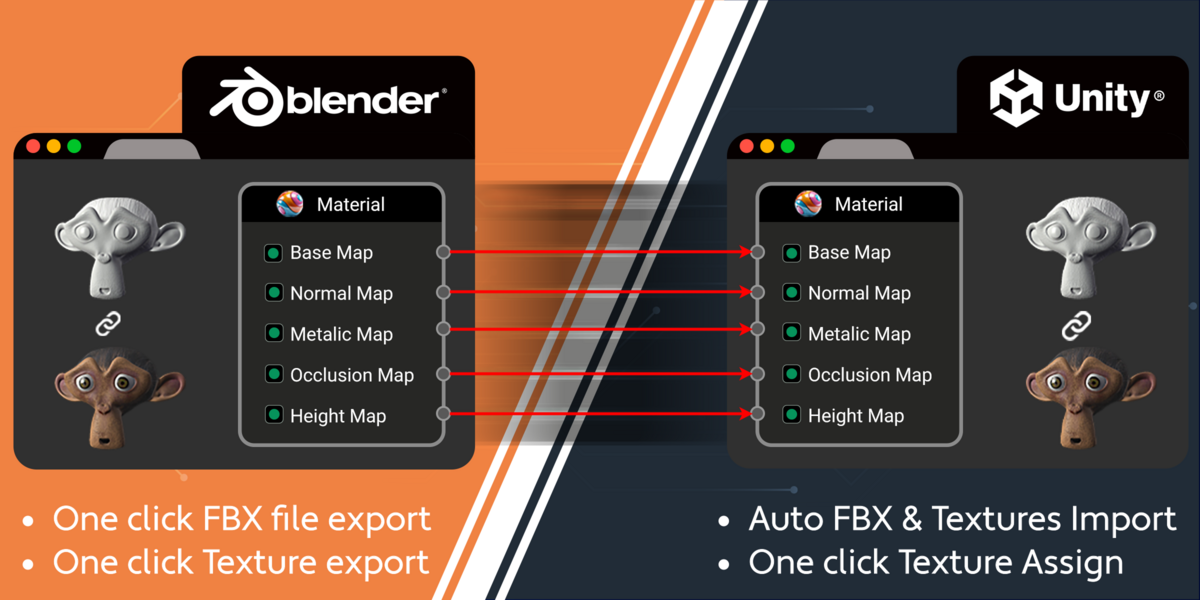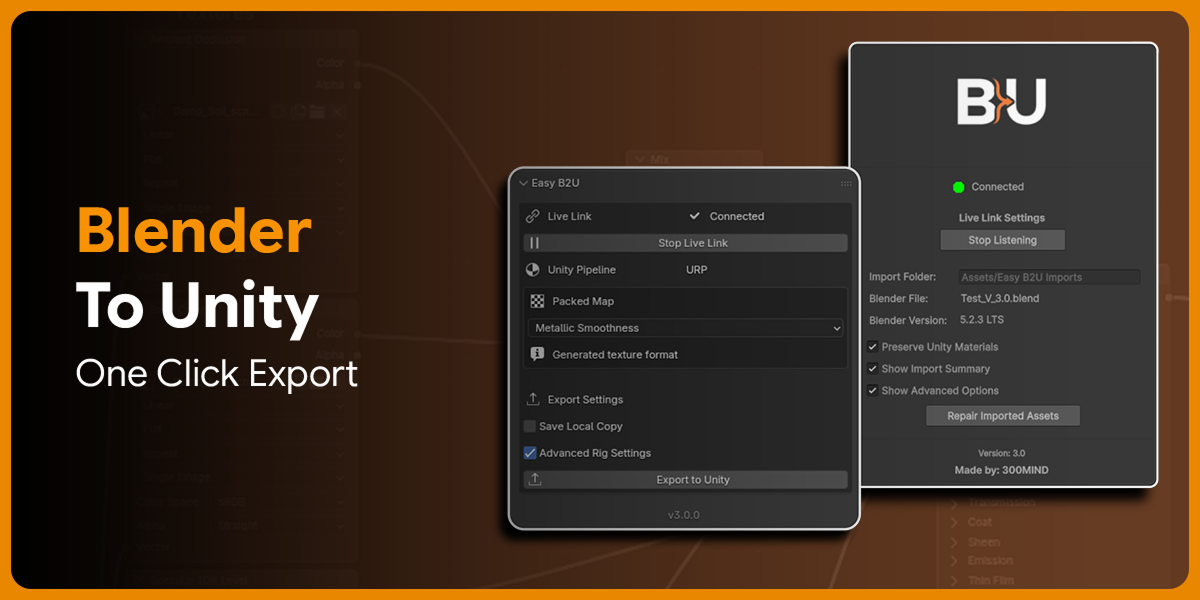
Easy B2U is a Blender add-on from 300Mind with a companion package for Unity. It transfers models and textures as FBX and PNG files, then uses a local Live Link to send them to Unity for import. The Version 3.0 documentation describes its export, material, animation, and re-import workflows.
Connect Blender and Unity
Install the Blender add-on and Unity companion package, then open Tools > Easy B2U in Unity and start listening. In Blender, start Live Link from the Easy B2U panel. The connection uses local TCP port 17650. After connecting, Blender displays the detected Unity render pipeline. An export starts a Unity import job, which reports its progress and result.
Easy B2U organizes imported files under Assets/Easy B2U Imports, with Models, Prefabs, Materials, and Textures subfolders. Unity handles the material and prefab work as part of the import job, so the Version 3.0 workflow does not require separate Extract Materials or Apply Textures commands.
Material and texture handling
The add-on sets up supported URP/Lit or HDRP/Lit materials and maps exported textures to their material slots. It exports textures as PNG files and can skip unchanged images. Packed map options depend on the project pipeline: URP uses Metallic Smoothness, while HDRP uses Mask Map, with different channel layouts. The Built-in Render Pipeline is not supported for automatic Lit material setup.
Static models, rigs, and animation
For a static export, the active object is the root and its recursive children are included. For a rigged export, select exactly one Armature and at least one Mesh. Only the selected meshes are included, even if other meshes are children of the armature.
Animation settings let you choose Actions, NLA Tracks, or both, then select individual clips. Supported pose markers can optionally become Unity Animation Events. After import, review the clips and event timing in Unity.
Re-exports and conflict handling
Easy B2U tracks identities from previous exports to help update the corresponding FBX and reuse verified materials or textures. If it finds a relevant name conflict, the Blender dialog offers Replace Existing, Create New, or Skip Export. Check shared asset references before replacing files. Saving the .blend project helps preserve export identities across sessions; an unsaved session may not retain them after Blender closes.
Unity reports import failures and supports retries. The tool also includes Repair Imported Assets for existing imports. Save Local Copy can write an additional FBX and PNG export outside the Unity project; it does not save the Blender project.
Limits to check before using it
Easy B2U can export an LOD-named hierarchy, but it does not configure Unity LODGroup transitions. It also does not choose Humanoid or Generic avatar settings for a rig; configure those in Unity's model importer. The Superhive listing gives a Blender range of 3.3 to 5.3, while the documentation says rig export has been checked through Blender 5.1.0. Test rig and animation exports on newer versions before relying on them in production.
Easy B2U suits a workflow that moves Blender models, materials, textures, and selected animation clips into a URP or HDRP Unity project. Check the current product listing and documentation for package details and compatibility before installing.