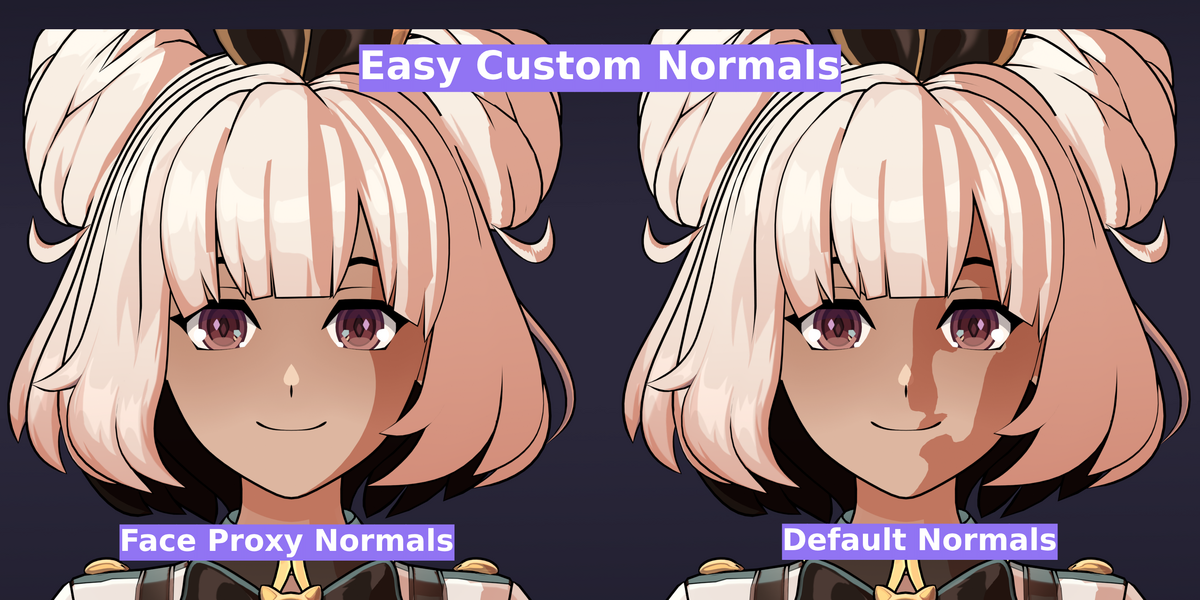
Easy Custom Normals by Fondant is a Blender add-on for authoring custom vertex normals with Geometry Nodes. Its modifiers target toon and anime shading. You can preview changes live, keep the setup adjustable in Blender, or apply the normals for export to a game engine.
Smooth shading on uneven topology
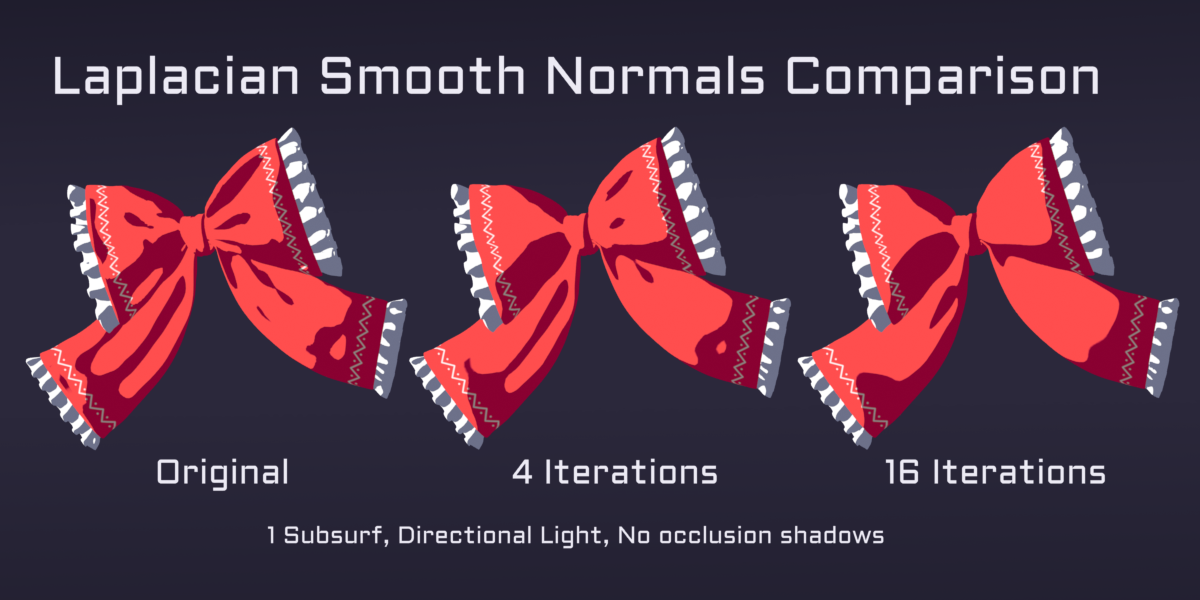
The base toolset includes a Laplacian Smooth + Weighted Normals modifier. Fondant says it is designed to produce clean normals on imperfect topology, including uneven triangulated meshes, with results comparable to clean quad topology. That can let artists work directly on game production meshes without retopology or proxy meshes added to address a few triangles.
Anime face controls in the Pro tier
The Pro tier adds the Anime Face Proxy System, a set of rigged curves that feed into Geometry Nodes to calculate smooth normals. Align the proxy with a character’s face, then use its bones to set the normals. Modifier settings let you preview, adjust, and mask the effect. You can attach the setup to the character rig to adjust shading by pose and save poses as shape keys. The product page says the current Pro tier includes future Character Face Normals tool updates.
Apply the modifier in Blender
Fondant’s documentation describes this basic setup:
- Download the add-on ZIP, then install it from Blender’s Preferences and enable the add-on.
- Open its tab in the 3D Viewport’s N panel and add the objects you want to modify.
- Choose Add Normals Modifier and adjust its parameters while previewing the result.
- When the normals are ready, use Set Custom Normal from Attribute.
Applied custom split normals can be exported to most game engines that support custom normals. The documentation also says the Set Custom Normal from Attribute operation can preserve shape keys because it applies the normals without applying the modifier.
Blender version and stability note
The product listing names Blender 4.3 and 4.4 as supported versions. Fondant’s documentation warns that the triangulate node in the modifier can cause random crashes in Blender 4.4. It suggests placing a Triangulate modifier first in the stack, before the Custom Normals modifier, and says this is known to help. Check the documentation’s troubleshooting details before relying on the add-on in Blender 4.4.