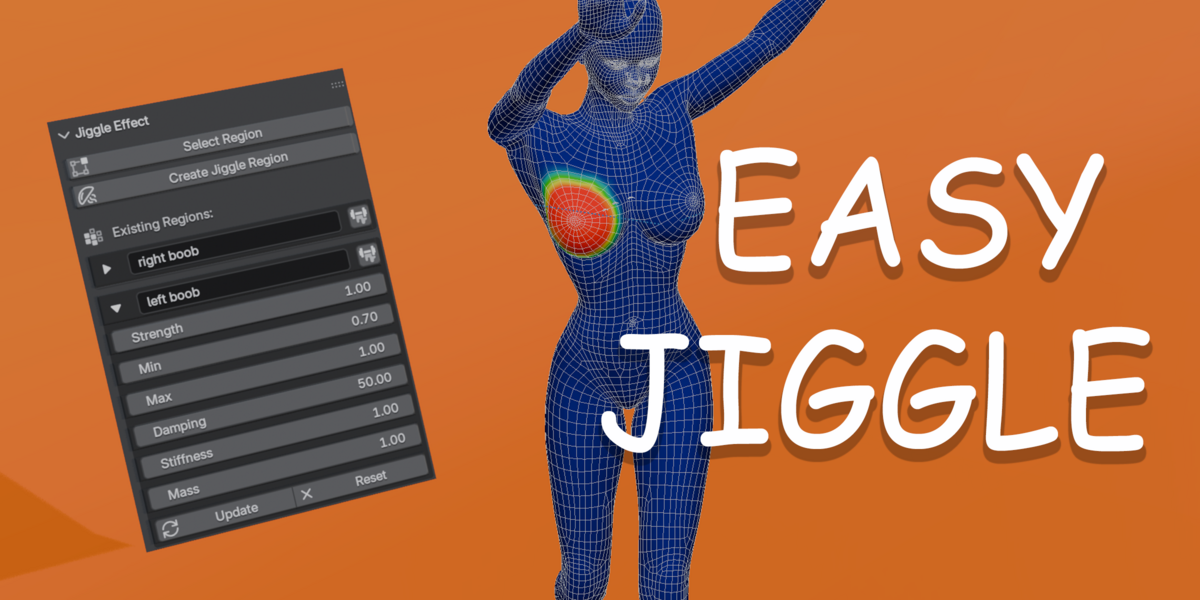
Easy Jiggle is a Blender add-on for setting up physics-driven jiggle and bounce on mesh objects. Define a region on the mesh and the add-on creates an effect that responds to movement and gravity. It is intended for animators who want flexible parts to move with a character, creature, accessory, or soft prop.
Create an effect from a mesh region
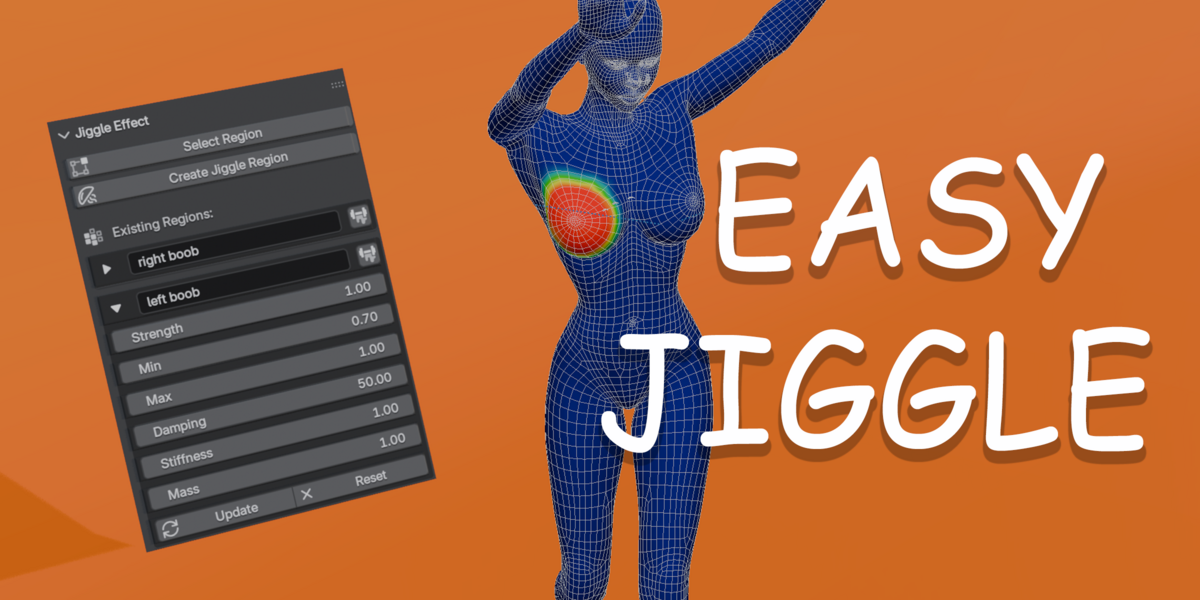
Select a mesh, choose a closed edge loop in Edit Mode, then use Create Jiggle Region. Easy Jiggle sets up the region for you. You can refine its area of influence before animating, which helps keep the effect focused on the part you selected.
Adjust and manage jiggle effects
Each effect has controls for Strength, Damping, Stiffness, and Goal Weights. A dedicated panel with collapsible sections helps organize settings when a project has multiple effects. Renaming a region also updates its associated vertex group and mesh object. The product listing describes the setup as non-destructive, with an option to reset or remove a region and clean up its associated data.
Where it can be used
The listed examples include jiggly flesh and wobbly cheeks for characters; tails, antennae, or loose skin for creatures; floppy hats and dangling straps; and soft props such as jelly, fruit, or water balloons.
Blender requirements and product details
The listing specifies Blender 4.5.0 or later and says Easy Jiggle works exclusively with mesh objects. The product page lists Cycles and Eevee as render engines used, and says installation is through Blender Preferences with instructions included in the download. Blender 4.5.0 is the stated host application requirement; the supplied product materials do not give a separate add-on release number. The listing identifies the license as GPL. Check the Easy Jiggle product listing for current download and license details, and see the product documentation for its use cases.