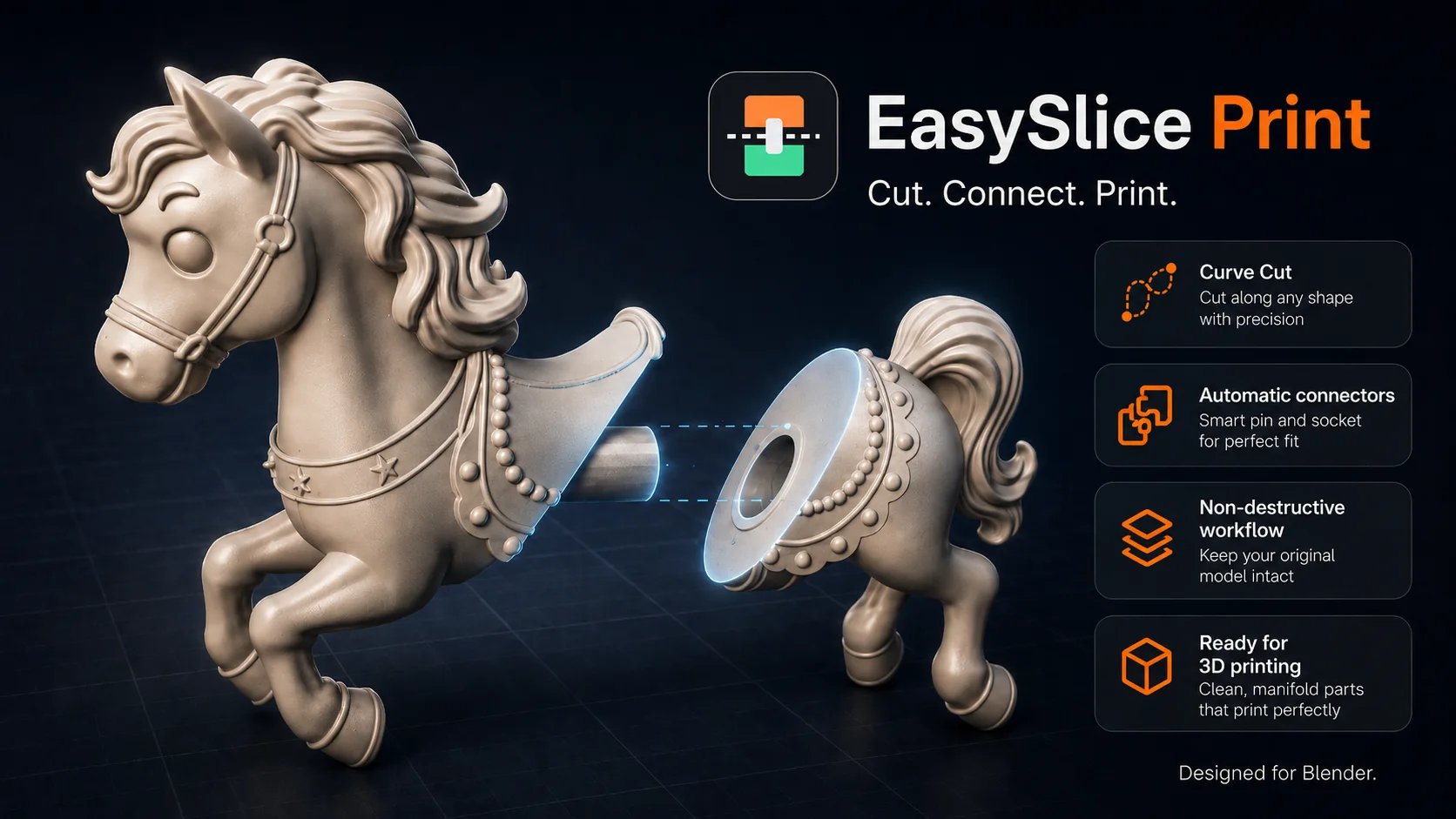
EasySlice Print is a Blender add-on for splitting a model into parts that can be printed separately. It supports several cut styles and can add pin-and-socket connectors to help align the sections during assembly. In Plan Mode, you can edit planned cuts while leaving the original model untouched, as described in the project README.
Choose a cut method
A plane cut uses a line drawn in the viewport to define a flat cut and select which regions it crosses. Curve cuts follow a stroke across the model. A freehand cut uses a closed loop drawn on the surface, which can trace a shape that a flat plane may not reach. EasySlice Print also supports a two-contact or base split, where two contact areas are cut in one operation and can each receive a connector.
Set up connectors between parts
The add-on can create a pin and matching socket at a cut. Connector choices include cylinder, tapered, hexagon and box shapes, or a custom mesh from your connector library. You can adjust the connector size and clearance, choose which side carries the pin, and move or rotate the connector. A cut gap controls material removed along the cut so the resulting parts do not touch at the seam.
An exploded view moves the parts apart so you can inspect the connectors before export. The add-on also has an optional voxel remesh for built parts.
Use Quick Cut or Plan Mode
Quick Cut creates the final parts immediately and does not keep a cut history. Plan Mode is useful when a model needs several cuts: add cuts to a plan, edit or disable them, move cut planes and connectors, then build when the layout is ready. After building, you can return to the plan for further edits or choose Approve to finish.
Prepare the model and export
Start with a closed, manifold mesh and apply its scale and rotation. For print-sized dimensions, use a millimetre scene or set EasySlice preferences so one Blender unit represents one millimetre. After building the parts, export produces one file per part in STL, OBJ or FBX format, in millimetres, to a folder you choose.
Compatibility and release status
The cataloged 0.3.7-alpha release lists Blender 4.2.0 as its minimum version. Check the official Blender Extensions listing for its release details. EasySlice Print is alpha software; cuts can fail or come out wrong on some meshes. The add-on changes between releases, so a plan saved with one version may not rebuild the same way in the next. Keep a backup of the .blend file and inspect every part before printing.