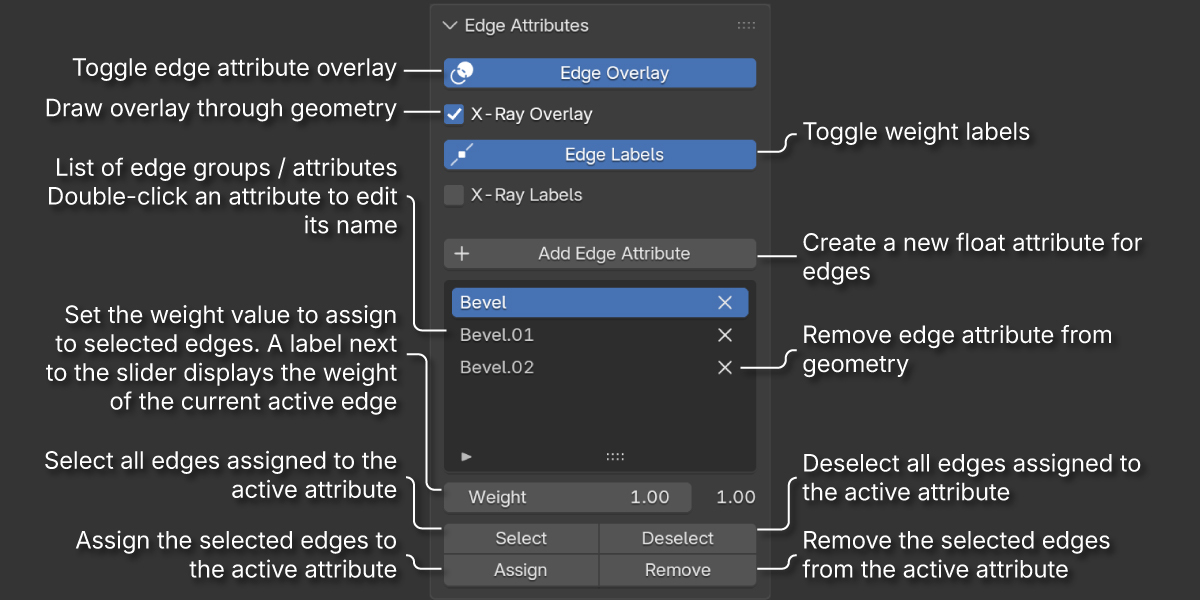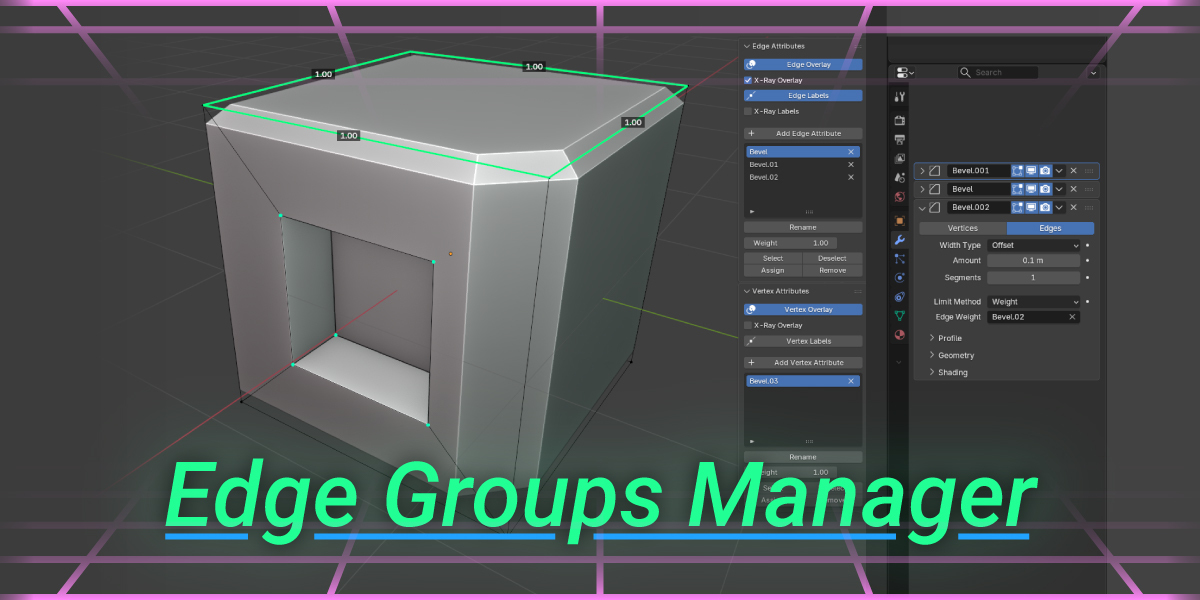
Edge Groups Manager is a Blender add-on for creating and managing custom float attributes used as edge groups with the Bevel Modifier. Blender 4.3 introduced these attributes, allowing edge groups to go beyond the single bevel-weight limit in older versions. The add-on puts attribute creation, weight assignment and visual feedback in the 3D Viewport.
Manage edge attributes
Open the panel from the 3D Viewport sidebar, also called the N-Panel. Its category is set in the add-on preferences and defaults to Edit. You can create edge float attributes with unique names, adjust a weight, and assign it to selected edges. The list also lets you select or deselect edges by attribute value, or remove selected edges from the active attribute.
Double-click an attribute name to rename it. The add-on synchronizes the new name in any Bevel or Geometry Nodes modifiers that reference that attribute.
See weights while editing
In Edit Mode, the edge overlay highlights edges with non-zero values. X-Ray Overlay shows the highlights through other geometry, and edge labels display numeric weights. X-Ray Labels makes those labels visible through geometry. Preferences let you adjust overlay colors and thickness, label appearance and the overlay offset.
Vertex attributes and the pie menu
An optional Vertex Attributes panel provides similar controls for vertex float attributes. Its overlay marks vertices with non-zero values using colored circles, and you can show weight labels beside them. Enable or hide this panel with Show Vertex Panel in the preferences.
The configurable pie menu provides quick access to assigning or removing weights. In Edit Mode, its default shortcut is Shift+Q. When multiple attributes exist, the menu can show an attribute list; when both Edge and Vertex panels are active, it can also switch between those domains.
Compatibility and product details
Superhive lists Blender versions 4.3–5.3, marks the add-on as Blender Extension Compatible, and identifies its license as GPL. See the product documentation for the interface and controls, and the product listing for the publisher's current details.