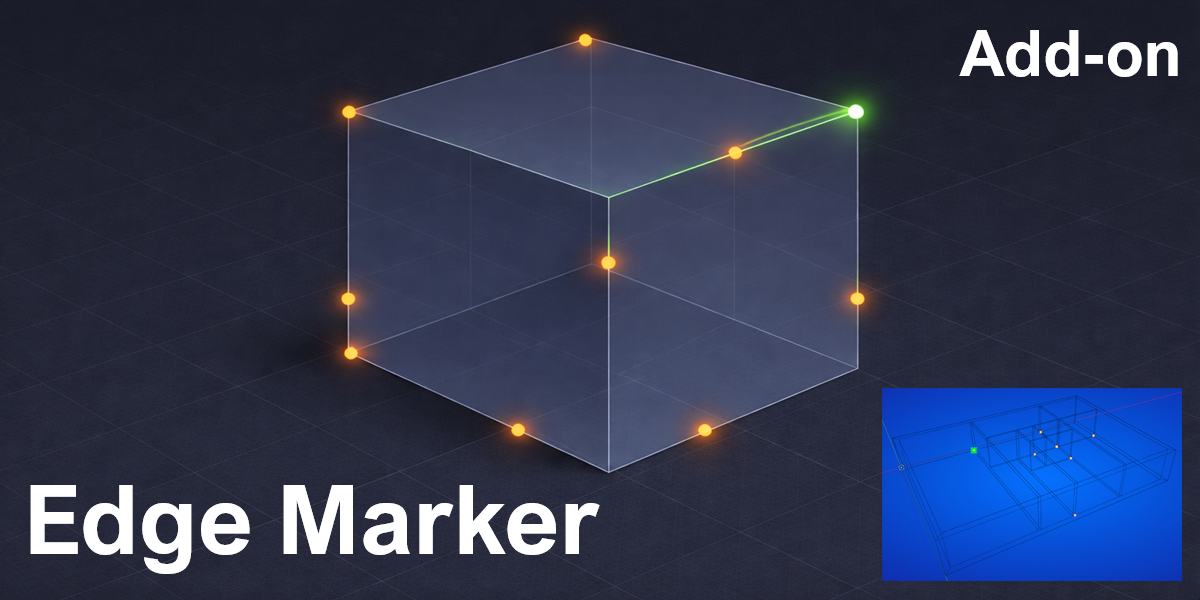
Edge Marker is a Blender add-on for placing a marker or the 3D cursor at a measured point along a mesh edge. You can also create scene markers at world-space coordinates, then use an active marker to position vertices, objects, or the cursor. Markers are saved with the Blender file.
Place edge and scene markers
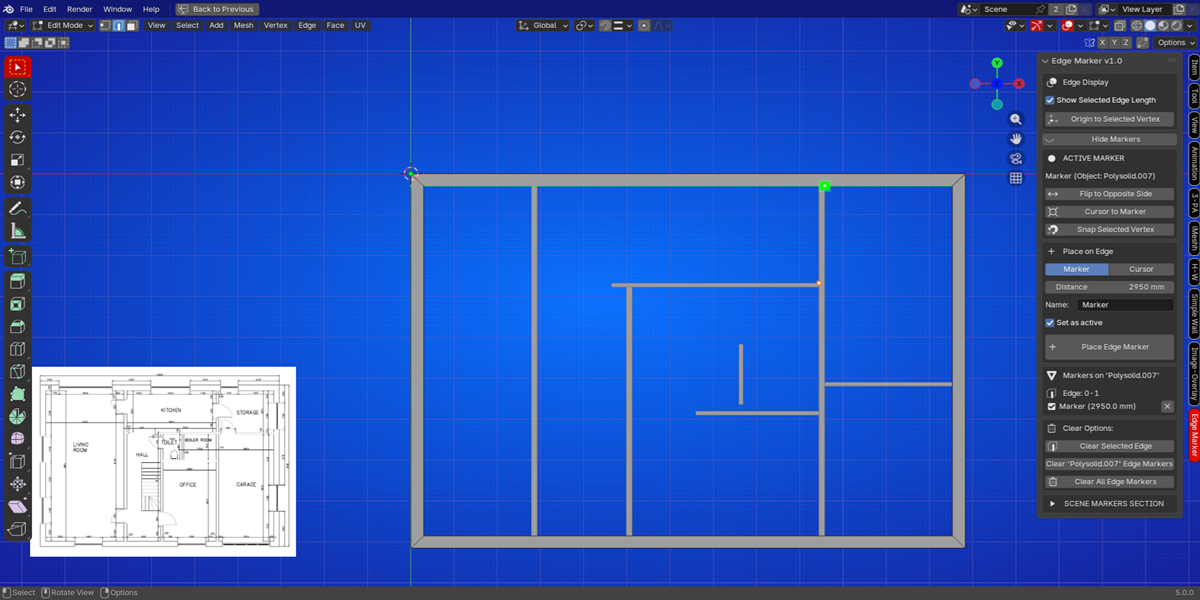
To place a marker on an edge, select a mesh object, enter Edit Mode, and select exactly one edge. In the Edge Marker panel, set a distance from the edge’s first vertex that does not exceed the edge’s length, then choose a visible marker or the 3D cursor. You can name a marker and set it as active for snapping. The developer documentation locates the panel in the 3D Viewport sidebar, opened with N, under the Edge Marker tab.
For a reference that does not belong to an edge, create a scene marker by entering X, Y, and Z coordinates or using the current 3D cursor position. Distances follow the scene’s unit settings; metric measurements can display millimeters.
Snap geometry to an active marker
In Edit Mode, select vertices and use Snap Selected Vertex to move them to the active marker. In Object Mode, select an object and use Snap Object to Marker. Cursor to Marker moves the 3D cursor to that point. The add-on can also add a vertex at an edge marker or create one at a scene marker.
Regular markers appear as orange dots and the active marker as a green dot. Each has a white center, and marker size can be adjusted. You can toggle marker visibility, remove individual markers, or clear markers by selected edge or object. Edge Marker supports undo and redo and works across multiple objects.
Workflow fit and compatibility
Edge Marker is useful for modeling tasks that need a defined point along an edge, such as placing vertices or marking cut points. Its scene markers provide world-space reference points for alignment. The documented workflows may suit architectural visualization, product design, hard-surface modeling, and retopology.
The product details show Blender 4.2–5.2, while the documentation states Blender 4.2.0 or newer is required. Edge markers are stored with mesh data and scene markers with scene data, so they remain after saving and reopening the file. Deleting an object also removes its edge markers.