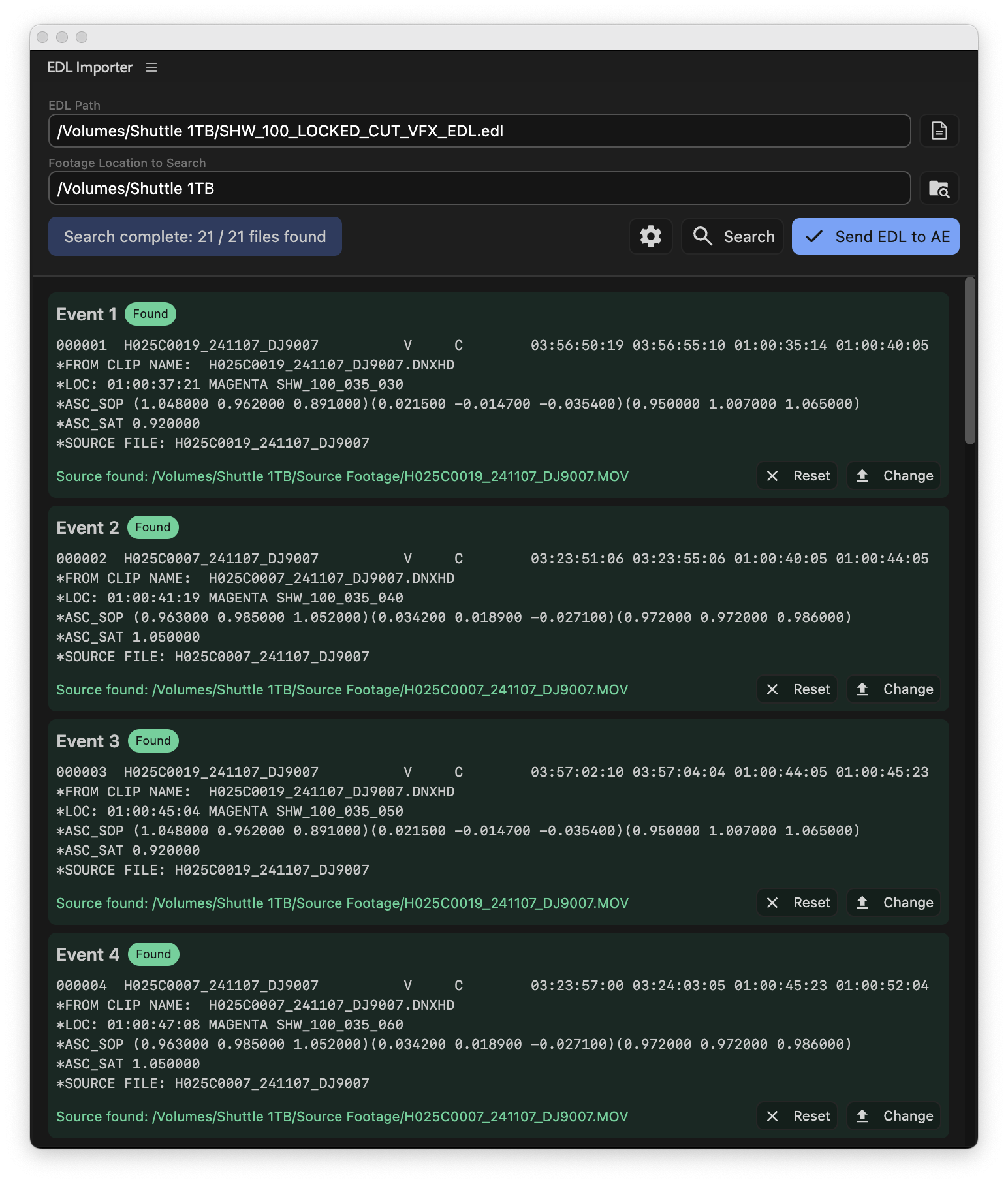
EDL Importer brings edit decision lists from editing tools such as Avid Media Composer, DaVinci Resolve, and Premiere into After Effects. It can relink source footage, build compositions from the EDL’s edit events, and carry over timecodes, markers, and color decision list (CDL) data. It suits editors and visual effects artists who need to continue an existing cut in After Effects.
Link EDL events to source footage
Load an EDL by dragging it into the extension panel, browsing to it, or entering its path. Choose the folder containing the source footage and run Search. The search scans that folder and its subfolders, then labels matched events Found and unmatched ones Missing. You can adjust matching to use the EDL’s SOURCE FILE tag, CLIP NAME tag, or both, with SOURCE FILE taking priority when both are enabled. Matching can ignore filename extensions, check extensions, and ignore letter case. For anything still missing, link a file manually, change an existing link, or reset it.
Choose how After Effects builds the edit
Sequence Build Options provide three layouts: one composition containing the whole sequence, separate compositions for each clip, or a main sequence with nested compositions. For single-sequence and nested-sequence builds, you can set the main composition's width, height, pixel aspect ratio, and frame rate. Individual compositions in individual-composition or nested-sequence modes can use source media resolution or custom width, height, pixel aspect ratio, and frame rate. Both modes also support a chosen number of handle frames before and after clips.
Timecode settings let you use timecode embedded in source files or set a custom start timecode. An override can help when the EDL refers to proxy or temporary stock footage whose starting timecode differs from the original source footage. Once media is linked and settings are chosen, select Send EDL to AE to create the compositions.
Bring in markers and grading data
Marker settings can add EDL markers to the composition. Choose layer markers, composition markers, or both, and optionally map Resolve or Avid marker colors to After Effects marker colors. For a DaVinci Resolve marker workflow, export the cut as a regular timeline EDL and export markers separately as a marker-only EDL. Build the composition from the first file, then load the marker-only EDL and use Send EDL Markers to Comp on the active composition. The EDL Importer guide documents this Resolve marker workflow.
The Additional Actions menu can send markers or CDLs to a composition, match CDL data to existing compositions by names in the project, split the active composition’s bottom layer at EDL edit points, or create named precompositions from layers. The split action removes the original bottom layer after creating the split layers. CDL actions require the fnord software CDL plugin.
Compatibility and licensing
The product listing names After Effects 2021 through 2026 as compatible versions. EDL Importer works with most standard EDL formats, though nonstandard formatting may cause import problems. The supplied license agreement covers one copy for use by one user on one computer; additional users or computers require an appropriate license for each copy.