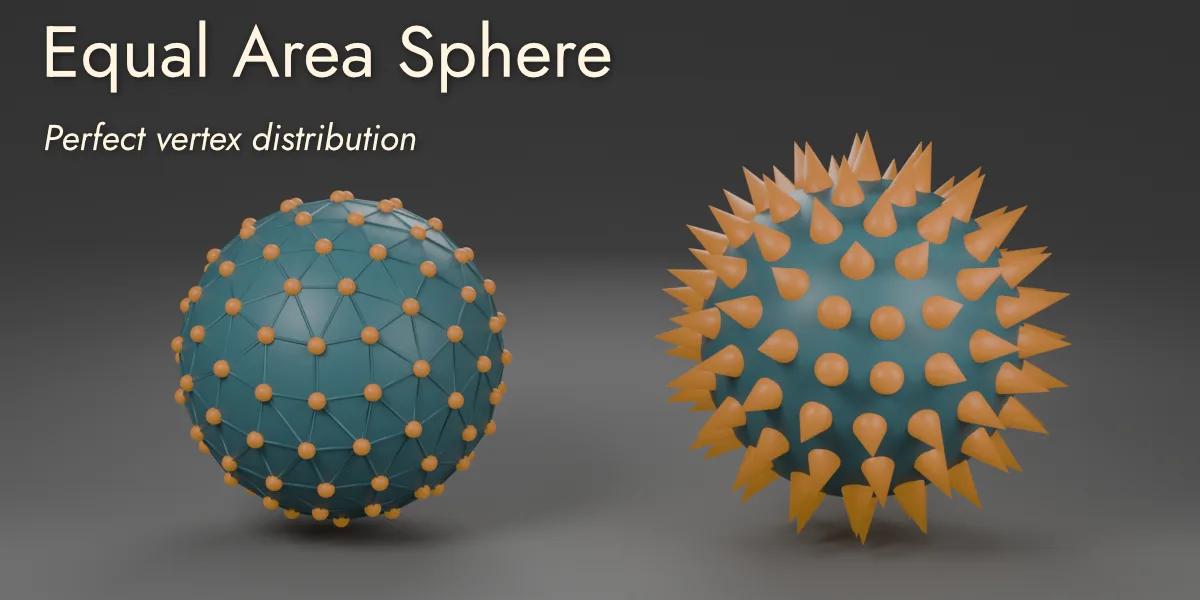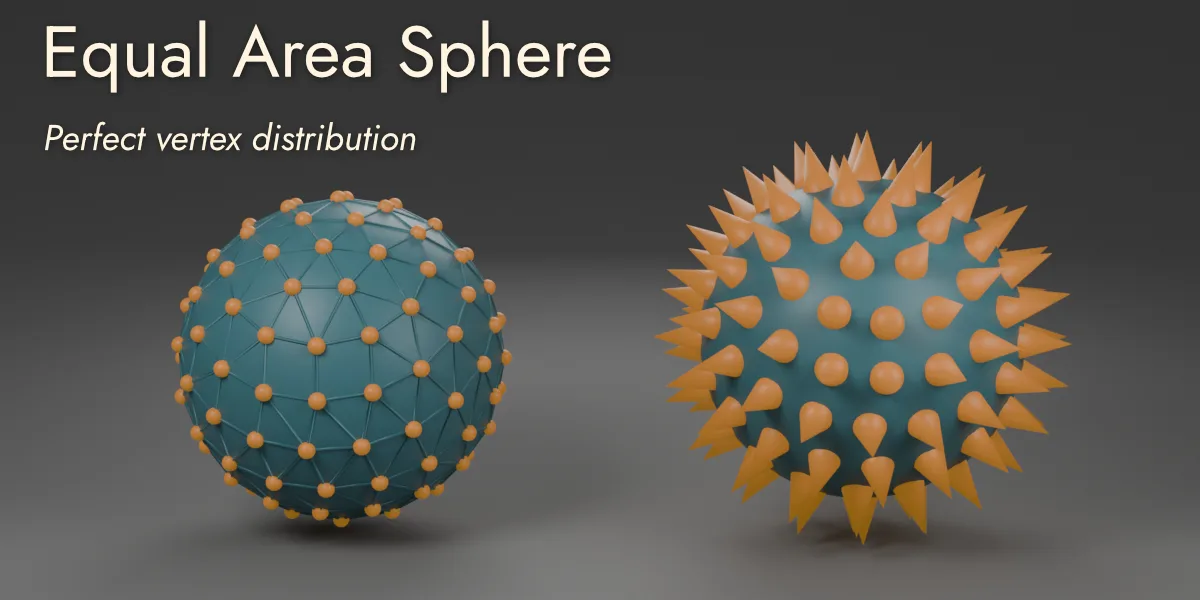
Equal Area Sphere is a Blender add-on that creates a mesh primitive with vertices arranged in latitude rings for roughly even spacing and similar face areas. It can help with point distribution, procedural modeling, and low-poly spheres where a UV Sphere’s pole clustering is a problem. The add-on is based on the Deserno equal-area distribution method, according to the product page.
How its sphere distribution works
A UV Sphere places vertices on a fixed latitude-longitude grid, which creates tighter clusters near the poles. Equal Area Sphere calculates how many vertices to place on each ring so spacing between rings and along each ring is approximately even. Its ring count is adjustable, giving you control over mesh density. An Ico Sphere uses fixed subdivision levels and triangular faces; Equal Area Sphere can create faces with a mix of quads and triangles.
Mesh types and controls
Choose Vertices for point-cloud work or Geometry Nodes, Edges for wireframe effects, or Faces for a polygon mesh. The operator starts with six rings, allows a minimum of three, and has a soft maximum of 100; higher values are possible. The vertex count for each ring is calculated automatically. Radius is measured in Blender units, defaults to 1.0 meter, and has soft limits from 0.001 to 100.0.
In Object Mode, the add-on creates a new object at the 3D cursor. In Edit Mode, it adds the geometry to the active mesh. You can also set standard placement options such as alignment, location, and rotation. The operator panel stays available until you perform another action, so you can adjust the settings after creating the sphere.
Install and add a sphere
Download the ZIP file and leave it compressed. In Blender 4.2 or newer, open Edit > Preferences > Get Extensions, open the dropdown beside Get Extensions, choose Install from Disk, and select the ZIP file. Blender installs and enables it automatically. For Blender 2.80 through 4.1, open Edit > Preferences > Add-ons, choose Install, select the ZIP file, then enable Add Mesh: Equal Area Sphere.
To create a sphere, press Shift+A in the 3D Viewport and choose Mesh > Equal Area Sphere. Adjust the settings in the operator panel at the bottom-left of the viewport. The Equal Area Sphere documentation includes the installation steps and control details.
Compatibility and limits
The product listing states Blender 2.8–5.1 compatibility. The add-on runs on Windows, macOS, and Linux, uses pure Python, and has no external dependencies. Its faces can include both quads and triangles, and the add-on does not currently unwrap UVs; use Blender’s standard UV tools afterward if your project needs them.
Face generation at very high ring counts, such as 200 or more, can take several seconds. To inspect a dense distribution first, the documentation suggests starting in Vertices mode and switching to Faces once the density looks right. The add-on is released under GPL-3.0, with the full license text included with it.