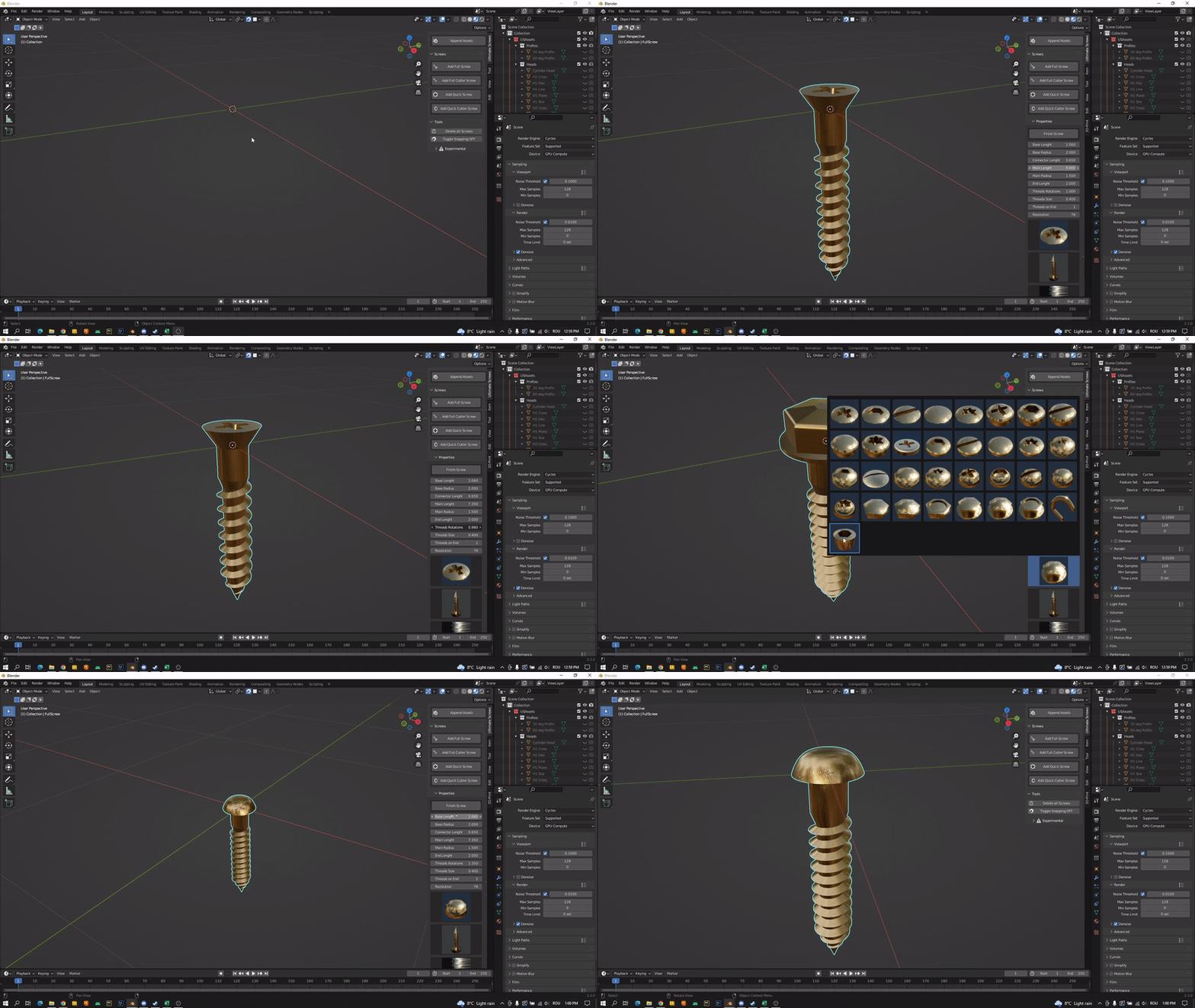
Quick Screws is a Blender add-on by JMT Production for creating customizable procedural screws for hard-surface design and mechanical prototyping. It includes 33 head designs, two materials and two thread profiles. Version 1.0.3 lists support for Blender 3.1 through 4.1; check the product listing for current compatibility and edition details.
Choose a screw type
The add-on provides four forms. A Full Screw has a head and body. A Quick Screw adds only the head for a small detail. A Full Cutter Screw has a head and body, with a cutter object around its head; a Quick Cutter Screw has a head with an attached cutter object. Both can cut into another object. Quick Screws and Cutter Screws are listed as PRO features.
Add and edit screws
Add a screw from the N-Panel in Blender’s 3D Viewport or press LShift + Q. Select the screw to edit its parameters in the Properties menu of the Ultimate Screws panel. When the shape is ready, Finish Screw applies the GeoNodes modifier, cleans the geometry and unwraps the screw. After finishing, the add-on can no longer change that screw’s parameters, so make adjustments first.
Use cutter screws
Press Shift + Alt + Q to open Cutter Screw Tools. Select the cutter objects, then the object to cut, and choose Boolean Screws. The panel also includes an experimental Auto Cutter: select only the object to cut into and run the tool to create screw holes. The listing warns that this experimental feature may not work as intended.
Compare Standard and PRO
Both editions include customizable procedural screws, all 33 head assets, two materials and two thread profiles. Standard includes Full Screws. PRO adds Quick Screws, Cutter Screws and array options for Full and Quick Screws. The listing says arrays do not support Cutter Screws.
The product listing identifies the add-on’s license as GPL. Confirm the current version and compatibility details on the product listing before installing.