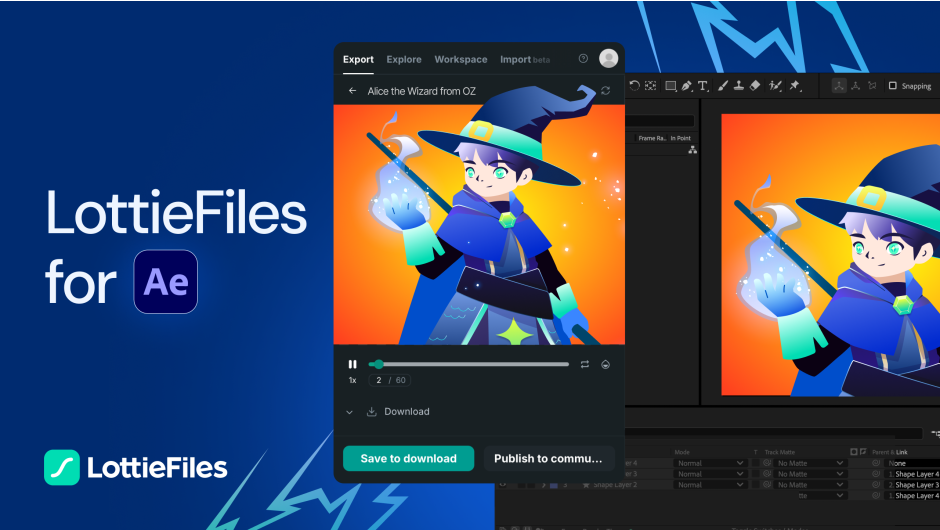
Export Lottie Animations in After Effects is LottieFiles’ plugin for exporting After Effects compositions as Lottie JSON, optimized Lottie JSON, dotLottie, optimized dotLottie, or Telegram Sticker (TGS) files. It suits motion and UI designers preparing animations for apps or websites, and teams that want to preview and share work from inside After Effects.
Export a composition
- Open the LottieFiles panel from Window > Extensions > LottieFiles.
- Select the composition you want to export. The panel detects the active composition, and you can choose another if your project has several.
- Preview the animation and check any compatibility warnings.
- Set the export quality, glyph handling for text, and compression level, then export and choose where to save the file.
The plugin also supports bulk rendering, importing Lottie and SVG files, and optimization tools.
Preview and share
The panel shows a preview and file-size information while you work. You can scan a QR code with the LottieFiles mobile app to preview an animation on a mobile device, or send it to connected devices for testing. A render graph provides information for reviewing CPU use. Signing in to a LottieFiles account is required to use the plugin; the account also lets you access private animations and upload work to a workspace for sharing. LottieFiles says creators own animations made with the plugin if they hold rights to all assets used, including fonts, images, and third-party elements.
Check feature support
Lottie does not support every After Effects feature. dotLottie runtimes render the same way across platforms; support can vary in other Lottie players. Shape layers, transforms, trim paths, masks, track mattes, and precompositions are generally supported. Test text layers, effects, blending modes, expressions, and time remapping in the player you plan to use. The support guide recommends converting text to shapes when fonts are not embedded and baking expressions into keyframes where possible. Three-dimensional layers, cameras and lights, adjustment layers, layer styles, and most effects are usually unsupported or may not render reliably.
Images and system requirements
Images can be embedded in the JSON, which increases file size, or exported as separate assets that must be managed alongside it. Video files and image sequences cannot be exported to Lottie; the guide recommends replacing video with still images or recreating the effect with animated shapes. It also recommends preparing layered images such as PSD files as single-frame images before export.
The installation guide lists After Effects 13.0 or higher, macOS 10.13+ or Windows 10+, an internet connection for installation, and 100 MB of free disk space. Its setup steps also say CC 2018 or later, so check the requirement for your exact After Effects release.