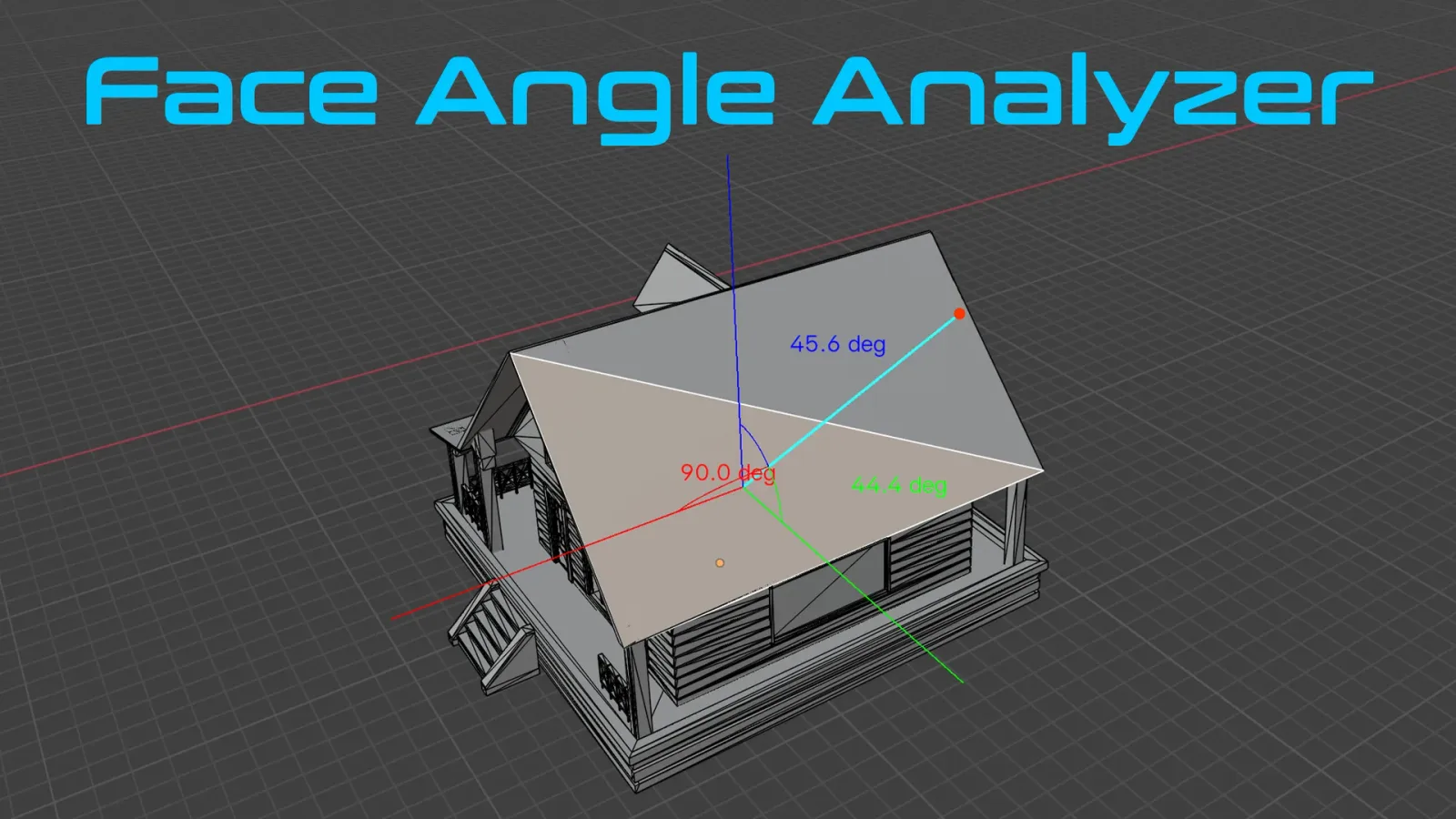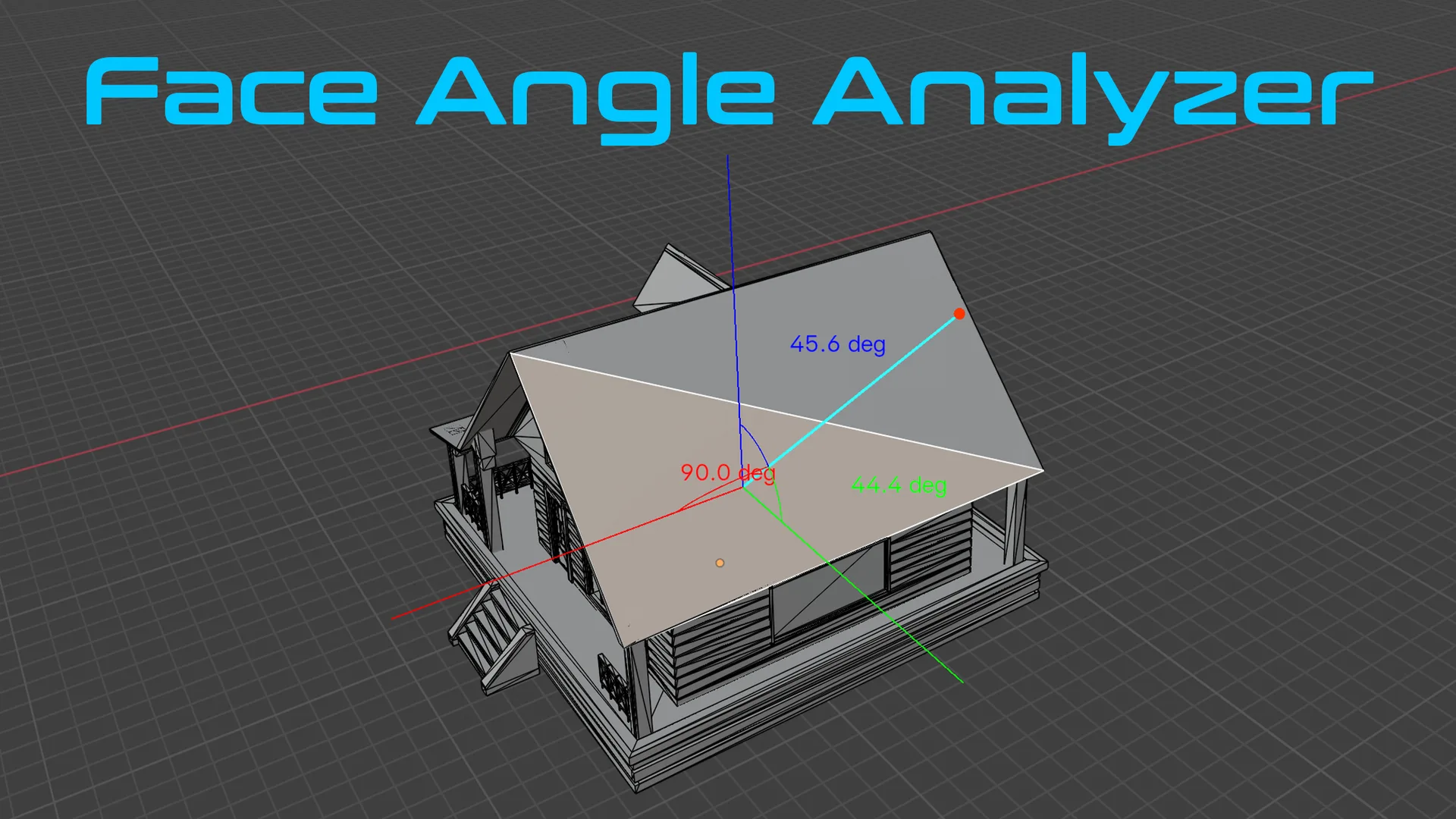
Face Angle Analyzer is a Blender add-on by Astralis for measuring and visualizing face orientation against the global X, Y, and Z axes. It displays angle readouts as 2D overlays in the viewport while you work in Edit Mode.
Read face orientation against global axes
Select a face to see its angles relative to the global axes. For alignment work, Face Angle Analyzer also shows the Euler rotation angles needed to align a face with a chosen reference plane. You can set that reference to the X, Y, or Z axis.
These readouts can help when checking face direction in technical modeling or architectural work, or when aligning a face to a particular axis.
Use it from the 3D View sidebar
- Enter Edit Mode and select a face.
- Open the FOA panel in the 3D View sidebar, also called the N-panel.
- Choose a reference axis, then click Calculate & Visualize to display the angle information.
- Change the reference plane or adjust the overlay settings, then recalculate as needed.
The add-on can recalculate multiple faces with one click. Its visualization uses color-coded axes and angle arcs; you can toggle individual axes and adjust line thickness and arc radius.
Compatibility and license
The Blender Extensions package metadata sets Blender 4.2.0 as the minimum version. The official Face Angle Analyzer listing identifies its license as GNU GPL v3.0 or later and provides the current package details. For installation from a downloaded file, follow Blender’s Install from Disk instructions.