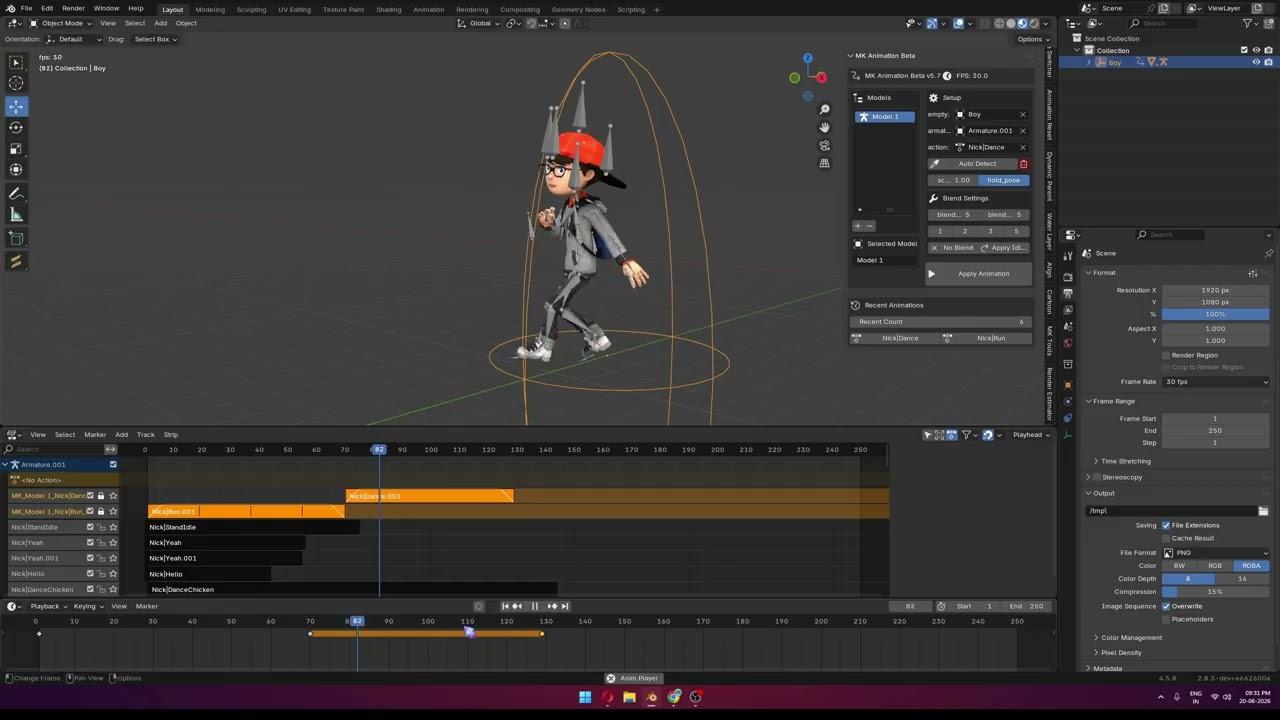
Fast Nla Mk Animation Addon is listed on Superhive as MK Animation, a Blender add-on by Mohd Khurram. It brings character selection, animation actions, recent-action history, and animation settings into a panel-based workflow built around Blender's Non-Linear Animation (NLA) system.
Manage characters and animation actions
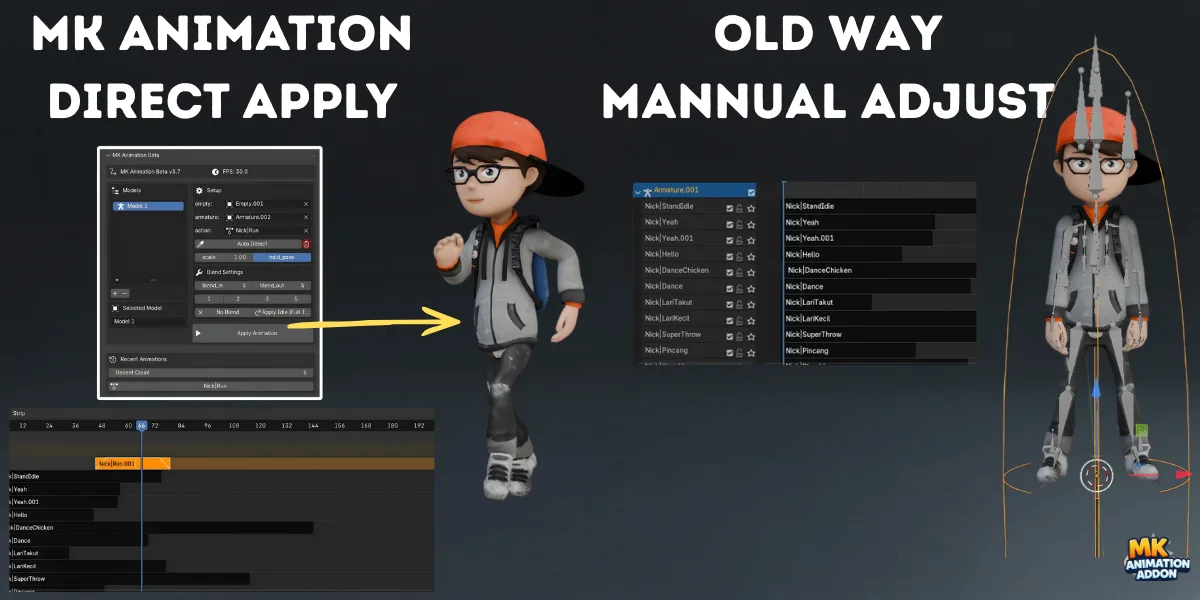
In the MK Animation panel, you can keep models in a Models List and select which character is active. The listing describes switching between multiple characters without reassigning settings. Recent animation history lets you find actions you have used before, while the NLA workflow creates and manages animation strips in Blender.
The product is described for character animation, game asset animation, crowd animation, and animation prototyping. Its controls include Scale, Blend In, Blend Out, and Hold Pose, so you can adjust those values before applying an action.
Set up a model
Open the MK Animation panel, then click + Add Model in the Models section. The product instructions identify three components for the model entry:
- Empty Object
- Armature
- Animation Action
Click Auto Detect to find and assign the required rig components. After the model appears in the Models List, select it to make it the active character. The product FAQ says the model and animation need compatible structures, including matching bones and naming, for an animation to apply correctly.
Apply and reuse an animation
- Select a model from the Models List.
- Choose the Animation Action to use.
- Adjust Scale, Blend In, Blend Out, or Hold Pose if needed.
- Click Apply Animation.
MK Animation then creates and manages strips through Blender's NLA system. The recent animation history is available for reusing actions. If an animation does not apply, check that the selected character's rig matches the animation's bone structure and naming.
Installation and compatibility
The product documentation describes installing the downloaded ZIP through Blender's Edit → Preferences → Add-ons menu using Install from Disk, then enabling MK Animation. The Superhive listing identifies Blender versions 3.6 through 5.1 and marks the add-on as Blender Extension compatible. The documentation has inconsistent version wording: one feature note says Blender 4.2 and above, while its requirements and FAQ say 3.6 or newer. Check the current listing for your Blender version before installing. Product details list the license as GPL.