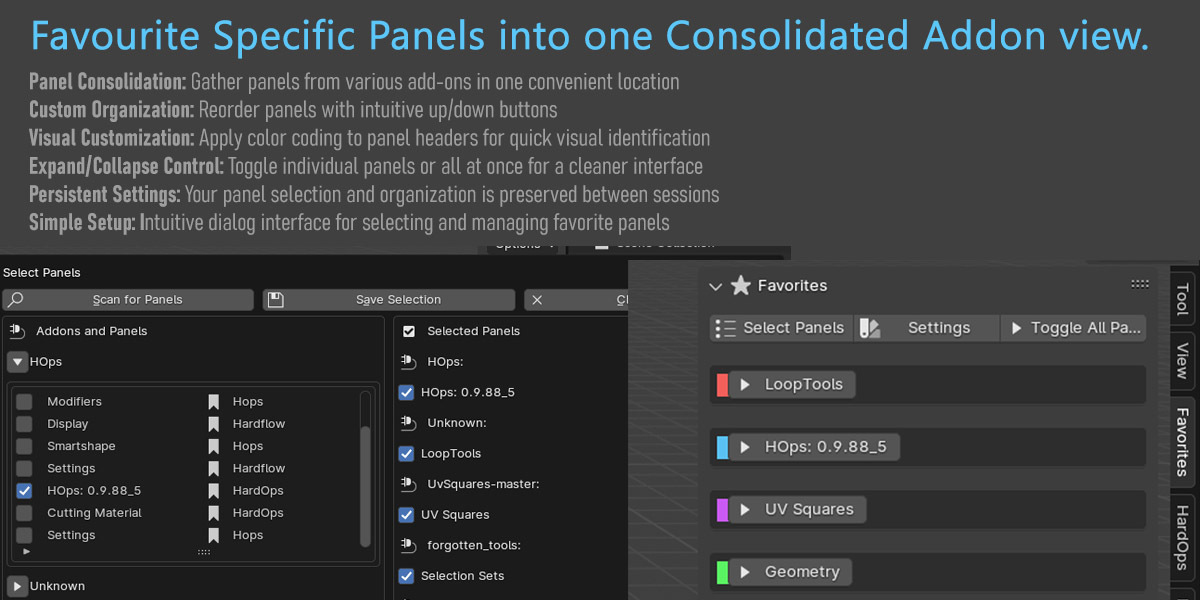
Favorites Addon With Tabs gives Blender’s 3D View a dedicated Favorites tab for panels from installed add-ons. It is designed for Blender users who often switch between add-on tabs to reach the same controls. Choose panels through the setup dialog, then organize them in the Favorites view.
Organize panels into tabs
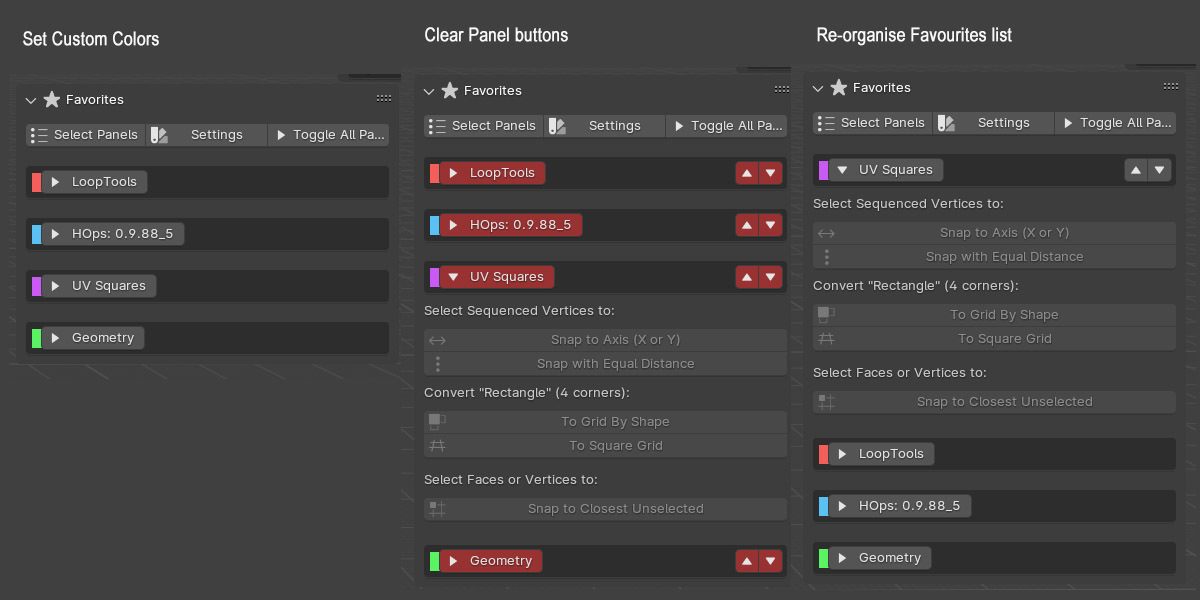
Version 1.1 added the option to separate favorited panels into tabs. You can reorder panels with up and down buttons, color code their headers for visual identification, and expand or collapse panels individually or all at once. The add-on preserves your panel selections and organization between sessions.
Panel compatibility depends on how those add-ons are built: the developer says Favorites Addon With Tabs works with panels from properly coded Blender add-ons.
Blender compatibility and license
Luke Adwick’s product listing says the add-on works with Blender 4.3 and above, and its details list Blender 4.3 and 4.4. The listing also says it should work with earlier versions, but does not give an earlier supported range. Check the developer’s page if you use an older Blender release. The listing identifies the license as GPL.
Common questions
What does Favorites Addon With Tabs do?
It creates a Favorites tab in Blender’s 3D View where you can collect and organize panels from installed add-ons. You can reorder panels, separate favorites into tabs, color code panel headers, and expand or collapse panels.
Can I separate my favorite panels into tabs?
Yes. Version 1.1 added the option to separate favorited panels into tabs, giving you more control over how they are grouped in the Favorites view.
Which Blender versions are listed as compatible?
The developer lists Blender 4.3 and above, with Blender 4.3 and 4.4 shown in the product details. The listing says earlier versions should work too, but does not specify an earlier supported range.
Will it work with panels from every add-on?
The developer describes compatibility with panels from all properly coded Blender add-ons. Compatibility is therefore stated for properly coded panels, rather than every add-on without qualification.
Are my panel choices saved between Blender sessions?
Yes. The product listing says your panel selection and organization are preserved between sessions.
Product images
Download
Favorites Addon With Tabs, Consolidate Your Favorite Panels Into A Single Addon View For Quick Access
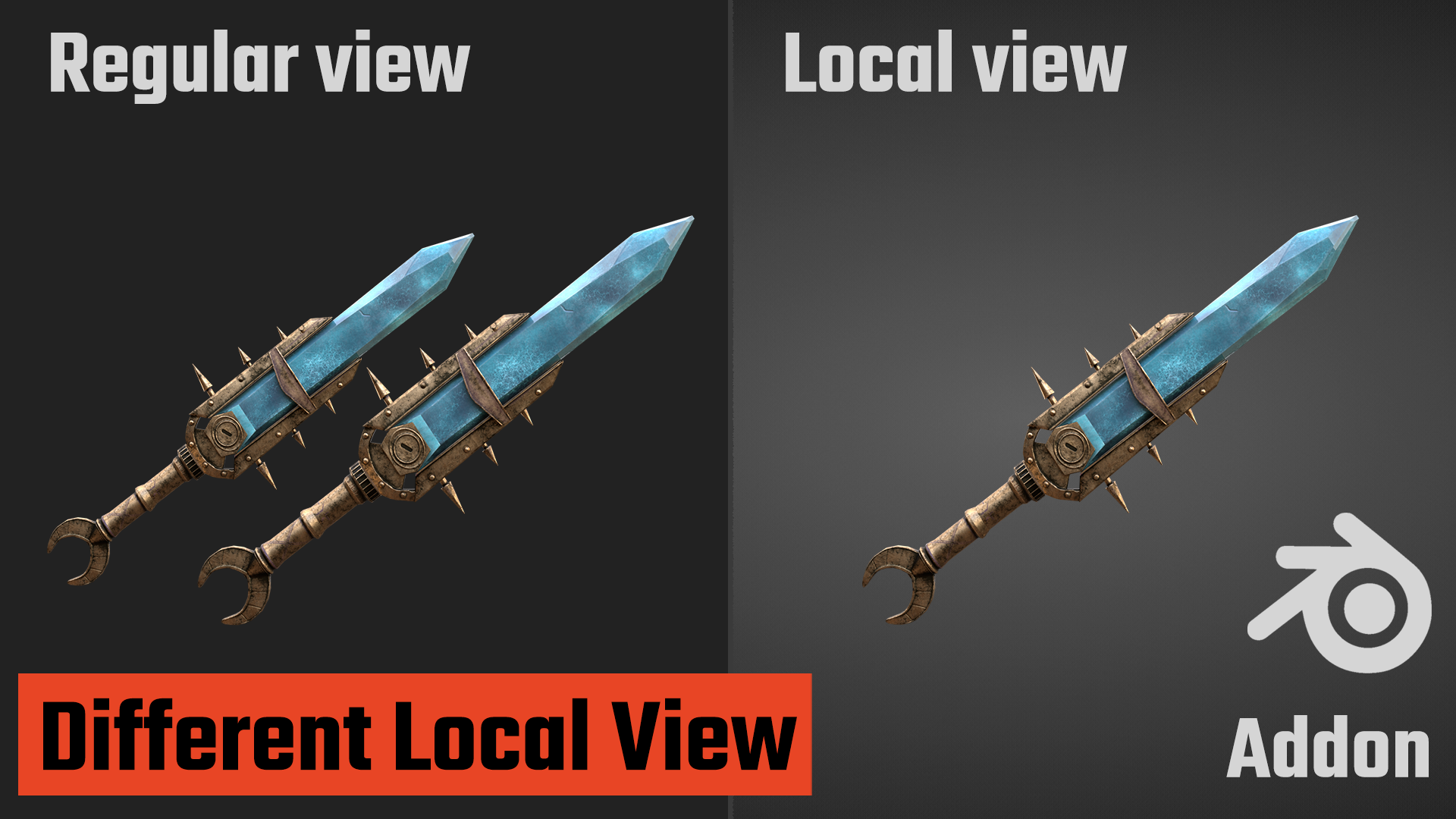
Set a custom theme for the Blender add-on [Addon] Different Local View to spot its active mode. A clearer cue can help avoid searching for hidden objects.
Cut Plane is a Blender Edit Mode tool for plane-based mesh cuts, with Fill for side clearing and selected-only cuts. Version 1.2.0 requires Blender 4.5.0+.
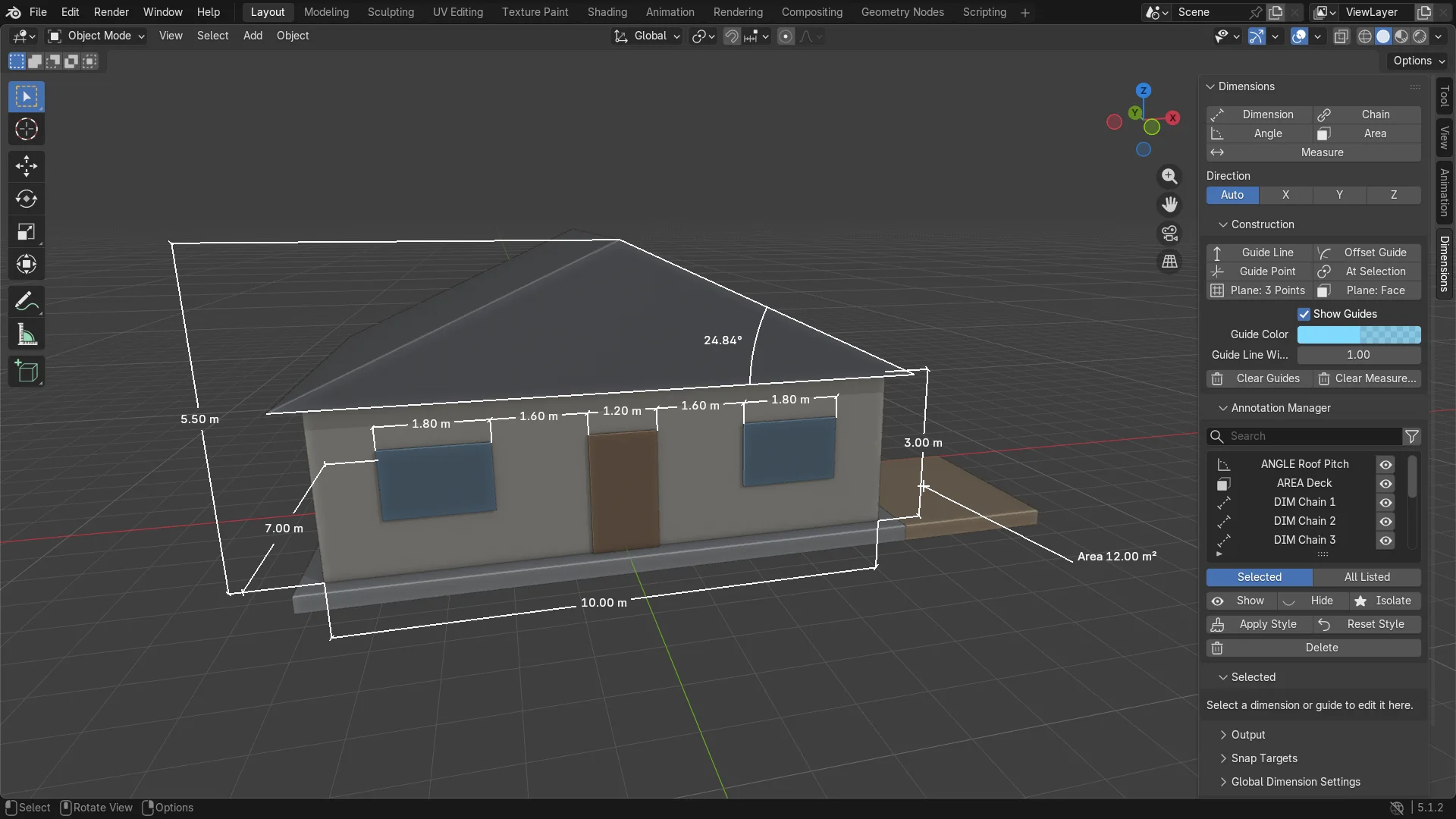
Dimensions is a Blender add-on for precision dimensions, guides, and measurements in the 3D View. Check Blender 5.1.0 compatibility and current release details.
Save viewport positions, align orthographic views to selected faces, and set rotation steps with Lutaya Viewport Camera. Check Blender 4.2+ compatibility.