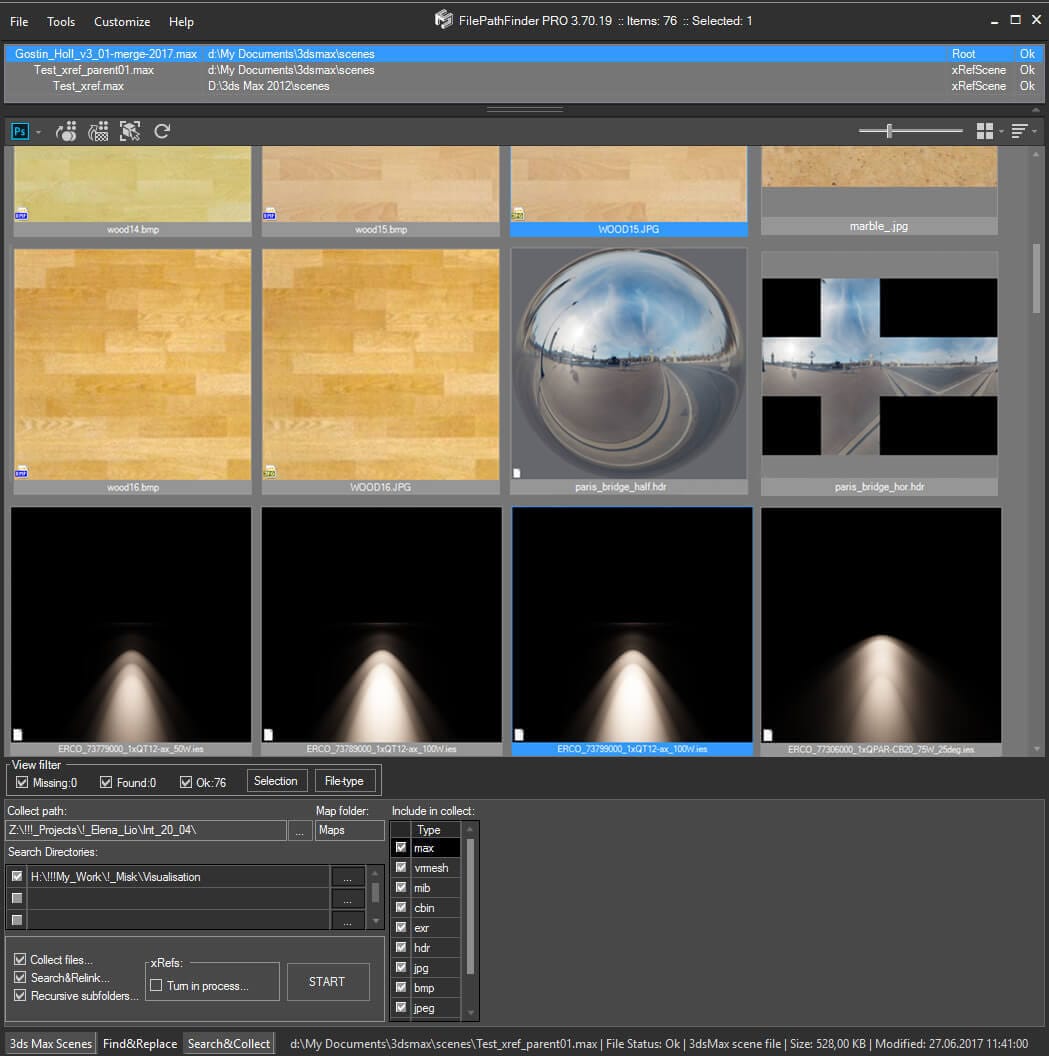
FilePathFinder Pro & Light versions are editions of Kstudio’s asset-tracking plugin for 3ds Max. It helps you find missing files, relink external assets, collect them with a scene, and archive scenes for transfer or storage. It supports XRefs and asset types such as images, HDR files, proxies, IES files, and shaders.
Find and manage linked assets
FilePathFinder can filter the asset list by file type, status, selected-object links, or filename masks. You can exclude file types from collection, rename links by mask, and remove links from a scene. In Interactive Mode, the list shows files linked to selected objects. The plugin can also select objects by their file links, place materials and bitmap textures in the Material Editor, and show or hide bitmaps in the viewport.
Collect files and archive scenes
For scenes with missing or scattered dependencies, FilePathFinder can search for and relink files; collection options gather external files while excluding selected file types. Archiving a scene packages its related assets for handoff or backup. Kstudio describes support for a wide range of renderers and plugins; check its FilePathFinder product page for current compatibility details for a particular setup.
What Pro adds
Kstudio lists Batch Render&Relink as a Pro feature. It handles asset-library work in batch mode and can render thumbnails for 3ds Max scenes, material libraries, and IES files. See the Batch Render&Relink manual for its workflow. The available product details do not give a complete side-by-side list of every Pro and Light difference.
Compatibility, version, and demo limits
Kstudio lists compatibility with 3ds Max 2016–2026. Its page lists FilePathFinder Pro version 4.17.01, with release notes dated May 8, 2025. That release added 3ds Max 2026 support and features for playing IFL sequences and animated GIFs in the list view and Asset Viewer, along with searching, relinking, collecting, and archiving IFL content.
The demo is limited by the number of files it can handle. In the demo, Batch Render&Relink cannot relink and skips some files when rendering. Kstudio says the full version requires a license key and the demo cannot be activated. Check the developer’s page for current price and licensing terms. The FilePathFinder Pro manual covers the asset-tracking workflow.