FilmConvert Nitrate is a color grading plugin for Adobe After Effects and Premiere Pro. It applies film stock emulations and configurable grain, using a camera profile to shape the grade around the footage’s camera and picture profile. It fits editors who want to build a film-inspired look in their editing or compositing workflow, especially with LOG or RAW footage.
Choose a camera profile, then shape the film look
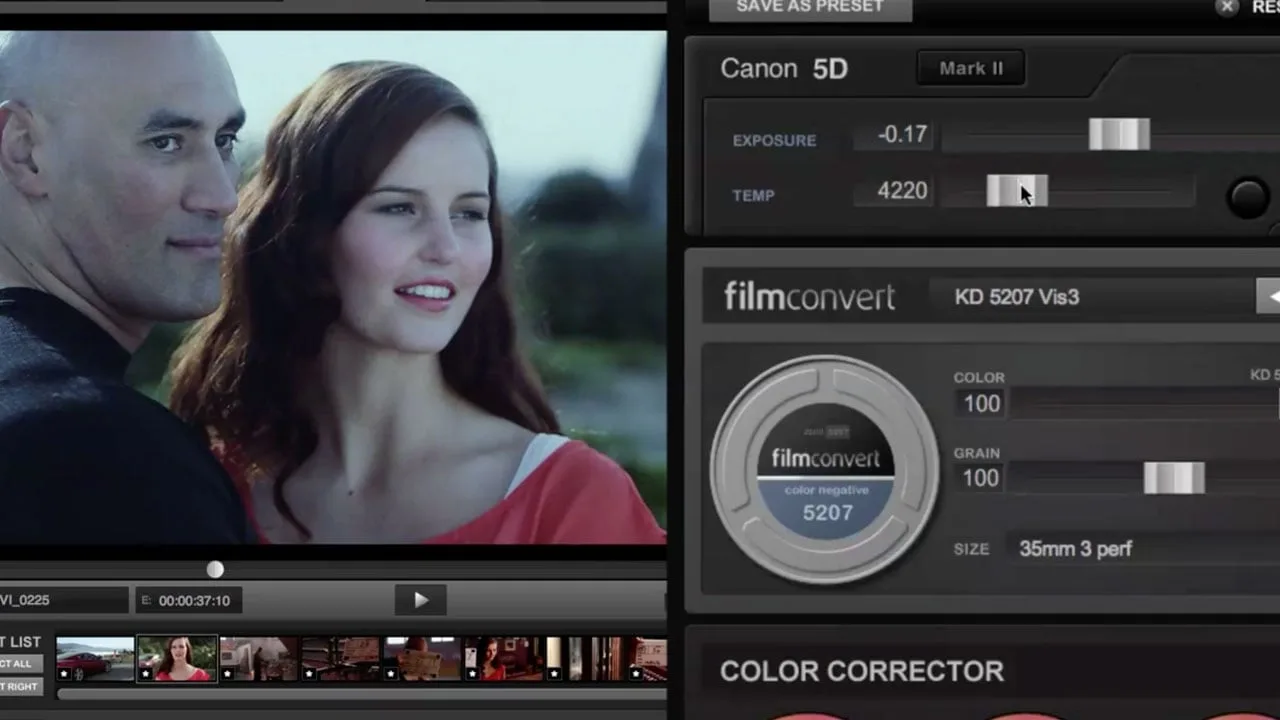
Apply Nitrate to footage in an After Effects composition or to a clip in Premiere Pro. In Camera Settings, choose the camera make, model, and picture profile used to record the footage. You can download an individual profile or the available profiles for that camera. If you do not know the camera profile, Nitrate has a Default option. FilmConvert says the plugin works best with LOG or RAW footage, so check profile coverage if matching your camera is important to your workflow.
Before the film emulation, adjust exposure, color temperature, tint, and saturation. Then choose a stock from the motion picture, black-and-white, or stills selections. With a LOG camera profile, Nitrate uses a Cineon LOG base and separates Film Color from Print Film Emulation. This lets you set the film stock’s color and the print look independently. For standard or Rec.709 footage, Film Luma and Film Chroma let you reduce the stock’s contrast curve or color while retaining the other part of the look.
Adjust grain and color by image region
The Grain Response Curve lets you adjust grain in the blacks, shadows, midtones, highlights, and whites. Separate controls set grain strength, size, saturation, and softness. Nitrate also has a Film Response curve with separate luma, red, green, and blue channels, color wheels for shadows, midtones, and highlights, and levels controls for black, white, and midpoint adjustments. These controls are useful when a stock’s starting contrast or color needs shaping for a particular shot.
Nitrate can export a LUT from the grade. A separate Halation license is required for FilmConvert’s Halation product; Halation is not included with a Nitrate license.
Compatibility and licensing
FilmConvert currently lists Windows 10 or 11 with Adobe CC 2018 or later and CUDA 10.1+ or OpenCL 1.1+. For Mac, it lists macOS 13 or later, Adobe CC 2018 or later, and Apple Silicon compatibility. Check FilmConvert’s current installer requirements for your specific editor and system before installing.
The Nitrate license is a one-time purchase with three activation seats, according to FilmConvert. The trial includes the plugin controls, but trial footage remains watermarked until a license is activated.