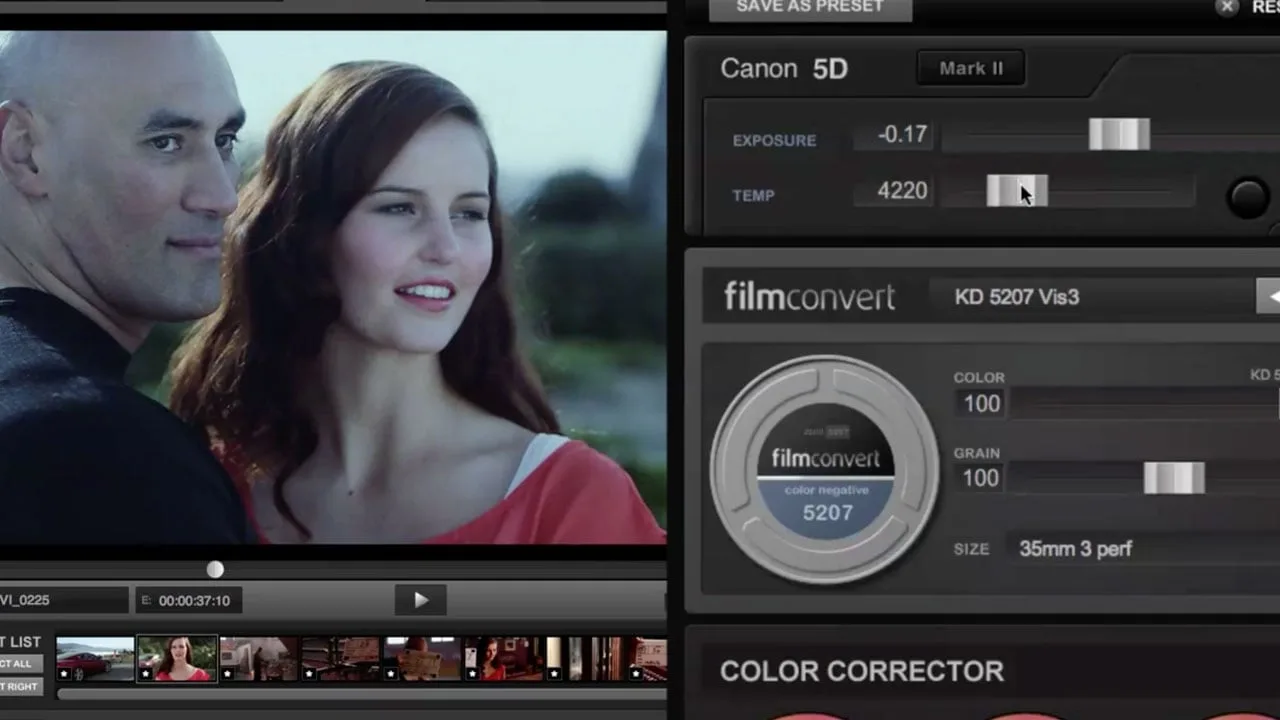
FilmConvert Nitrate for OFX is a DaVinci Resolve color-grading plugin for applying film stock color response and image grain. Choose a camera make, model and picture profile, and Nitrate uses that camera data to shape its stock emulation. It runs as an OpenFX effect in Resolve’s Color page. See FilmConvert’s product overview for its stock, camera and grain controls.
Match the grade to your camera profile
Nitrate’s camera controls depend on the available camera profiles. Select the profile used to shoot the footage before adjusting the look. If your exact model is not listed, FilmConvert recommends trying another profile from the same manufacturer or requesting a camera pack. Check the current supported camera list for available models and profiles.
Adjust stock response, grain and LUTs
Each film stock has curve controls for highlight and shadow roll-off, plus per-channel adjustments. Nitrate uses a full LOG image-processing pipeline. Its grain model responds to image color and exposure, with controls for highlights, midtones and shadows, along with overall softness and saturation. Finished grades can also be exported as 3D LUTs.
Check compatibility and licensing
FilmConvert lists DaVinci Resolve 16 and later. Its Windows requirements include Windows 10 or 11 with OpenCL or CUDA, and the plugin supports Apple Silicon Macs. Check the current download page for the operating system requirements for your installer. FilmConvert offers a trial with access to the controls and no time limit; footage remains watermarked until you activate a license. Nitrate is a one-time purchase, and Halation is a separate add-on.
For setup, FilmConvert’s Resolve tutorial shows how to add Nitrate to a clip and select a camera profile.