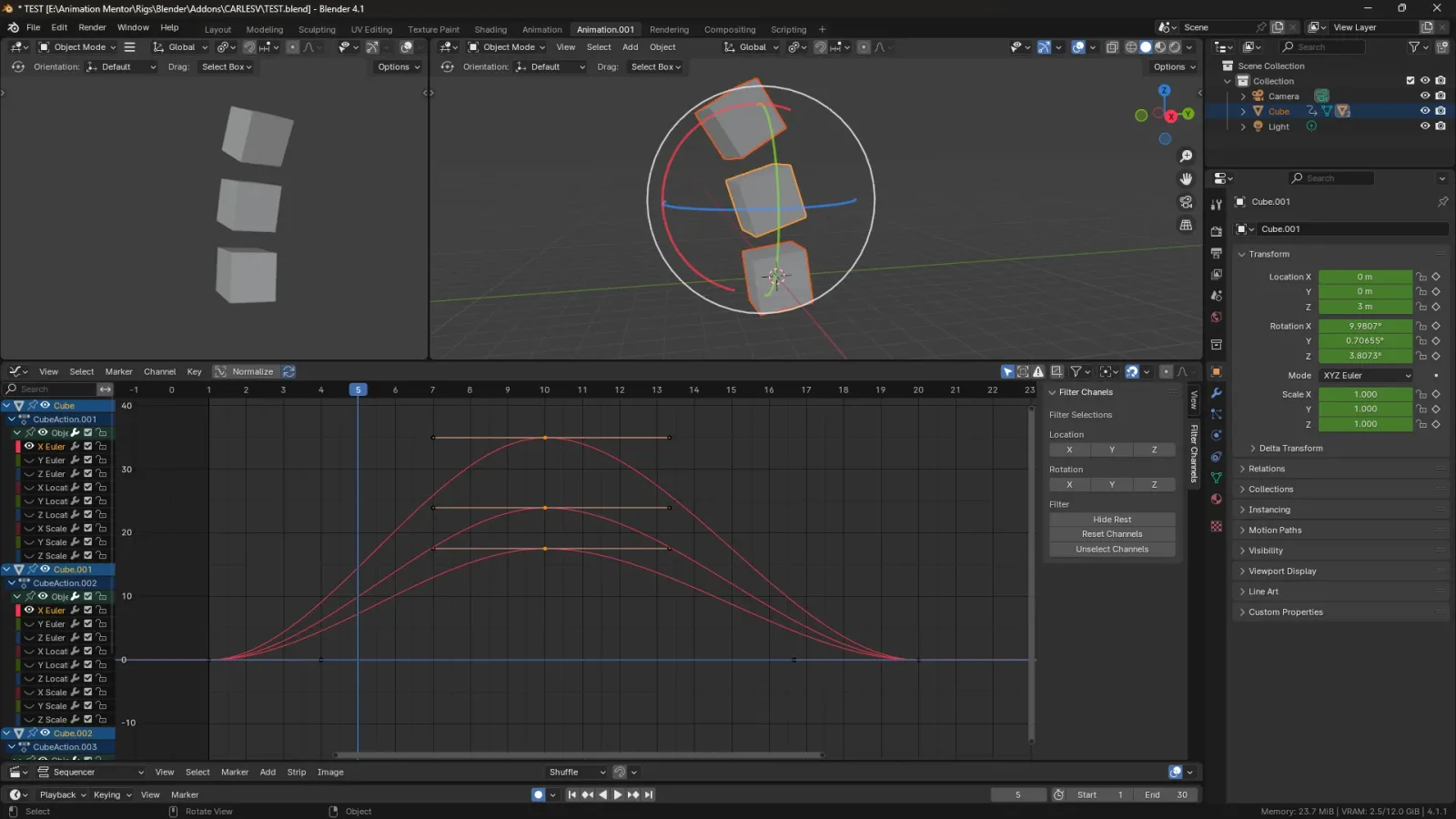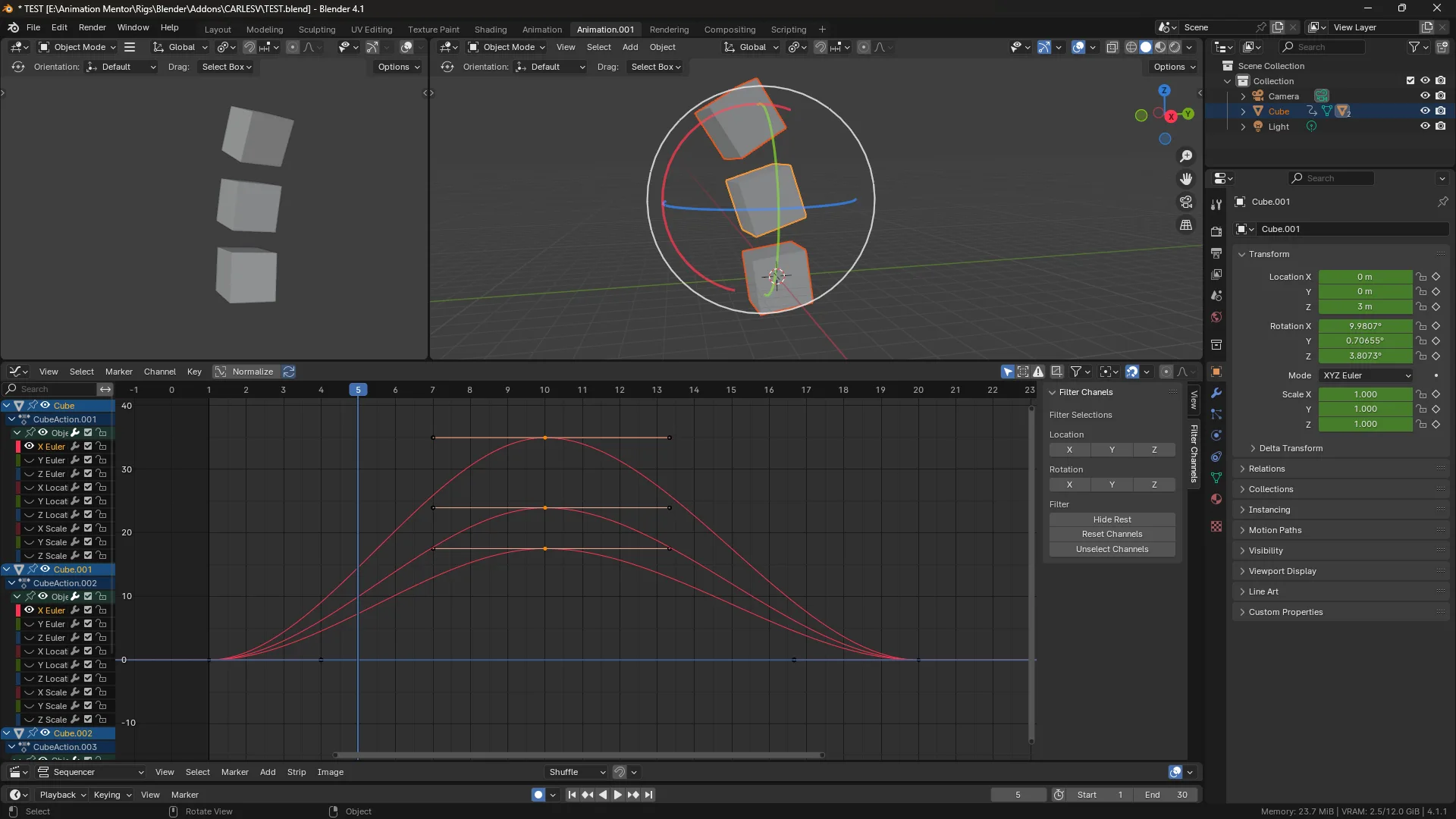
Filter_Channels is a Blender add-on for isolating transform curves in the Graph Editor. It adds filters for X, Y and Z channels across translation, Euler rotation, quaternion rotation and scale, plus buttons to hide and unhide curves; quaternion filtering is disabled by default and can be enabled in the add-on preferences. The Blender Extensions catalog lists version 1.0.9 with Blender 4.2.0 as the minimum version.
Filter transform channels in the Graph Editor
When an action contains curves for several transform components, Filter_Channels lets you focus the view on the axes you are working on. Its channel filters cover X, Y and Z for translations, Euler rotations, quaternion rotations and scales. This can be useful when adjusting one component, such as an object's vertical movement, without viewing every transform curve at once.
The feature summary also describes support for Actions and Slot actions, with Slot actions available in Blender 4.4 and later. The add-on's listed minimum compatibility remains Blender 4.2.0.
Hide or unhide curves and select channels
Buttons provide a way to hide or unhide curves in the Graph Editor. To build a selection across several channels, Shift-click adds channels and Ctrl-click removes them. A developer response on the official extension listing notes that there is no full-selection option for an entire location or rotation group.
Enable quaternion filtering
Quaternion filtering is available but disabled by default. Open the add-on preferences and turn on the quaternion option; the developer's reply specifies the add-on preferences rather than the Extensions tab.
Version and project details
The official catalog identifies Carles-V as the maintainer and lists the add-on under GPL-3.0-or-later. Check the Blender Extensions page for the current release and compatibility details. The project repository is available for source code and issue reporting.