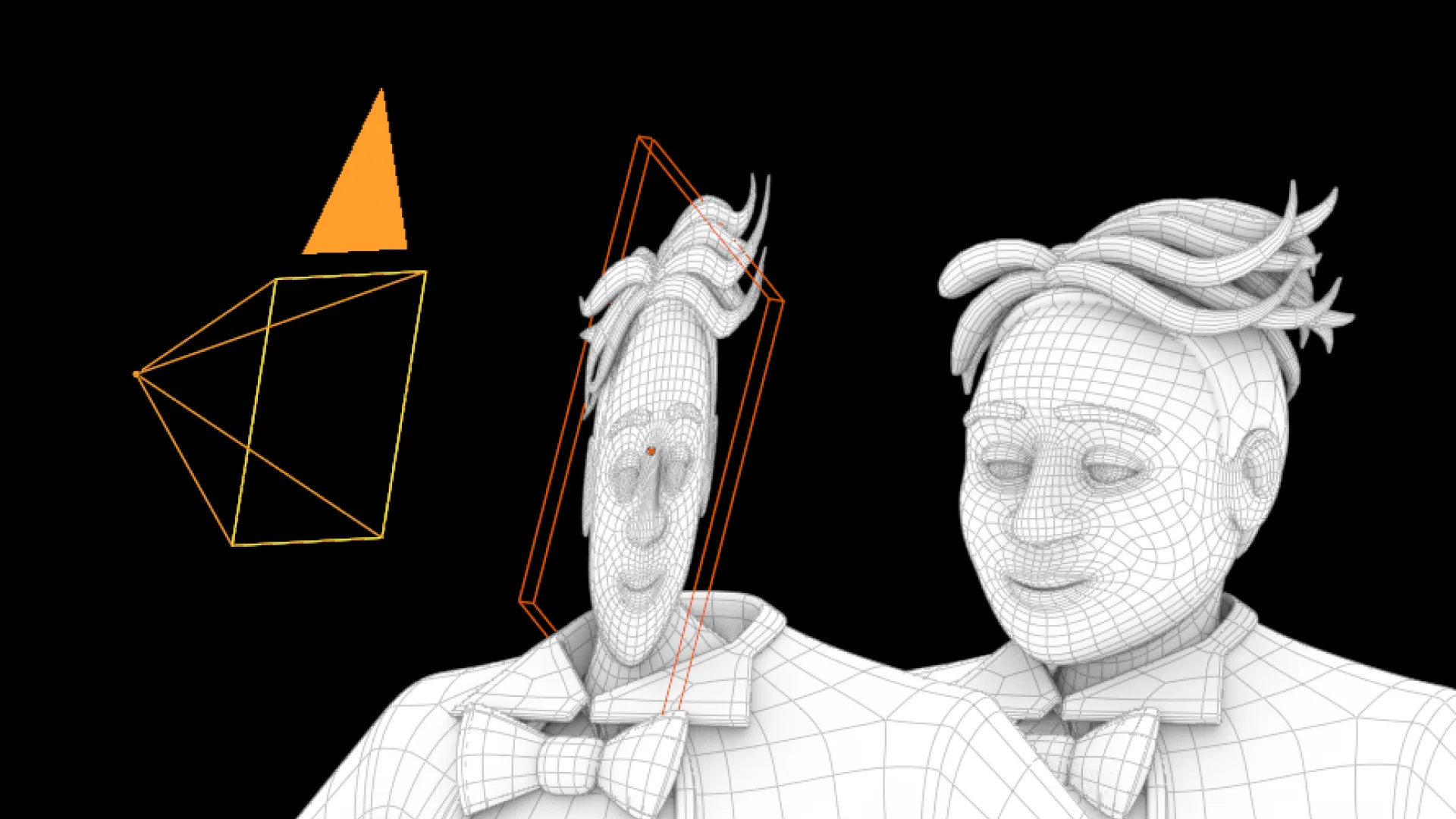
Flattice is a Blender add-on for adjusting perspective distortion on individual objects. A camera's focal length affects the whole scene, so a wide lens chosen to frame a room can stretch a character in the same shot. Flattice lets you adjust that object while keeping the camera framing in place.
Adjust perspective on a selected object
Select an object and click Create Flattice. A slider appears on the camera. At 0, the model stays as built. At 1, Flattice flattens it along the camera axis for a more orthographic look. Negative values exaggerate depth, and settings between 0 and 1 blend between the original and flattened appearance. The slider can also be pushed as far as +10 or -10 for more extreme adjustments.
Animate the effect while the camera stays still
The slider is a camera property, so you can keyframe or drive it. That lets you change the object's perspective during a shot without moving the camera or changing the framing. For example, you can keep a room in a wide view while adjusting how a character reads in the frame.
Manage multiple Flattices
You can add or remove objects from a Flattice, and run several at once. They can share one camera or use separate cameras. If the effect gets in the way while modeling, mute it in the viewport; renders still apply the flattening. You can also hide the lattice cage. The Repair Link control is for files where appending has left the slider disconnected.
Find Flattice in Blender
Open the 3D Viewport sidebar with N and select the Flattice tab. The official Blender Extensions listing identifies Blender 4.2 and newer as compatible and provides the current release and download details.