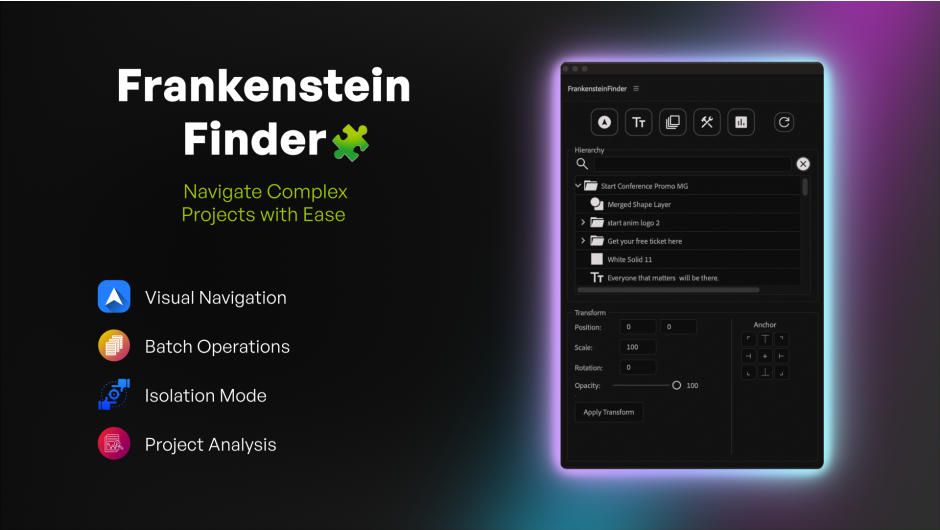
Frankenstein Finder is a dockable After Effects panel for navigating layered projects with nested compositions. Its searchable tree shows layers across those comps, marks types such as text, shape, precomp, solid, null, camera, and light, and lets you jump to a layer as deep as five comps. A live inspector shows Position, Scale, Rotation, and Opacity, so you can locate an element and check its transforms from the panel.
Batch edits, visibility, and project auditing
Smart Rename can number layers in sequence or add a prefix or suffix. You can apply transform values to several layers or copy Position, Scale, Rotation, and Opacity from one layer to others. Isolate Selected hides other layers using shy-layer behavior, and Show All restores the previous visibility state. The product page also describes project auditing for unused assets.
The product demo covers editing text layers across nested comps, alignment and anchor-point actions, parenting, sequencing, null creation, Match and Stack tools, and project health statistics. Motion designers working in large projects can use the panel to locate layers, make batch edits, and review project health.
Compatibility and licensing
The listing specifies After Effects CC 2020 or later on Windows and macOS, with compatibility entries from 2020 through 2026.
Check the license selection before buying. The product page's checkout prompt says a Floating License Server is required when the buyer neither owns one nor has one in the cart, while aescripts' License Type FAQ, dated Nov 5, 2026, says Single User Licenses do not require that server and Floating licenses do. The server is a command-line application intended for groups; remote users with a floating license need VPN access to the network. The product EULA limits a license to one copy and requires suitable additional licensing for use on multiple computers at the same time. Confirm which license type and terms apply to this product in checkout.