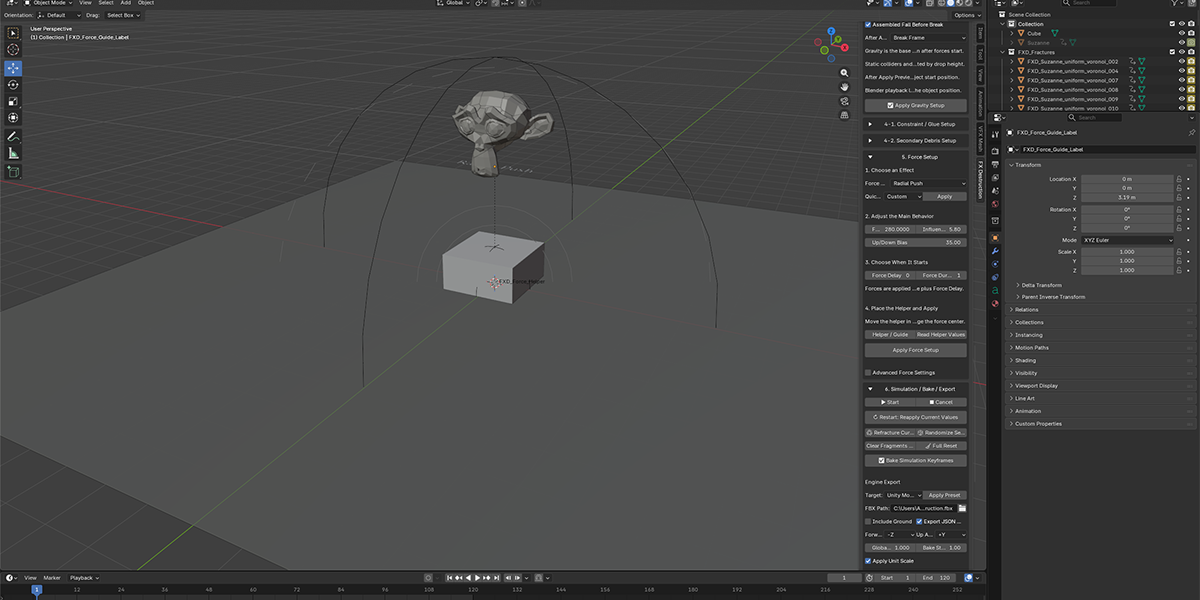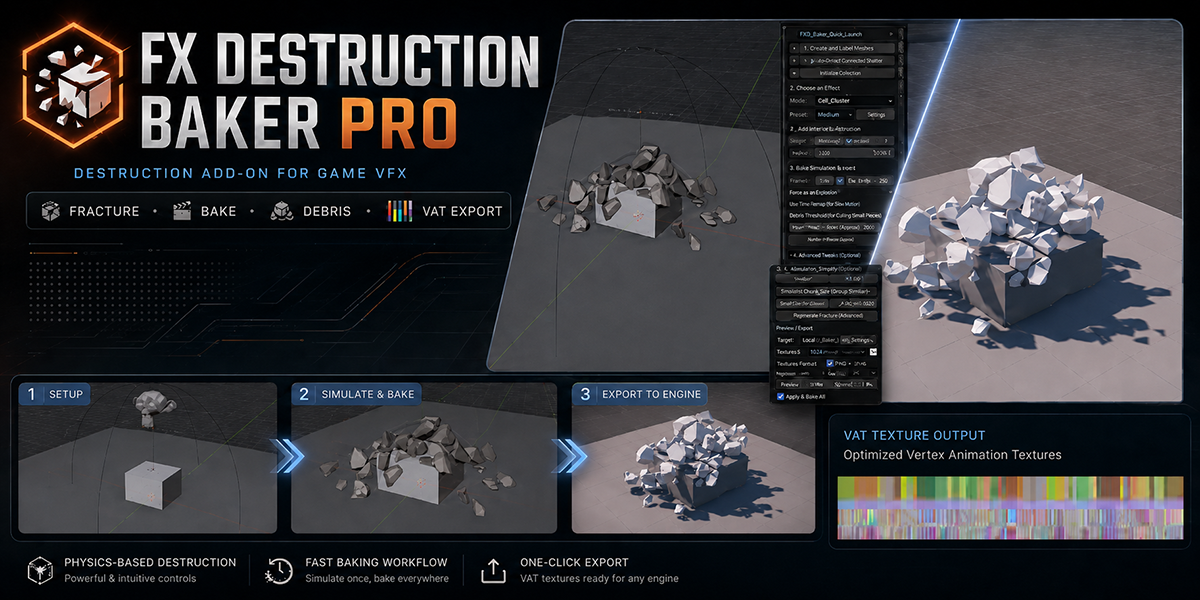
Fx Destruction Baker is a Blender add-on by maxvfx for game VFX and technical artists preparing destruction-ready meshes. Its guided workflow covers fracture generation, rigid body animation baking and checks before export. The add-on's intended uses range from real-time game assets to trailers, cinematics and client work.
Build and time a destruction setup
Start with a clean mesh and apply its object transforms before fracturing. Choose a fracture pattern and generate the fractured pieces, then set the break frame before configuring gravity and force behavior. Force options include explosion, pull, directional and vortex motion. Glue constraints can keep fragments connected, and secondary debris can add smaller pieces. Bake the resulting rigid body animation when the setup is ready.
Sample scene generation includes concrete wall explosions, ground impact fractures, glass window breaks, brick wall collapses and stone pillar breaks. These give you starting setups to inspect and test in Blender.
Review scene cost before export
The performance report checks fragment, secondary debris, glue constraint and rigid body counts, along with vertex and polygon counts. It also estimates VAT memory use and includes Unity mobile-oriented warning levels. Use the report to review a destruction scene before preparing it for a real-time project.
Choose the Blender package that matches your version
The documentation specifies an Extension ZIP for Blender 4.2 through 5.1 and a legacy add-on ZIP for Blender 3.3 through 4.1. It says the add-on has been tested up to Blender 5.1. For the Extension ZIP, open Blender Preferences > Extensions, choose Install from Disk and select the ZIP; enable it, then open its panel in the 3D Viewport sidebar. For the legacy ZIP, open Preferences > Add-ons, click Install and select the ZIP; enable it, then open the sidebar panel.
Plan for an engine handoff
Fx Destruction Baker includes Unity- and Unreal-oriented VAT sample package support and documentation. The developer notes that engine setup can vary with the project pipeline, shader, render pipeline and export settings, so check the sample guidance against your own import and rendering setup. The interface supports English and Korean labels.
Check the license for your use
The product documentation permits personal and commercial use of meshes and assets made with the add-on. It identifies the add-on files and source code as GPL-licensed and says not to resell, repackage or redistribute the product as a standalone item. Review the included license and current product documentation for the terms that apply to your project.