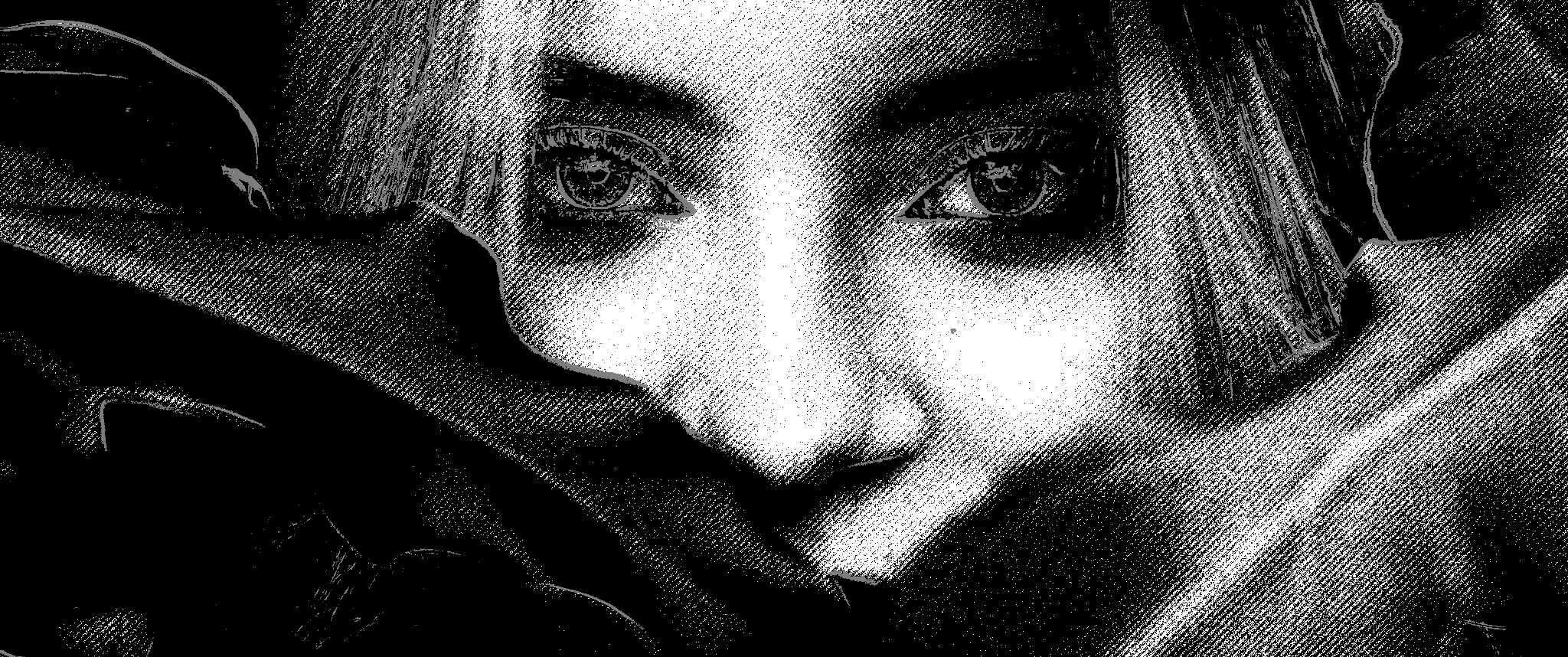
FX Grainny DCTL is a DaVinci Resolve Studio effect for shaping footage into a graphic novel look with grain shading and high-contrast art effects. Add NP FX Grainny to a clip or node, then use Posterization and Pixel Mix to build the base treatment. The controls let you adjust posterization strength, grain and texture visibility, colorization, and contour appearance.
Shape the base look
The Posterization and Pixel Mix settings establish the main look. The Steps slider controls posterization strength: fewer steps produce a stronger, more stylized result. Blend sliders adjust how visible the grain and texture are. Colorize works best when Posterization Steps are set to five or fewer.
- Set the Steps value to control how strongly the image is posterized.
- Adjust the Blend sliders to bring grain and texture forward or reduce their visibility.
- Try Colorize with five or fewer Steps, as recommended in the product guide.
This setup suits editors and colorists who want an illustrated treatment and direct control over its grain, texture, and color effects.
Refine contour and interface settings
Source Contour, previously called Source Edges, provides several ways to shape the contour color. Use its HSV parameters or color picker controls, or invert the image in the contour area. Parameter tooltips appear when you hover over a control. Some values may look unusually large: Hue, for example, is multiplied by 100 because DCTL interfaces have limited flexibility in arranging sliders.
Compatibility and version 1.0.3
The developer's compatibility list names DaVinci Resolve 21, 20, and 19. Its system requirements specify DaVinci Resolve Studio 19.1 or newer and an NVIDIA or Apple Silicon GPU. The 19.1 minimum matters for Resolve 19 users.
Version 1.0.3, dated June 26, 2026, fixes Pixel Mix artifacts in areas with almost even luminance values. If that issue appears in an earlier installation, check whether it is running version 1.0.3.
Check the developer product page for the free trial and current requirements.