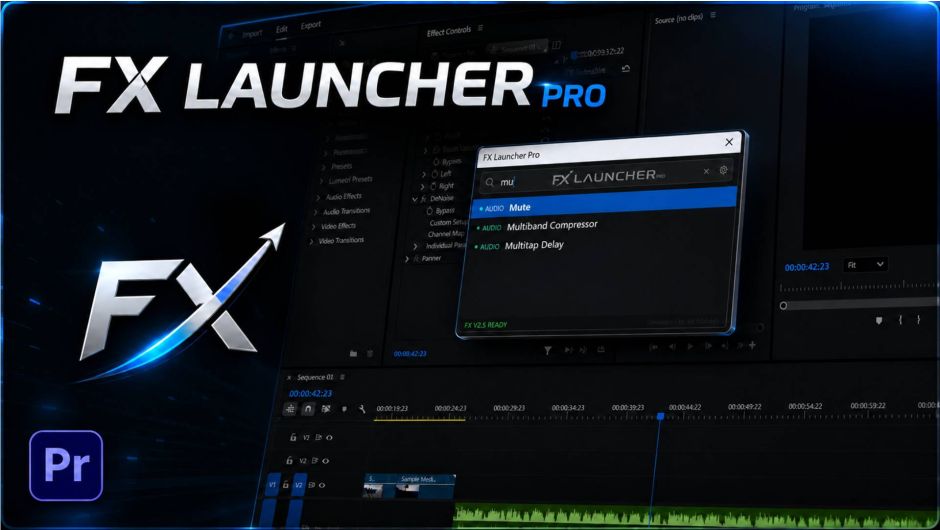
FX Launcher Pro is a keyboard-driven effects launcher for Adobe Premiere Pro. Press Alt+Space, search for an effect, transition, or audio effect, then press Enter to apply it. The command palette offers an alternative to browsing through the Effects panel . The developer's product page describes it as a native CEP extension for Windows and macOS.
Search with partial names
The launcher uses fuzzy search, so a partial or mistyped name can still find an effect. The developer demonstrates typing “gsblr” to find Gaussian Blur. The search covers effects, transitions, presets, and audio effects; select a result and press Enter to apply it.
Favorites and keyboard shortcuts
Version 1.0.3 added effect favorites and the option to customize keyboard shortcuts from the settings panel. On Windows, settings are available by right-clicking the FX Spell Book tray icon. The Mac version uses the menu bar icon to open settings.
Compatibility and version 1.0.4
The product page lists support for Premiere Pro 2026 and 2025 on Windows and macOS. Version 1.0.4, dated May 31, 2026, added Mac support and fixed effect track targeting. Its release notes say the update makes no Windows changes, so Windows users on version 1.0.3 do not need to upgrade for this release. Mac support covers Apple Silicon and Intel; the app starts on login and stays available from the menu bar.
Trial and price
The developer listing offers a free trial. When the page was retrieved on November 28, 2026, it showed a price of $39.00 and 25% off at checkout. Check the current listing for the checkout price, trial terms, and license details before purchasing.