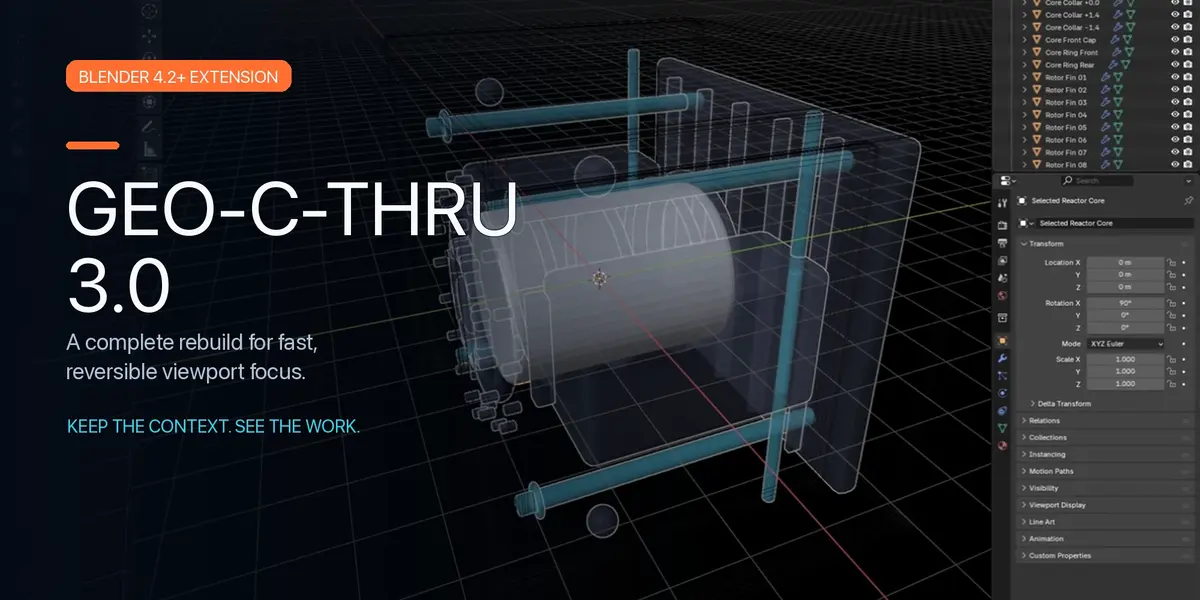
Geo-C-Thru is a Blender extension for changing how selected and non-selected objects appear in the 3D Viewport. It helps you focus on part of a dense scene while keeping surrounding geometry visible, so you can inspect relationships without repeatedly hiding and unhiding objects. Its display changes affect the viewport, not the final render. The Superhive listing describes version 3.0 as a rebuild around Blender's modern extension system.
Set display treatments for selected and non-selected objects
Selected and non-selected objects can each have independent transparency, wireframe, color, and in-front settings. Geo-C-Thru also supports object types including meshes, curves, and text. Its built-in looks cover modeling, inspection, technical views, and presentation.
Save and reuse viewport looks
Geo-C-Thru organizes presets in three libraries. Built-In presets provide ready-to-use looks. The User Library holds reusable presets across Blender projects. This Project stores presets in the current .blend file and can include scene-specific Collection Rules.
Each preset records which components it controls. An object-display preset can leave viewport shading unchanged, while a viewport preset can leave object styling alone. Favorite presets are available from the 3D Viewport header. Shift-click Bypass or Reapply to compare a preset with the current view.
Use ordered Collection Rules
Collection Rules apply a chosen display treatment to objects in specific Blender Collections. They use direct Collection references, so renaming a Collection does not break the connection. When an object matches multiple enabled rules, the first enabled rule in the list takes effect. Reorder rules to change their priority, and use each rule's enable control to turn it on or off. Project presets can store their Collection Rules in the .blend file.
Restore viewport settings or reset display
Geo-C-Thru can manage shading, overlays, background, cavity, shadows, outlines, X-Ray, and related settings in the active 3D Viewport. Overlay-only changes do not force Solid shading, and the workflow does not alter the final render.
Before changing settings, Geo-C-Thru records the supported properties it owns. Bypass restores those properties, and Reapply brings the Geo-C-Thru look back. Safe Restore offers a recovery path without flattening unrelated scene settings. Emergency Reset Display is available only for exceptional repair cases and is a separate, confirmed action; it is destructive to supported display properties and basic Solid-view settings.
Blender compatibility and the 3.0 upgrade
Geo-C-Thru 3.0 requires Blender 4.2 or newer. VIDARIA DESIGNS lists testing with Blender 4.2 LTS, 4.5 LTS, 5.0, and 5.2 LTS. Version 2.1 remains available as a legacy release for Blender 4.1 and older. To move from version 2.x, install 3.0 as a Blender extension, then review favorite looks and save them to the User Library or the current project. See the Geo-C-Thru documentation for details.