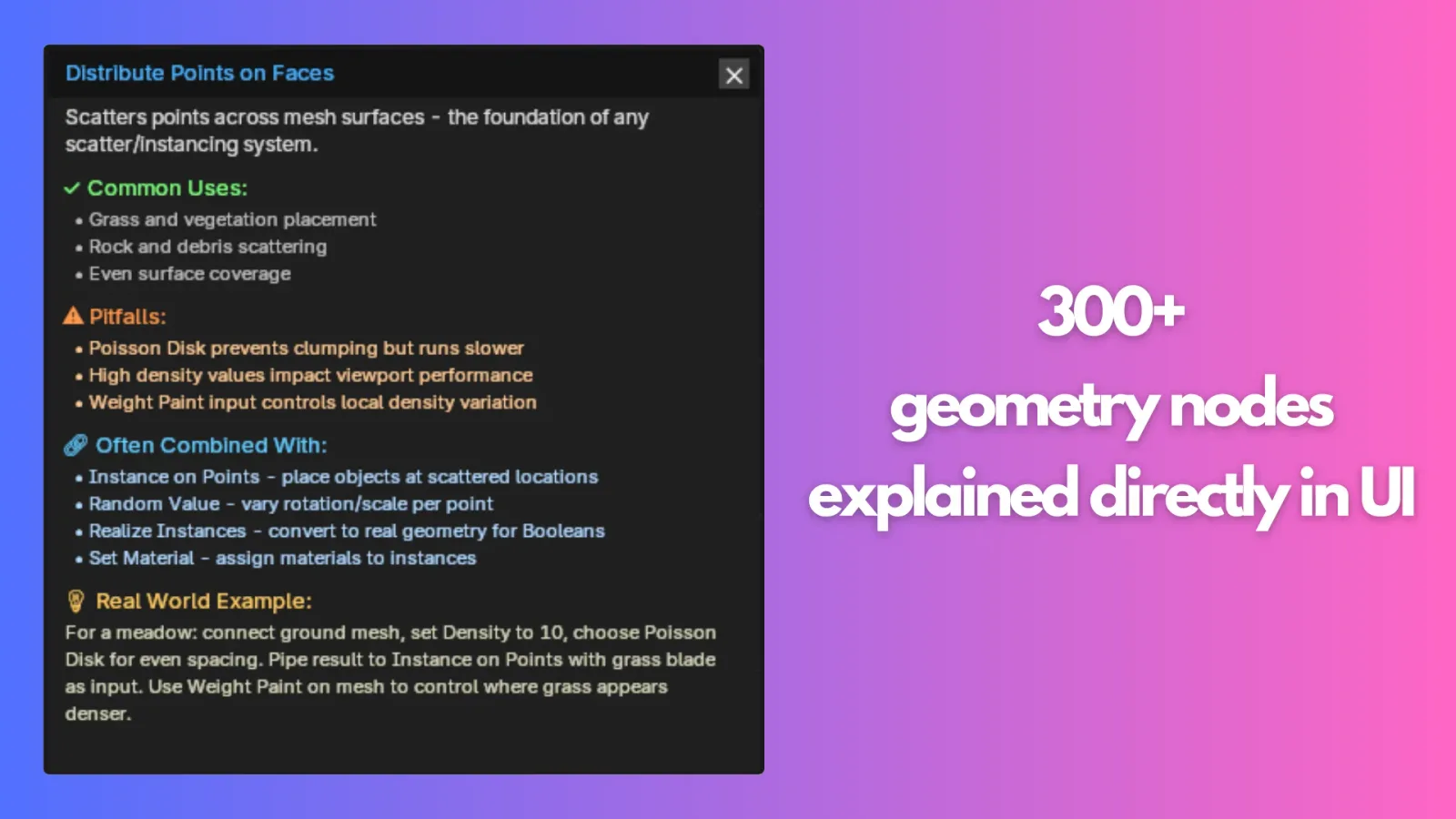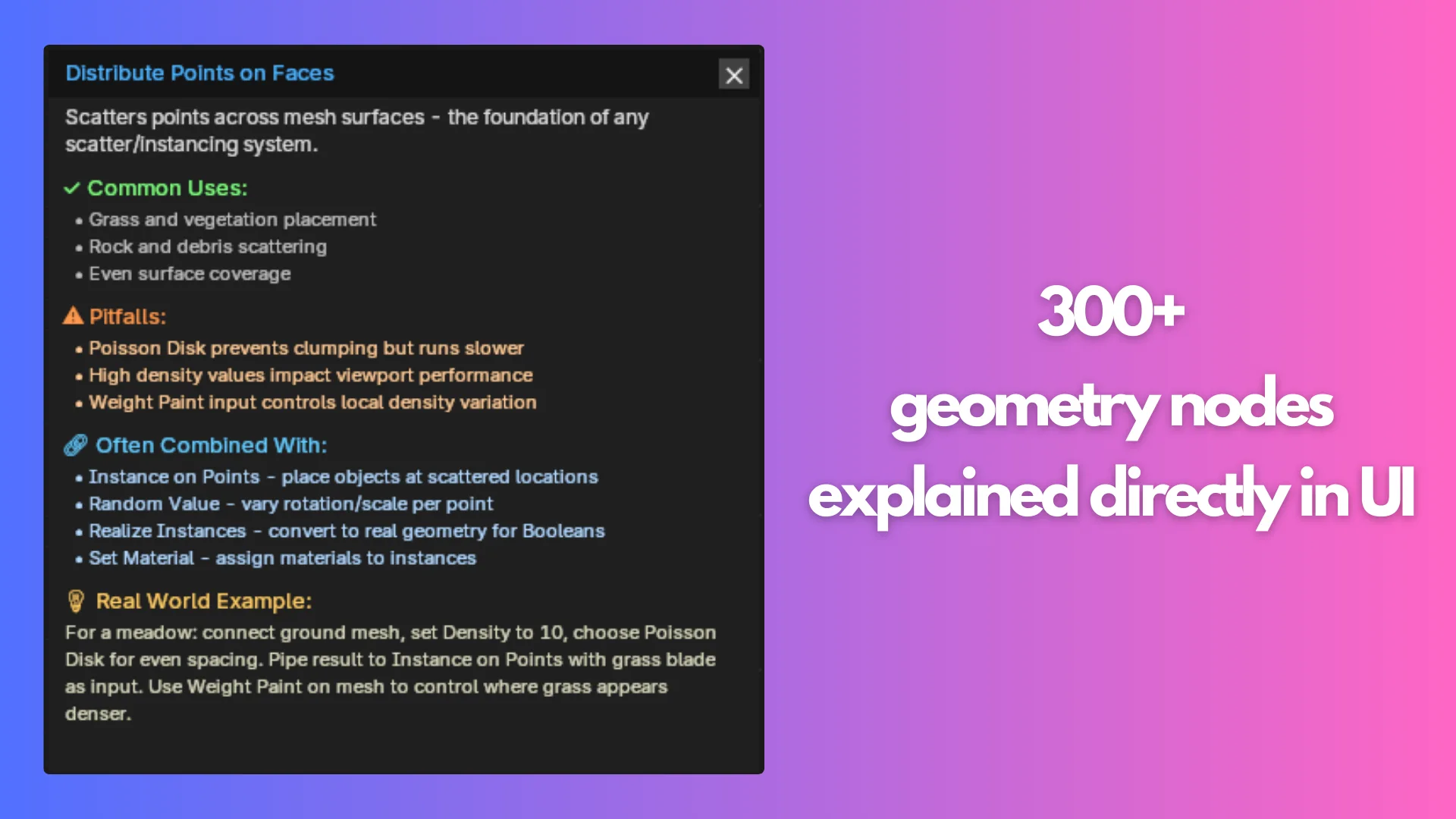
Geo Nodes Guide is a Blender add-on that displays Geometry Nodes reference information inside the editor. Hover over a node to see what it does, how it is commonly used, pitfalls to watch for and practical examples. This keeps a quick lookup near the node you are working with.
What the add-on explains
The Blender Extensions listing describes coverage for 332 nodes, including mesh operations, curves, instances, volumes and simulations. A node entry can include a description, common uses, a workflow example and an “Often Combined With” suggestion for related nodes. Pitfall notes cover details such as inputs that expect radians or degrees, and cases where instances need to be realized first.
That context is useful when a node’s name is familiar but its inputs or place in a network are not. For example, while building a node tree, you can check an unfamiliar node’s explanation and example before switching to a separate reference. The add-on provides documentation; it does not build a node network or generate geometry for you.
Using Geo Nodes Guide in a workflow
- Check the Blender Extensions listing for the current version and compatibility details. Its listing specifies Blender 5.0 and newer, with a minimum version of 5.0.0.
- Install from the extension listing or download the add-on and use Blender’s Install from Disk instructions.
- In the Geometry Nodes editor, hover over a node to read its available documentation and examples.
- Press Esc to dismiss a tooltip. The documentation can also be toggled on or off, and a built-in feedback button lets you report an issue or suggest an improvement for a specific node.
Who may find it useful
Beginners can use the explanations while learning the Geometry Nodes editor. Intermediate users can check details they have forgotten, while experienced Blender artists can refresh their memory about nodes they use less often. The suggestions for commonly paired nodes may also help when exploring how a node fits into a larger setup.
Coverage, compatibility and license
The listed coverage is 332 nodes, so check the add-on’s current documentation if you need information about a particular node. The official listing identifies version 0.1.0 and says the add-on requires no special permissions. It is released under the GNU General Public License v3.0 or later. Confirm compatibility on the Blender Extensions page before installing.