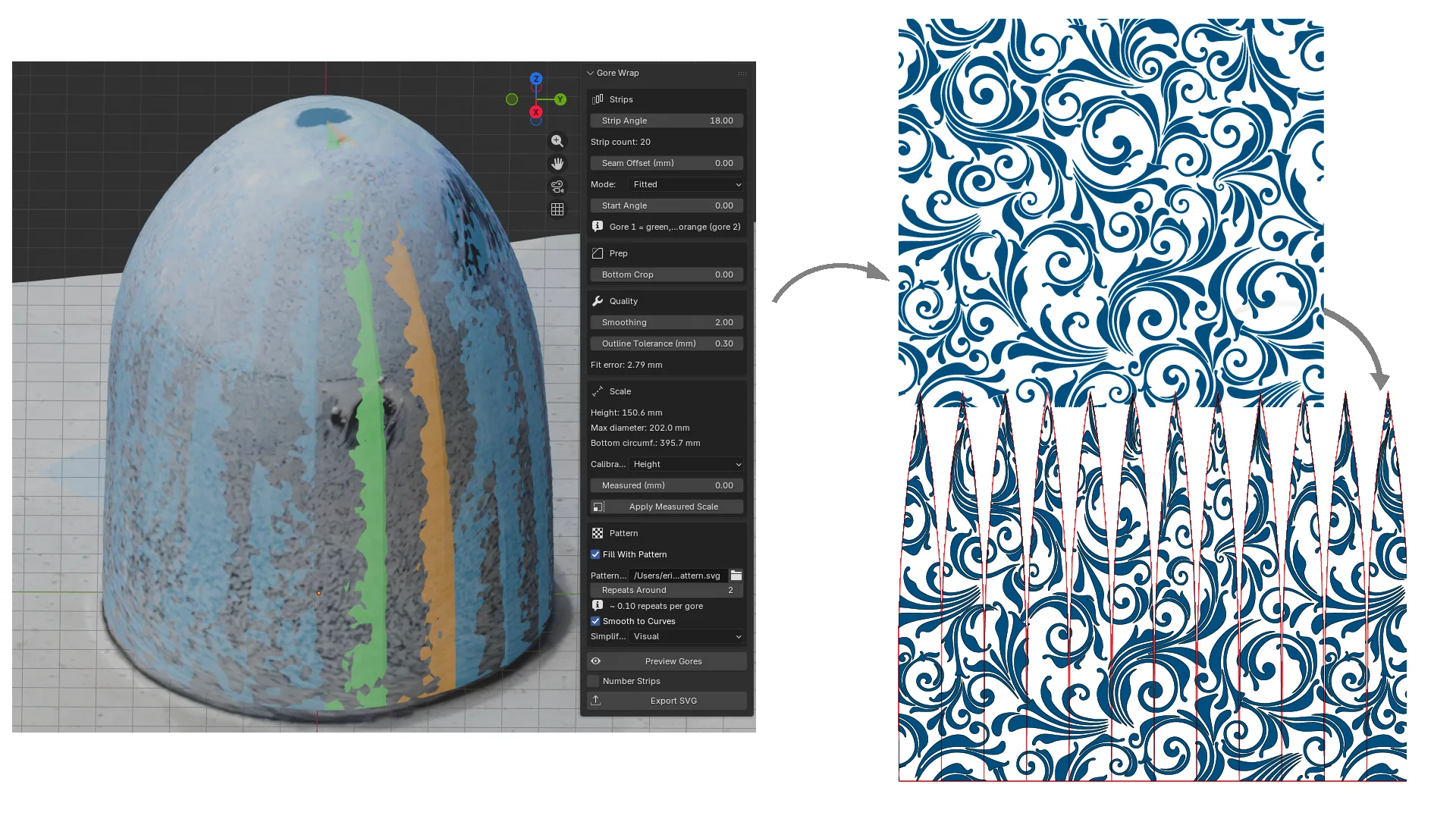
Gore Wrap is a Blender add-on that simplifies a scanned mesh into flat gore strips and exports a real-scale SVG for cutting on a CNC or desktop cutter. Each gore is a vertical panel that tapers to a point at the top, shaped to wrap around the scanned object.
The add-on was originally built to transfer complex patterns onto glass stuff-cups.
Make a flat layout from a scanned mesh
The real-scale output is useful when the cut layout needs to retain its dimensions through fabrication.
The Blender Extensions listing identifies the add-on as Gore Wrap by Erik-Ogan and links to the project and issue tracker.
Map an optional pattern across the gores
An optional SVG pattern can be included. Gore Wrap maps a separate pattern object onto the gores so the pattern lines up when the strips are wrapped around the object. This is useful when the surface artwork needs to continue across the panel layout.
Version 1.0.1 improves placement for repeating artwork. The placement search now measures how well the pattern joins around the object and up each strip, reports seam quality as percentages, and avoids rises that put a tile-row boundary through the artwork. The exporter also avoids cutting along a repeat join where the artwork runs straight through it.
Messages from Optimize Placement, Export, and Check Tiling are collected in a dialog, so warnings from a long run remain available until dismissed.
Compatibility and license
Gore Wrap 1.0.1 supports Blender 4.5.0 or later and is licensed under GNU GPL version 3.0 or later. The Blender Extensions listing says it requires no special permissions. Check that listing for the current release and compatibility details before installing.