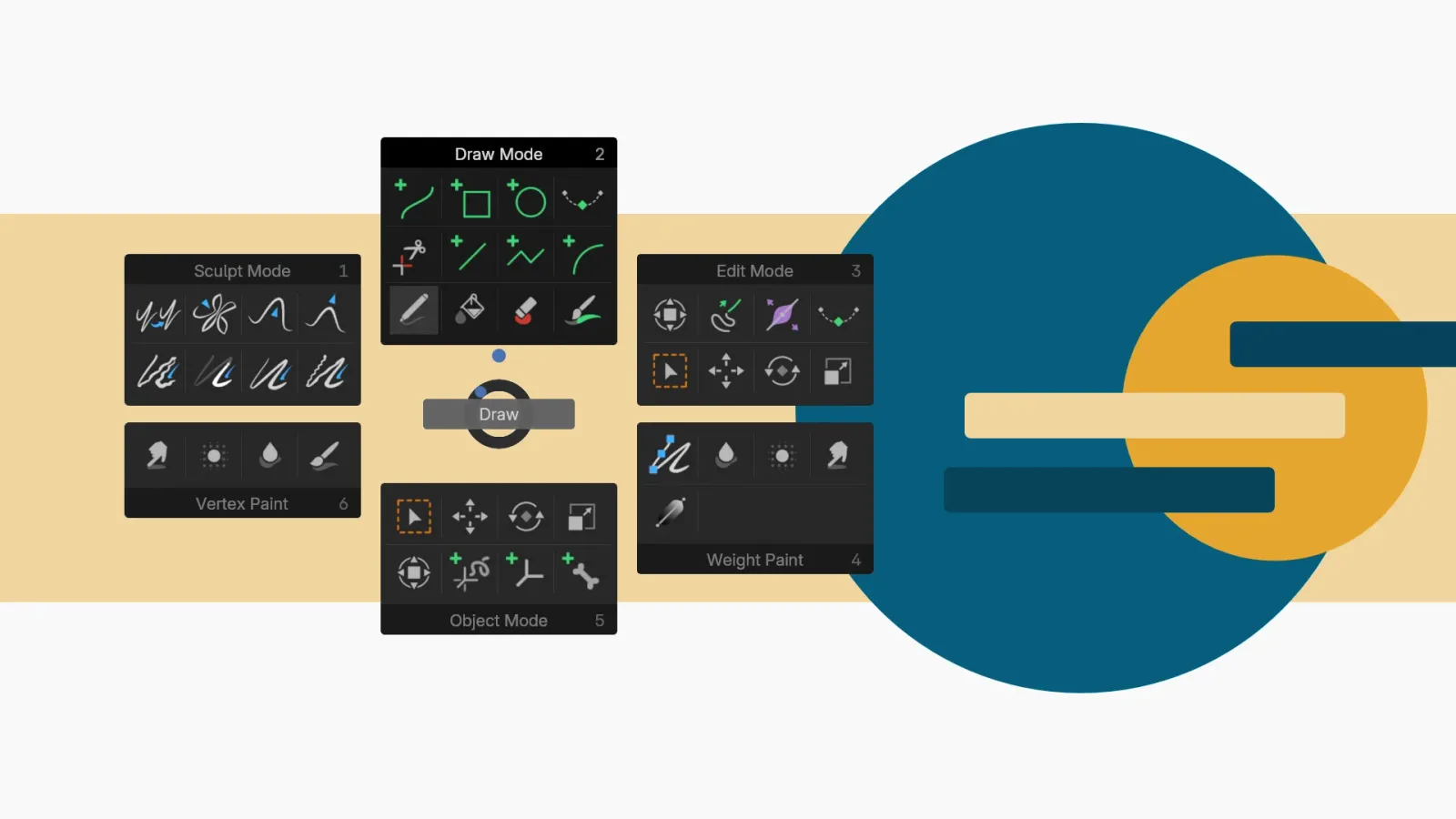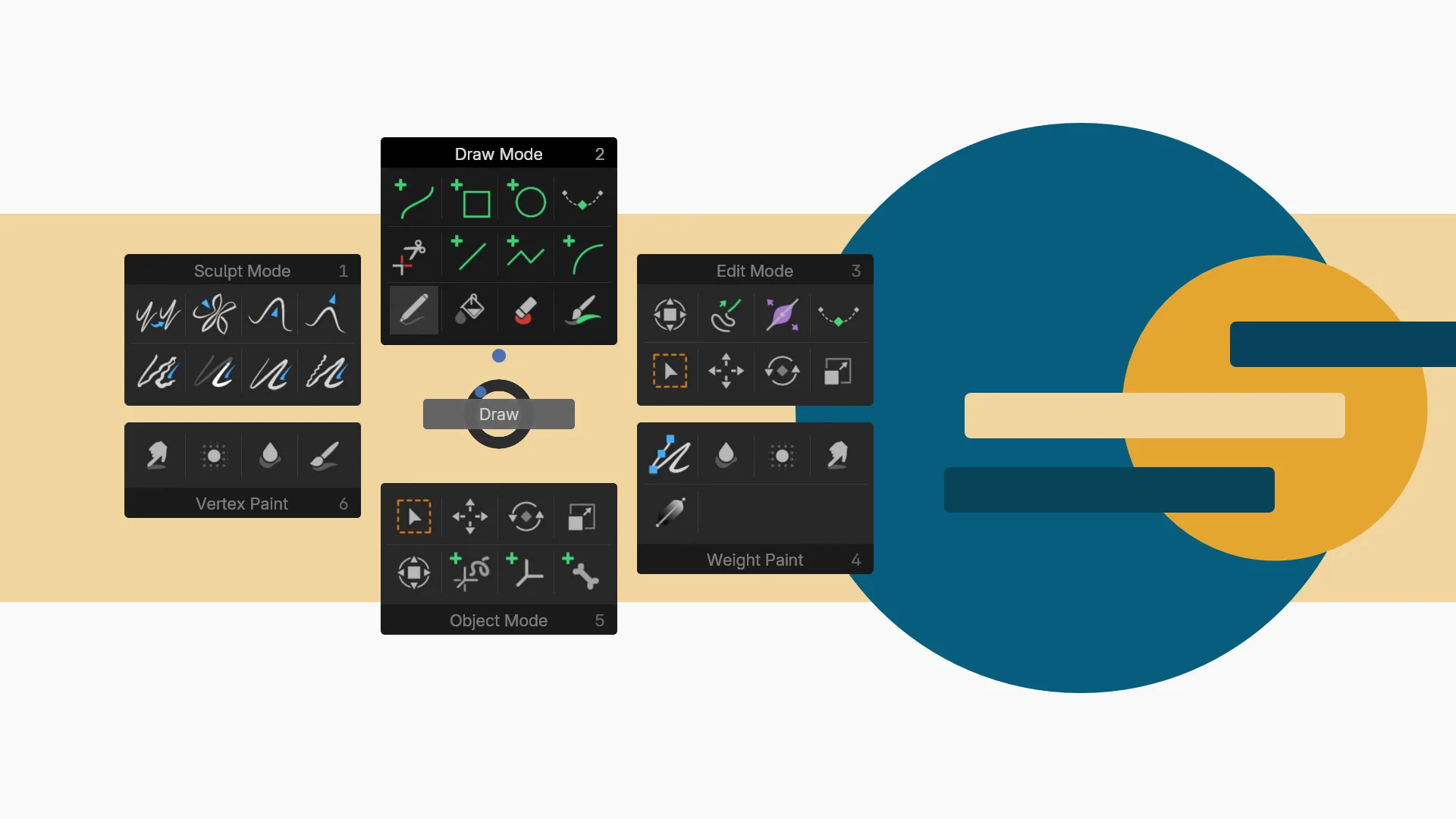
GP Tool Wheel is a Blender add-on that puts Grease Pencil mode and tool choices in one pie menu. With a Grease Pencil object active in the 3D Viewport, press F8 to open it, then choose a tool by clicking its icon.
Switch a tool or just the mode
Click a tool icon to activate it. To change only the Grease Pencil mode, press a number from 1 to 6 or click near the colored dot at the wheel’s center. F8 is the default shortcut, and you can change it in the add-on preferences. The wheel appears when a Grease Pencil object is active and the cursor is in the 3D Viewport.
Choose what appears in the wheel
Use the preferences to set the shortcut, arrange the order of modes, and choose which tools appear.
Move your wheel settings
You can save wheel preferences to a JSON file and load them on another computer or Blender installation. The file carries your shortcut, mode order, and selected tools, so you can reuse the same setup elsewhere.
Use brushes from the Asset Shelf
In Blender 4.3 and later, GP Tool Wheel works with the Brush Asset Shelf and the Essential brush assets that ship with Blender. To assign a custom brush, right-click it in the shelf, choose Set as Tool in GP Tool Wheel, select the wheel tool it should use, and confirm. Selecting that tool in the wheel then activates the brush.
Compatibility and release
Blender Extensions lists version 1.0.11 with Blender 4.2.0 as the minimum for extension installation; the maintainer's README describes the add-on as suited for Blender 3.0 and higher, with legacy installation through Blender 4.1. The Brush Asset Shelf workflow requires Blender 4.3 or later. Check the official Blender Extensions listing for release and installation details; it links to maintainer SietseB’s project and issue tracker.
Who it suits
GP Tool Wheel is for Blender artists who switch between Grease Pencil modes and tools and want those choices on a configurable shortcut. Its documented trigger requires an active Grease Pencil object in the 3D Viewport.