Grease Pencil: Design is a Blender add-on for arranging and refining Grease Pencil artwork. Its tools cover alignment, spacing, 2D arrangement, point editing, and layer management. The Superhive listing describes it as a way to handle graphic design inside Grease Pencil, whose support for SVG properties is limited.
Align and distribute points, strokes, and layers
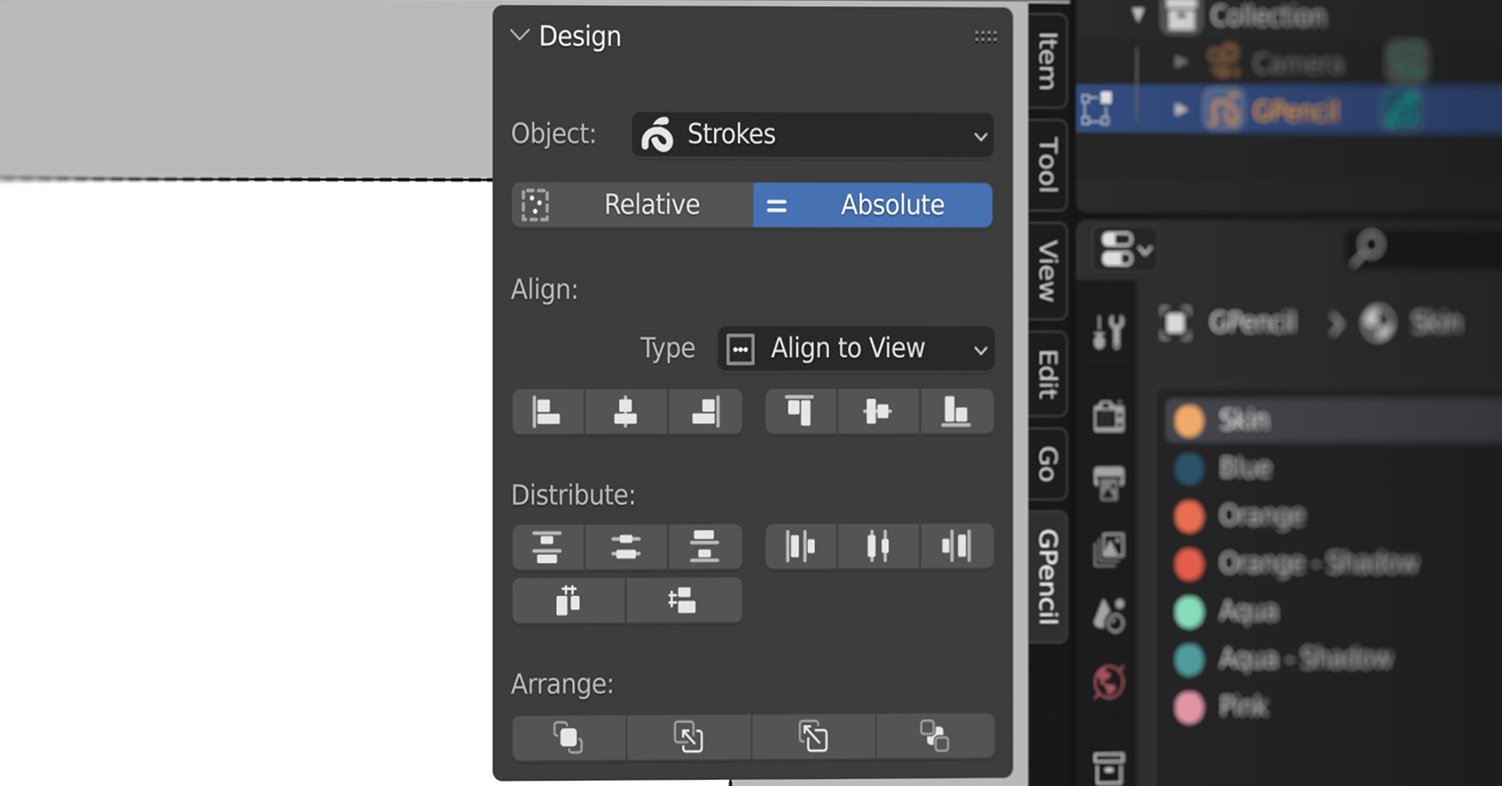
Align positions selected points, strokes, or layers in the 2D camera view. Relative mode aligns elements as a group; Absolute mode treats each element individually. The available options include aligning objects to the view or selection, as well as aligning the 3D cursor.
Distribute arranges points, strokes, or layers by their edges. Distribute Space sets equal spacing between selected elements, which helps when laying out repeated shapes or keeping gaps consistent.
Arrange artwork and edit stroke points
The 2D Arrange feature works when Stroke Depth Order is set to 3D Location. This lets you organize a design in 2D while using that depth-order setting.
Bevel and Merge Points are in Blender's Grease Pencil Point menu, outside the main add-on panel. Bevel softens sharp corners by a specified number of points. Merge Points provides Merge to First, Merge to Center, and Merge to Last for managing stroke points.
Manage Grease Pencil layers
A layer context menu combines existing Grease Pencil layer functions with added commands. These include Add New Layers with Use Lights disabled, Select Layer Content, Merge Selected Layers, and Delete Empty Layers. The tools are spread across the add-on panel, the Point menu, and the layer context menu, so check those locations when a feature is not in the main panel.
Who may find it useful
This add-on suits Blender users building graphic designs directly with Grease Pencil who need to align elements, set spacing, arrange artwork, edit points, or manage layers. The add-on works on Grease Pencil elements rather than importing SVG files.
Superhive lists Blender versions 2.8 through 5.2 and specifically notes Grease Pencil v3 support in Blender 4.3. It also marks the add-on as Blender Extension Compatible. Check Blastframe's documentation for details about your Blender build, and consult the product listing for current product information.