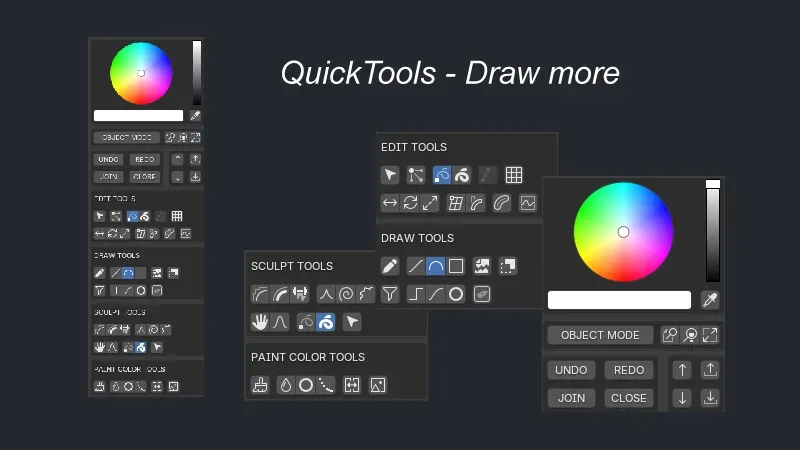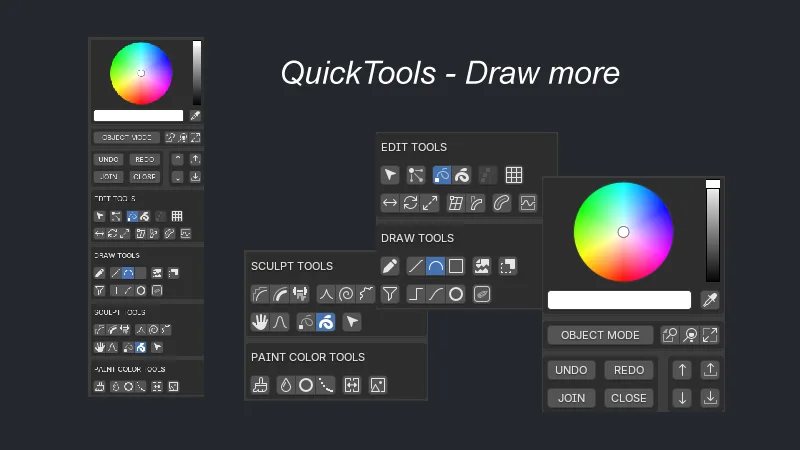
Grease Pencil QuickTools_ is a Blender add-on that groups Grease Pencil tools in the N sidebar. Selecting a tool switches Blender to the mode it needs. The add-on also unifies brush colors. The Blender Extensions listing identifies it as Grease Pencil QuickTools_v3, lists PongBuster as developer, and gives Blender 4.3.0 as the minimum for version 1.1.8.
Tools for strokes, text, and frames
The add-on offers operators for editing existing strokes and adding marks to a drawing:
- QuickTaper changes point thickness along selected strokes. Use Shift to taper in only or Ctrl to taper out only.
- QuickAlign aligns selected points horizontally or vertically to a selected point; hold Shift to align points relatively.
- QuickText adds text as Grease Pencil strokes using the provided styles. A
gptext_maker.blendfile is used to create custom styles. - Interpolate Stroke interpolates position, color, opacity, and thickness between keyframes.
- Snapigon draws polygons whose points snap to other points on the current frame.
- Quick Stroke Settings adjusts hardness, opacity, radius, fill opacity, and rotation with the mouse wheel and modifier keys.
- SubMerge subdivides and merges points by distance. The panel also includes Knife, Color Picker, Select Linked, and Set Fill Color tools.
Adjust settings with the mouse wheel
Quick Stroke Settings keeps several stroke controls on one interaction. Scrolling changes hardness; Shift plus scrolling changes opacity; Ctrl plus scrolling changes radius; and Shift plus Ctrl changes fill opacity. Hold Alt while scrolling to adjust rotation. This is useful when tuning selected strokes without opening each setting separately.
Compatibility and license
The Blender Extensions record lists Blender 4.3.0 as the minimum version and GPL-3.0-or-later as the license. AnyPlugins lists the add-on as free. Check the official extension page for the current release and download, and Blender's Install from Disk instructions for installation steps.