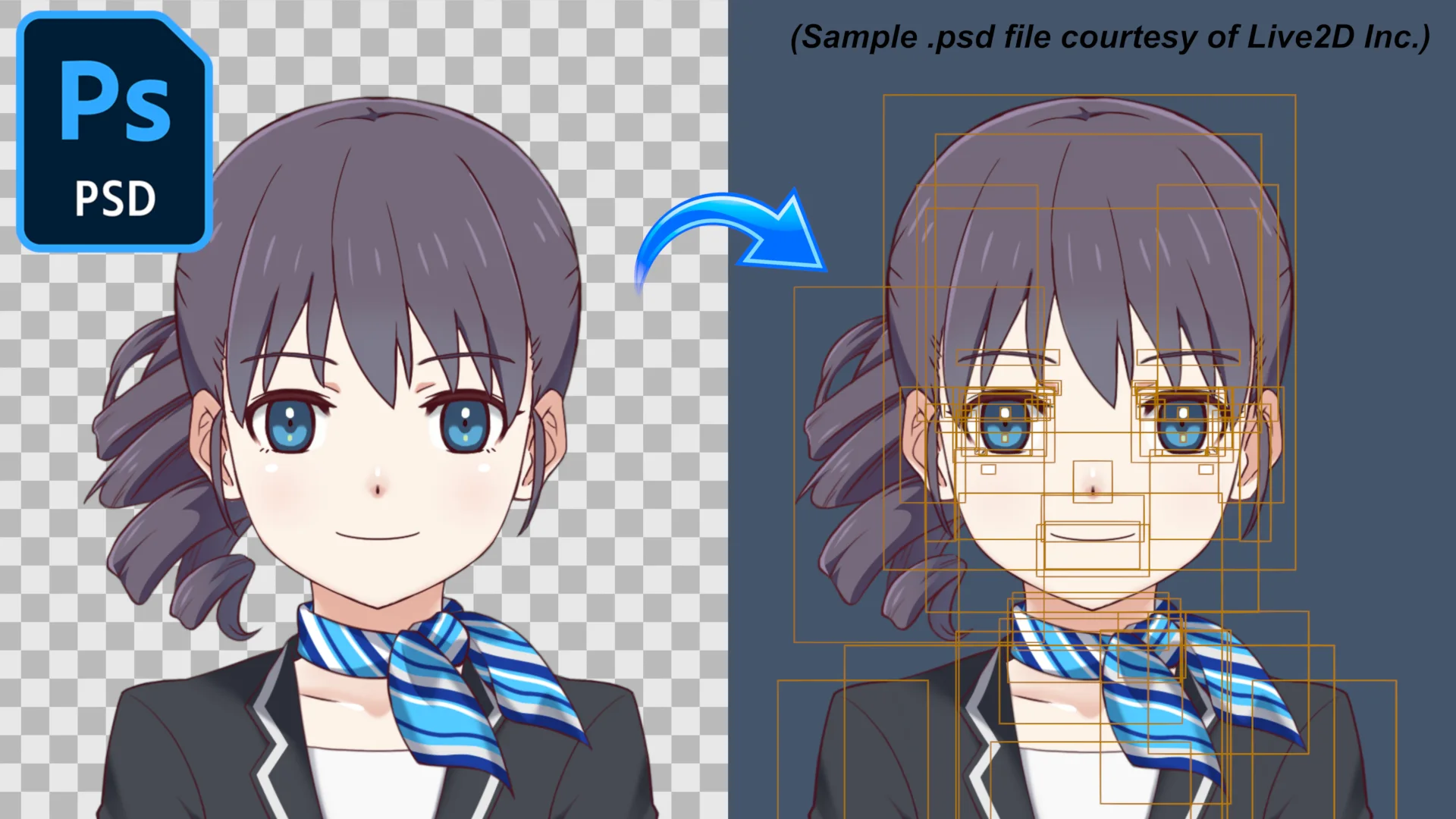
Import .PSD as Mesh Planes brings layered Photoshop artwork into Blender by creating mesh planes from its PSD layers. The separate planes can be placed in the scene, which suits artwork you want to arrange in depth rather than use as one flattened image.
Prepare the PSD
Keep components on separate layers when you want them to become separate planes. A flattened document no longer has separate PSD layers for the importer to turn into individual planes. Make changes to the source composition in your PSD editor, then import the file into Blender for scene work.
The add-on is focused on importing Adobe Photoshop .PSD files. The current Blender Extensions listing does not identify other image formats as supported.
Check compatibility and choose a package
The Blender Extensions listing identifies version 2.6.3 and a minimum Blender version of 4.2.0. It provides packages for Windows x64, macOS Intel (x64), macOS Apple silicon (arm64), and Linux x64. Choose the package that matches your operating system and, on macOS, your processor. Check the listing for current version and compatibility details before downloading.
Install and import
- Download the package for your platform from the Blender Extensions listing.
- In Blender, install it from Preferences > Extensions using Install from Disk. The Blender Manual explains this installation option.
- Use the add-on's PSD import command, then inspect the resulting planes and arrange them in your scene.
The Blender Extensions catalogue lists the add-on under the GNU General Public License v3.0 or later.