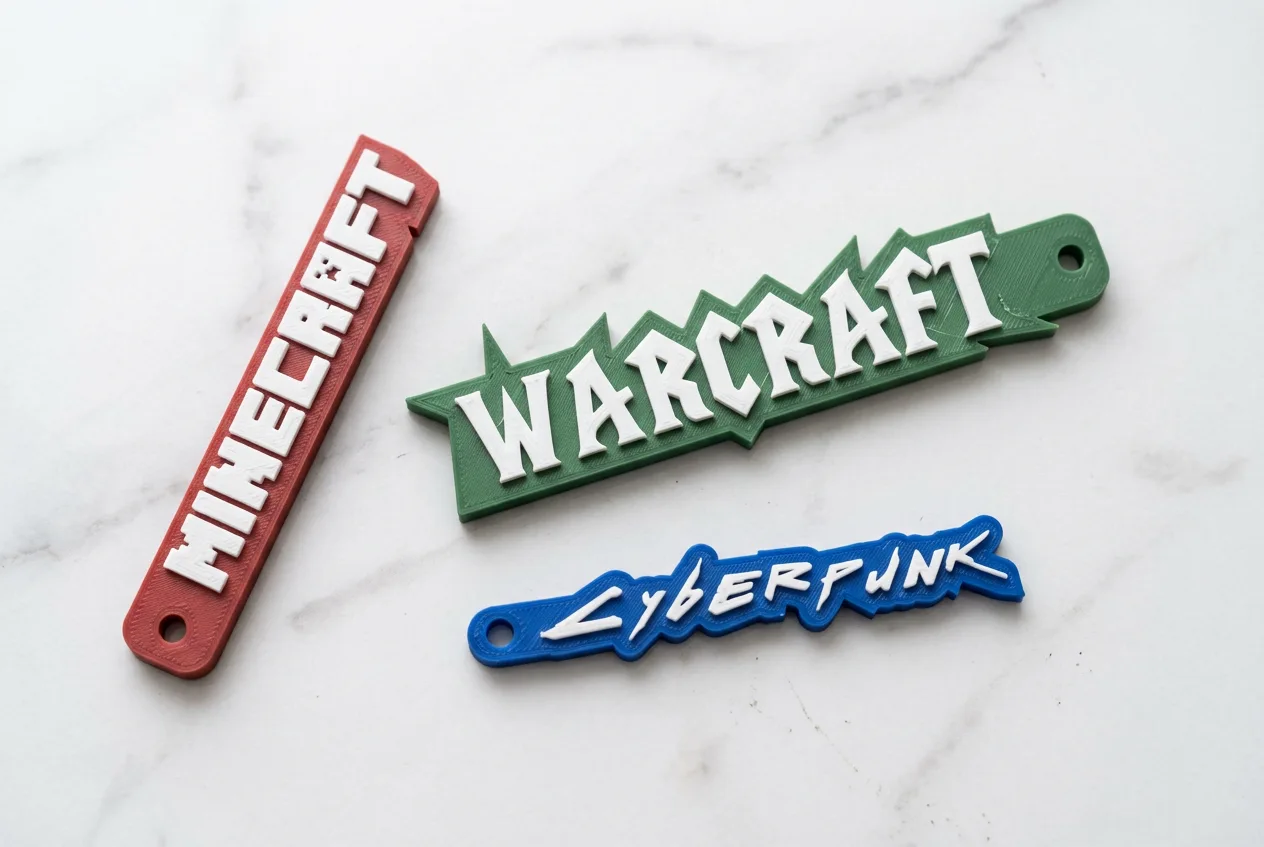
Keychain Builder is a Blender add-on by Sergey Kabanov for generating 3D-printable keychains from text. It builds a smooth base that follows the letter outlines with a metaball method, and can add a side ear with a round or oval hole for a key ring. The Blender Extensions listing for version 1.1.3 gives the packaged release details.
Choose text and dimensions
Open the Keychain tab in the 3D Viewport's N-panel, enter an inscription and choose a TTF or OTF font. Adjust character spacing, the base offset, base height and letter height to shape the result. Character spacing adjusts the gaps between letters; the base offset sets how far the base extends beyond the outlines, base height sets its thickness, and letter height sets how far letters protrude above it.
The optional ring ear can sit on the left or right. Its dimensions, vertical offset, hole size and edge margin are adjustable; choose a round or oval hole and set the chamfer and segment count for the outer edges. Shade Auto Smooth is applied to the generated geometry.
Create, adjust and export
Press Create Keychain to build the model. Smart Rebuild updates the existing model when you change its parameters and press Create again. Changing the text or font creates a new model instead. The developer's README documents the controls and workflow, including exporting the selected model from Blender through File > Export > STL.
Compatibility and license
For version 1.1.3, the Blender Extensions listing specifies Blender 4.2 LTS and newer. The repository README says Blender 4.0 and newer, so use the versioned listing as the guide for the packaged release. The Extensions listing identifies the license as GNU GPL v3.0 or later.